Malwarebytes アンチRootkit スキャナー
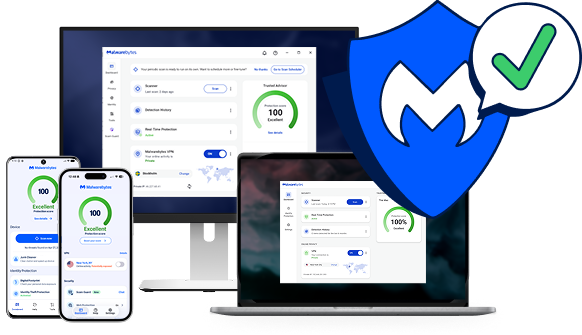
Scan for rootkits with our rootkit removal solution, or get proactive protection with Malwarebytes Premium.
信頼







Rootkit 症状
Rootkits are built to stay hidden, so the signs can be easy to miss. Watch for these warning signs.

コンピューターのパフォーマンスの低下
Rootkits drain memory, which results in sluggish computer performance.

ウェブブラウザのリダイレクト
Googleのリンクがリダイレクトされたり、ブックマークが認識されないなど、ウェブブラウザの挙動がおかしい。

Windows エラーメッセージ
あなたはWindows エラーメッセージ(「ブルースクリーン」)が表示され、頻繁に再起動する。

個人情報が盗まれる
Your credit card, Social Security number, and user passwords are stolen.

Antivirus isn’t working
ウイルス対策ソフトが突然無効になった。
Protect your device and data with Malwarebytes rootkit scanner
Free rootkit scanner vs. Premium protection: what do you need?
Both find and remove rootkits. The difference is whether you want to clean up after an infection or stop it before it gets in.
Malwarebytes 無料
Remove a rootkit infection
Best if you think a rootkit is already on your device and want to find and remove it now.
Malwarebytes Premium ・ 推奨
Stop rootkits before they get in
スキャン時だけでなく、常にデバイスを保護したい場合に最適です。
ルートキットの削除方法
Find and remove rootkits in a few minutes with the free Malwarebytes rootkit scanner.
01
Install the rootkit scanner
Download and install the Malwarebytes software.
02
Turn on rootkit scanning
Click the Gear icon and choose the “Security” menu. Turn on the “Scan for rootkits” slider.
03
Scan and review threats
Click the “Scan” button and Malwarebytes quickly scans your device. It then reports on any threats that were found and asks if you want to remove them.
04
Remove rootkit threats
Once you give the OK, Malwarebytes will clean up rootkits and other threats so your device, files, and privacy are secure.
Scanning removes rootkits that are already on your device. To stop new ones from getting in, turn on real-time protection with Malwarebytes Premium.
私たちの言葉を鵜呑みにしないでください
「私たちはMalwarebytes 当社の全コンピューターで。当社の経験ではMalwarebytes 効果的でトラブルもありません。」
「 Malwarebytes これは悪意のあるデータに対する非常に貴重な保護層を追加してくれるので、私自身もシステムもより安全だと感じられます!」
「私たちの組織全体で、毎週何百もの潜在的なマルウェアやトラッカーを排除しています。
Rootkit よくある質問
rootkit何か?
ルートキットは何をするのか?
なぜrootkit 検出が難しいのか?
ルートキットのチェック方法は?
どのようにMalwarebytes ルートキットから保護しますか?
スタート
得るMalwarebytes Premium あらゆる種類のマルウェアに対する積極的な保護のために。