Malwarebytes Anti- Rootkit Escáner
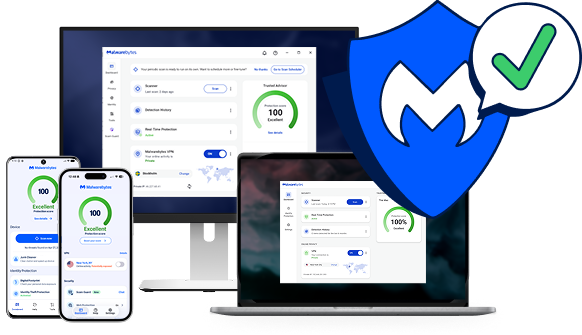
Scan for rootkits with our rootkit removal solution, or get proactive protection with Malwarebytes Premium.
Confían en nosotros







Rootkit síntomas
Rootkits are built to stay hidden, so the signs can be easy to miss. Watch for these warning signs.

Rendimiento lento del ordenador
Rootkits drain memory, which results in sluggish computer performance.

Redirecciones del navegador web
Estás experimentando comportamientos extraños en tu navegador web, como redirecciones de enlaces de Google o marcadores no reconocidos.

Windows mensajes de error
Te estás poniendo Windows mensajes de error ("La pantalla azul de la muerte") y se reinician constantemente.

Se roba información personal
Your credit card, Social Security number, and user passwords are stolen.

Antivirus isn’t working
Su software antivirus se ha desactivado repentinamente.
Protect your device and data with Malwarebytes rootkit scanner
Free rootkit scanner vs. Premium protection: what do you need?
Both find and remove rootkits. The difference is whether you want to clean up after an infection or stop it before it gets in.
Malwarebytes Gratis
Remove a rootkit infection
Best if you think a rootkit is already on your device and want to find and remove it now.
Malwarebytes Premium · Recomendado
Stop rootkits before they get in
Lo mejor es si quieres que tus dispositivos estén protegidos en todo momento, no solo cuando realizas un escaneo.
Cómo eliminar rootkits
Find and remove rootkits in a few minutes with the free Malwarebytes rootkit scanner.
01
Install the rootkit scanner
Download and install the Malwarebytes software.
02
Turn on rootkit scanning
Click the Gear icon and choose the “Security” menu. Turn on the “Scan for rootkits” slider.
03
Scan and review threats
Click the “Scan” button and Malwarebytes quickly scans your device. It then reports on any threats that were found and asks if you want to remove them.
04
Remove rootkit threats
Once you give the OK, Malwarebytes will clean up rootkits and other threats so your device, files, and privacy are secure.
Scanning removes rootkits that are already on your device. To stop new ones from getting in, turn on real-time protection with Malwarebytes Premium.
No tiene que fiarse de nuestra palabra
“Usamos Malwarebytes en todos los ordenadores de nuestra empresa. Nuestra experiencia es que Malwarebytes Es eficaz y no da problemas.
“ Malwarebytes ¡Esto proporciona una capa adicional e invaluable de protección contra datos maliciosos, y eso hace que tanto yo como nuestros sistemas nos sintamos más seguros!
“Eliminamos cientos de posibles programas maliciosos y rastreadores cada semana para toda nuestra organización.”
Rootkit Preguntas frecuentes
¿Qué es un? rootkit ¿
¿Qué hacen los rootkits?
¿Por qué es un? rootkit ¿Tan difícil de detectar?
¿Cómo se detectan los rootkits?
¿Cómo lo hace? Malwarebytes ¿Protegerse contra los rootkits?
Comenzar
Conseguir Malwarebytes Premium para una protección proactiva contra todo tipo de malware.