Malwarebytes Анти- Rootkit Сканер
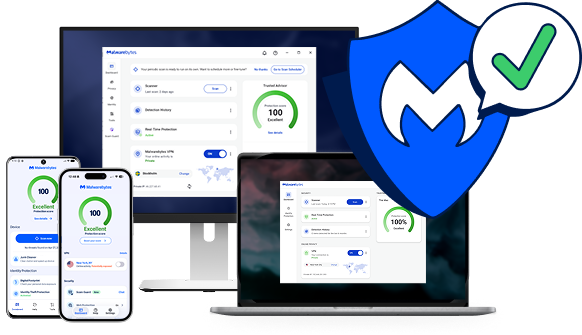
Scan for rootkits with our rootkit removal solution, or get proactive protection with Malwarebytes Premium.
Доверенный







Rootkit симптомы
Rootkits are built to stay hidden, so the signs can be easy to miss. Watch for these warning signs.

Низкая производительность компьютера
Rootkits drain memory, which results in sluggish computer performance.

Перенаправления в веб-браузере
Вы наблюдаете странное поведение браузера, например, перенаправление ссылок Google или нераспознанные закладки.

Windows сообщения об ошибках
Вы получаете Windows Сообщения об ошибках («Синий экран смерти») и постоянные перезагрузки.

Личная информация украдена
Your credit card, Social Security number, and user passwords are stolen.

Antivirus isn’t working
Ваше антивирусное программное обеспечение внезапно отключилось.
Protect your device and data with Malwarebytes rootkit scanner
Free rootkit scanner vs. Premium protection: what do you need?
Both find and remove rootkits. The difference is whether you want to clean up after an infection or stop it before it gets in.
Malwarebytes Бесплатно
Remove a rootkit infection
Best if you think a rootkit is already on your device and want to find and remove it now.
Malwarebytes Premium • Рекомендуется
Stop rootkits before they get in
Это лучший вариант, если вы хотите, чтобы ваши устройства были защищены постоянно, а не только во время сканирования.
Как удалить руткиты
Find and remove rootkits in a few minutes with the free Malwarebytes rootkit scanner.
01
Install the rootkit scanner
Download and install the Malwarebytes software.
02
Turn on rootkit scanning
Click the Gear icon and choose the “Security” menu. Turn on the “Scan for rootkits” slider.
03
Scan and review threats
Click the “Scan” button and Malwarebytes quickly scans your device. It then reports on any threats that were found and asks if you want to remove them.
04
Remove rootkit threats
Once you give the OK, Malwarebytes will clean up rootkits and other threats so your device, files, and privacy are secure.
Scanning removes rootkits that are already on your device. To stop new ones from getting in, turn on real-time protection with Malwarebytes Premium.
Не верьте нам, поверьте нашим клиентам
«Мы используем Malwarebytes на всех компьютерах нашей компании. Наш опыт показывает, что Malwarebytes «Эффективен и не доставляет хлопот».
« Malwarebytes «Это обеспечивает дополнительный, бесценный уровень защиты от вредоносных данных, и благодаря этому я и наши системы чувствуем себя в большей безопасности!»
"Еженедельное устранение сотен потенциальных вредоносных программ и трекеров для всей нашей организации".
Rootkit Часто задаваемые вопросы
Что такое rootkit?
Что делают руткиты?
Почему rootkit так трудно обнаружить?
Как проверить наличие руткитов?
Как это работает? Malwarebytes Защита от руткитов?
Начать
Получать Malwarebytes Premium для активной защиты от всех видов вредоносных программ.