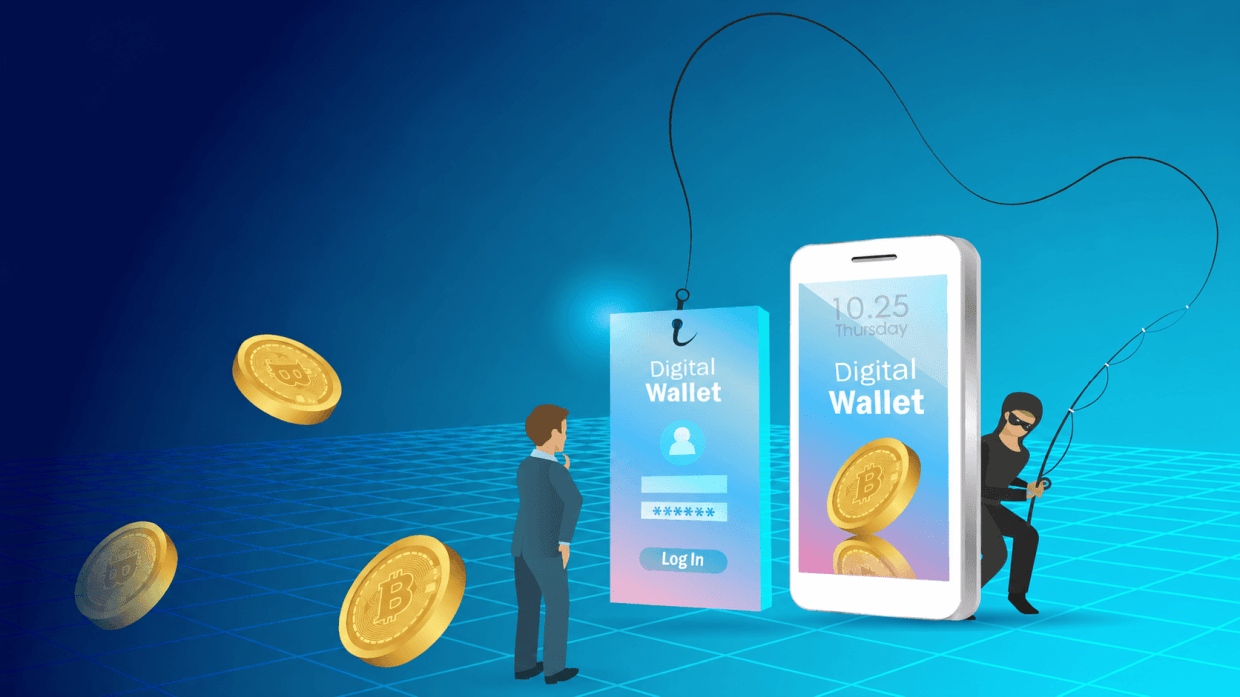
When you find out you’ve been scammed, you may feel angry, ashamed, or disappointed. Be reassured that it happens to so many people, and you’re not alone. The most important thing to do now it be is fast.
Freeze contact with the scammer immediately, secure your affected accounts, and report it to the right place. The steps below are organized so you can jump to your scam scenario and your country easily.
Damage control
The first 24 hours are often crucial. This is what you need to do first:
Stop all contact with the suspected scammer. Do not reply, click links, or call numbers they gave you.
Freeze or block payments. Call your bank/card issuer using the number on the back of your card; ask them to stop/reverse transactions and cancel compromised cards.
Reset passwords for any account where you shared credentials or reused passwords; enable multi‑factor authentication (MFA) everywhere.
Secure devices. Update OS and security software and run a full scan. If it finds any suspicious apps/extensions, remove them.
Document everything. Save messages, emails, URLs, phone numbers, transaction IDs, screenshots, and a timeline of events.consumer. You may need this in case of a criminal investigation.
Check for identity exposure. If you shared ID, Social Security Number (SSN), National Identification Number (NIN), or financial data, place a fraud alert/credit freeze and monitor statements and credit reports.
Secure your identity. For added security, identity theft protection services monitor your credit and alert you to any unusual activity, providing an extra defense layer against identity fraud.
Beware of “recovery” scams. Ignore unsolicited calls/messages promising to get your money back for a fee. Even if they claim to be the FBI. If you feel threatened or are in immediate physical danger, call your local emergency number (often 911/112/999).
Report to the proper authorities
How to report a scam in the United States
- Report to the FBI’s Internet Crime Complaint Center (IC3): File a complaint online at ic3.gov as soon as possible. This is the main hub for cybercrime reports and helps with investigations and to gather intelligence about scams and the people behind them. Rapid reporting can also help support the recovery of lost funds.
- Contact local law enforcement: If you lost money, you should also file a report with your local police department.
- Notify your bank or credit card company: Inform them about the fraud in order to freeze accounts or reverse charges where possible.
How to report a scam in Canada
- Canadian Anti-Fraud Centre (CAFC): Call 1-888-495-8501 or report online. The CAFC collects fraud reports nationwide and coordinates with law enforcement and the National Cybercrime Coordination Centre (NC3).
- Local police: Report the scam to your local police department, especially if you lost money.
- Credit bureaus: It is advisable to contact Equifax Canada and TransUnion Canada to order a free credit report immediately and ask that a fraud alert be put on your file.
- Financial institutions: Notify your bank or credit card issuer immediately, but also to the financial institution that transferred the money in case that’s a different one.
How to report a scam in the United Kingdom
- Action Fraud: Report online at actionfraud.police.uk or call 0300 123 2040 (Monday to Friday, 8 am to 8 pm). Action Fraud is the national reporting center for fraud and cybercrime. It collects reports about fraud on behalf of the police in England, Wales and Northern Ireland. For fraud in Scotland please report it directly to Police Scotland.
- Local police: For urgent matters or ongoing threats, contact your local police. If the police decide not to investigate your case as a crime, you might still be able to get compensation or money back by bringing a civil case yourself. Talk to a solicitor or asset recovery agent to find out more.
- Financial institutions: Alert your bank or credit card company to suspicious transactions.
How to report a scam in Germany
- Police (Polizei): Report online via your state’s “Onlinewache”/online Strafanzeige or in person. In case of an emergency, you can dial 110, non‑emergency can go through the local police website.
- Cybercrime/fraud: Always report to the national police. Specialized stations can be asked to provide further help.
- Consumer support: European Consumer Centre Germany and local Verbraucherzentrale can advise on cross‑border purchases and rights.
How to report a scam in Spain
- Policía Nacional / Guardia Civil: File a denuncia in person or via their electronic offices, for immediate danger call 112, otherwise 091 (Policía) or 062 (Guardia Civil).
- Cybersecurity helpline: Call INCIBE 017 for free guidance on how/where to report and next steps.
- Bank action: Call your bank immediately to block cards and attempt transfer recalls.
How to report a scam in France
- Police or gendarmerie: call 17 for police/gendarmerie in an emergency, or 112 anywhere in the EU. Or online through the French Ministry of the Interior’s online complaint route.
- Use SignalConso to report problems with a company, such as non-delivery, misleading practices, or unresolved complaints.
- Report to Pharos for illegal online content and suspicious or illicit material tied to fraud or abuse.
Other countries (EU and beyond)
- EU-wide: Report fraud to OLAF (European Anti‑Fraud Office) via the Fraud Notification System. The site supports any EU language.
- Victim support: Contact your national Victim Support service. In many EU countries you can call 116 006 for rights info and referrals.
- Consumer help: Reach out to your national European Consumer Centre (ECC) for cross‑border purchase disputes.
- Local cybercrime portals: Many countries maintain online reporting (e.g., national CERT/police portals). A consolidated list is available in INTERPOL/Europol-style resources.
- A complete list of international authorities to report online fraud can be found here.
Reporting scams on popular platforms
In all countries it’s also helpful to report on the platforms where the scam took place or was initiated. Use built-in reporting tools on platforms like Facebook and WhatsApp to report scam accounts or messages:
- Open the chat with the suspicious business or individual.
- Tap the business name or contact info at the top.
- Scroll down and select Report Business or Report Contact.
- Block the contact to stop further messages. The last five messages in the chat will be sent to WhatsApp.
- Click the three dots on the post, profile, or message you want to report.
- Select Find support or report post/profile/message.
- Follow the prompts to specify whether it’s a scam or fraudulent activity.
- Facebook reviews these reports and may remove or restrict the scammer’s account so they can’t use that account anymore to defraud others.
Other platforms (e.g. Instagram, X, eBay)
- Look for “Report” or “Help” links on the profile or message.
- Follow platform-specific instructions to flag fraudulent behavior.
- Provide as much detail as possible about the scam.
Payment providers
- Credit/debit cards: Contact issuer immediately and request chargeback for unauthorized or undelivered goods.
- Bank transfers (wire/SEPA): Ask your bank to recall. Keep in mind that your chance of success depends on speed and jurisdiction.
- Money apps (Venmo, PayPal, etc.): Report fraudulent transaction in-app. And if the payments is linked to a card, also notify the card issuer.
- Gift cards: Contact the issuer. Keep the card and the receipt. Successful reversals are rare but worth trying.
- Wire services (Western Union, MoneyGram, Ria): Call the provider’s fraud line immediately to attempt a stop.
- Cryptocurrency: Typically, irreversible. You can report to the platform used and to law enforcement. In some cases it’s possible to track wallet addresses for evidence.
- Cash by mail/courier: Contact the carrier (for example USPS Package Intercept) as soon as possible to stop the delivery.
Something feel off? Check it before you click.
Malwarebytes Scam Guard helps you analyze suspicious links, texts, and screenshots instantly.
Available with Malwarebytes Premium Security for all your devices, and in the Malwarebytes app for iOS and Android.