Malwarebytes Anti- Rootkit Scanner
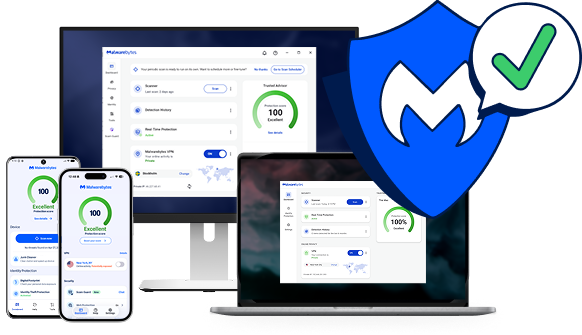
Scan for rootkits with our rootkit removal solution, or get proactive protection with Malwarebytes Premium.
Vertrouwd door







Rootkit symptomen
Rootkits are built to stay hidden, so the signs can be easy to miss. Watch for these warning signs.

Trage computerprestaties
Rootkits drain memory, which results in sluggish computer performance.

Webbrowser omleidingen
uziet vreemd gedrag in uw webbrowser, zoals Google-links die worden omgeleid of bladwijzers die niet worden herkend.

Windows foutmeldingen
Je krijgt Windows Er verschijnen foutmeldingen ("het blauwe scherm des doods") en de computer start constant opnieuw op.

Persoonlijke gegevens worden gestolen
Your credit card, Social Security number, and user passwords are stolen.

Antivirus isn’t working
uw antivirussoftware is plotseling gedeactiveerd.
Protect your device and data with Malwarebytes rootkit scanner
Free rootkit scanner vs. Premium protection: what do you need?
Both find and remove rootkits. The difference is whether you want to clean up after an infection or stop it before it gets in.
Malwarebytes Vrij
Remove a rootkit infection
Best if you think a rootkit is already on your device and want to find and remove it now.
Malwarebytes Premium · Aanbevolen
Stop rootkits before they get in
Het meest geschikt als u uw apparaten altijd wilt beschermen, niet alleen tijdens het scannen.
Hoe rootkits verwijderen
Find and remove rootkits in a few minutes with the free Malwarebytes rootkit scanner.
01
Install the rootkit scanner
Download and install the Malwarebytes software.
02
Turn on rootkit scanning
Click the Gear icon and choose the “Security” menu. Turn on the “Scan for rootkits” slider.
03
Scan and review threats
Click the “Scan” button and Malwarebytes quickly scans your device. It then reports on any threats that were found and asks if you want to remove them.
04
Remove rootkit threats
Once you give the OK, Malwarebytes will clean up rootkits and other threats so your device, files, and privacy are secure.
Scanning removes rootkits that are already on your device. To stop new ones from getting in, turn on real-time protection with Malwarebytes Premium.
Geloof ons niet alleen op ons woord
“Wij gebruiken Malwarebytes op al onze bedrijfscomputers. Onze ervaring is dat Malwarebytes is effectief en probleemloos.”
“ Malwarebytes Het biedt een extra, onschatbare beschermingslaag tegen schadelijke data, waardoor ik en onze systemen ons veiliger voelen!”
"Het elimineren van honderden potentiële malware en trackers per week voor onze hele organisatie."
Rootkit Veelgestelde vragen
Wat is een rootkit?
Wat doen rootkits?
Waarom is een rootkit zo moeilijk op te sporen?
Hoe u op rootkits?
Hoe werkt dat? Malwarebytes Bescherming tegen rootkits?
Neem meteen actie
Koop Malwarebytes Premium voor proactieve bescherming tegen alle soorten malware.