Best digital footprint scanners and checkers [2026 comparison]
This list ranks multiple digital footprint scanners based on how well they help you find and manage the trail of data you leave online.
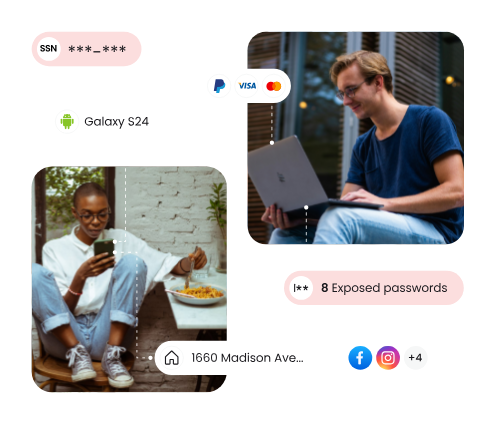
According to the ITRC 2025 Annual Data Breach Report, 80% of consumers received at least one data breach notice over the preceding 12 months.
This makes the role of digital footprint scanners vital in the modern world. Digital footprint scanners show you exactly where your data is exposed online. This could be a data breach, a people-search site, or something else on the open web. Even after you clean up that personal data, it can reappear later.
There are quite a few tools available online, so how do you find the best digital footprint scanner? In this guide, we’ll walk you through the top tools to help you choose the one that best fits you and your family’s needs.
Is your personal info exposed to hackers?
Input your email below to discover if your digital info is secure and assess your risk of identity theft:
*You will be asked to verify your email before proceeding
By submitting your email, you consent to Malwarebytes contacting you regarding products and services and using your personal data as described in our Terms of Service and Privacy Policy.
Best digital footprint scanners: quick review
This list ranks multiple digital footprint scanners based on how well they help you find and manage the trail of data you leave online. We compared how much of your data it can find, how clearly it shows where that data exists, and what you can do after. That includes whether it shows exact sources, connects exposure to accounts or records, and provides a way to remove or act on that data.
We prioritized tools that combine visibility with action, either by helping you remove your data, guiding next steps, or monitoring changes over time. While most tools offer a free initial scan, other features like ongoing monitoring, alerts, and data removal typically require a paid subscription.
| Tool | What it scans | Cost | Scan Type |
| Malwarebytes | Breaches, dark web, exposed accounts, personal identifiers | Free scan (paid for monitoring, protection, and/or removal) | One-time and ongoing |
| Aura | Data brokers, breaches, public records, dark web | Free scan (paid for monitoring, protection, and/or removal) | Ongoing |
| Bitdefender Digital Identity Protection | Breaches, dark web, public web data, impersonation | Free scan (paid for monitoring, protection, and/or removal) | Ongoing |
| DeleteMe | Data brokers, people search sites, public listings | Free scan (paid for monitoring, protection, and/or removal) | Ongoing |
| Incogni | Data brokers, marketing databases, profiling data | $15.98-$45.98/month | Ongoing |
| Kanary | Data brokers, people search sites, search results | Free to $9.99/mo | Ongoing |
| Mozilla Monitor | Breaches, leaked emails, exposed credentials | Free scan (paid for monitoring, protection, and/or removal) | One-time and ongoing |
| OneRep | People search sites, public listings, broker data | Free scan (paid for monitoring, protection, and/or removal) | Ongoing |
| Optery | Data brokers, search results, personal profiles | Free scan (paid for monitoring, protection, and/or removal) | One-time and ongoing |
| Privacy Bee | Data brokers, marketing data, behavioral data | Free scan (paid for monitoring, protection, and/or removal) | Ongoing |
What is a digital footprint scanner?
A digital footprint scanner is a tool that scans the internet for traces of personal information, showing you where you’re exposed. It can help you comb through:
- Data breach databases
- Public records and data broker sites
- Social media and forum activity
- The open web (anything indexed and publicly accessible)
Think of it like running a background check on yourself. In a few minutes, it can find things like your email addresses in a data breach, phone numbers on people-search sites, old social media profiles, and leaked passwords tied to your accounts.
Digital footprint scanner vs removal service
A digital footprint scanner is built for visibility. It maps out where your personal information shows up online and gives you a clear picture of your exposure.
A data removal service is built for action. It takes information about your exposure and works to get it taken down, usually by sending opt-out requests to data brokers and following up.
The best tools typically blur this line. Many scanners now include basic removal features, and most removal services start with a scan anyway. But if you just want to assess your risk, say, by checking whether your email was included in a breach, a scanner is enough. If your goal is to reduce your digital footprint, you’ll need a removal service.
Why checking your digital footprint matters
Once you put your personal data online, whether that’s during a signup, purchase, app download, or another online activity, your data is at risk of spreading. Over time, your information gets picked up by data brokers and reused across dozens of sites. It’s not unusual for a single email address to show up in 50+ databases. And with the data broker industry hitting $332.89 billion in 2025, there’s serious money behind the trade of your personal information.
That exposure leads to various risks:
- Account takeovers: Breached credentials get reused across accounts. Credential stuffing alone drove 22% of all breaches in 2025, making it the most common initial access vector for the third consecutive year.
- Targeted scams: More personal data opens doors for more convincing phishing attacks, and with AI in the mix, the threat is sharper than ever: AI-crafted phishing emails now achieve a 54% click rate, compared to just 12% for human-written ones
- Privacy leaks: Phone numbers and addresses can appear publicly. The National Public Data breach in 2024 exposed 2.9 billion records, including the names, addresses, and phone numbers of up to 170 million people.
- Financial fraud and identity theft: Exposed personal data is a direct pipeline to financial crime, with consumers losing $12.5 billion to fraud in 2024—a 25% jump from the year before.
And most of this happens quietly, without you actively oversharing.
That’s exactly why your digital footprint isn’t just a one-off task. It’s a way to keep a constant watch over what personal information is out there and protect your data from scammers who are constantly innovating to steal data. If you want to scan for your personal information online and see if it has been compromised, use our digital footprint checker.
Best digital footprint scanners
Rated 1: Malwarebytes Digital Footprint Scanner
What it scans: Dark web data, breached accounts, exposed passwords, personal identifiers (SSN, phone, address), online accounts linked to your email
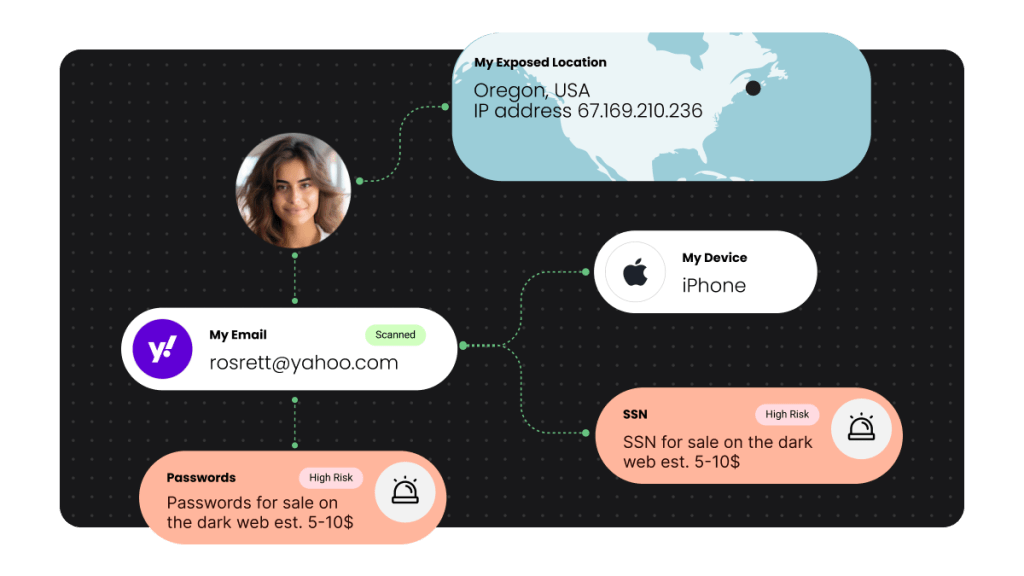
Malwarebytes helps you check whether personal information tied to your email has been exposed online. That can include breached accounts, exposed passwords, phone numbers, addresses, Social Security numbers, and other personal details found in known data leaks.
Instead of just telling you that your information may be out there, the scan helps show what was exposed, where it was found, and, when available, when the exposure happened. That gives you a clearer view of your digital footprint and helps you decide what to fix first.
Your results are organized into a simple report with categories like compromised accounts, exposed passwords, and sensitive personal information. From there, Malwarebytes gives you practical next steps, such as changing passwords, securing affected accounts, or watching for signs of identity misuse.
The free scan is a quick way to check your exposure without setting up a full monitoring service. For ongoing peace of mind, Malwarebytes also offers monitoring and protection tools that help you stay ahead of threats across your accounts and devices.
Pros:
- Helps you quickly understand the impact of a breach
- Makes it easier to prioritize what to fix first when multiple accounts are involved
- Works well as a low-friction first check before committing to a full monitoring service
- Connects exposure to real-world risk
Cons:
- Initial scan is tied primarily to your email, so coverage depends on what’s linked to it
- Results depend on known breaches and tracked data sources
Scan your digital footprint with Malwarebytes
Rated 2: Aura Digital Footprint Checker
What it scans: Data broker listings, dark web leaks, breached account data, public records, people search sites
Aura is a digital safety tool that helps users see where their personal information exists across the internet by scanning multiple sources tied to an identity. After signing up, you enter details like your email, phone number, and address, which the platform uses as starting points to search data broker sites, breach databases, and public records.
From there, it builds a view of where your data appears online. You can review these findings inside the dashboard, along with alerts when new exposures show up over time.
Aura also includes automated data broker opt-out requests, which attempt to remove your information from sites that collect and resell personal data. These removals are tracked and revisited, since data can reappear after being scraped again.
In addition to mapping your digital footprint, the platform continues monitoring in the background, resurfacing new leaks or listings tied to your information..

Pros:
- Combines visibility and cleanup
- Surfaces less obvious exposures like people search listings and public records
- Keeps checking over time
- Centralizes different types of exposure into a single dashboard
- Covers both intentional and unintentional data exposure
Cons:
- Requires a paid subscription for continuous monitoring and removal features
- Data removal depends on third-party site compliance and can take time
Rated 3: Bitdefender Digital Footprint Checker
What it scans: Dark web leaks, breached account data, email and password exposure, social media impersonation, public web data traces
Bitdefender Digital Footprint Checker focuses on showing where your personal information appears across both the public internet and underground sources. After setup, you enter details like your email, phone number, and name, which the platform uses to map your identity across different data sources.
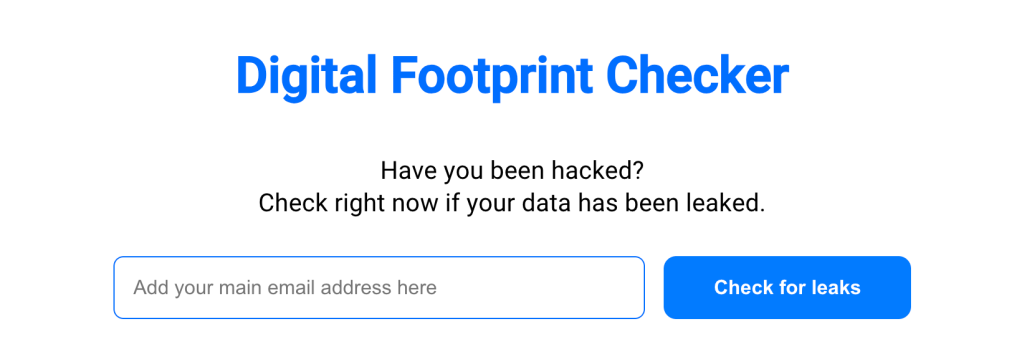
It then scans breach databases, public websites, and dark web forums to identify where your data has been exposed, including accounts tied to your email, leaked credentials, and personal details connected to your identity. These findings are organized into a dashboard that highlights the number of exposures and the specific sites or services involved.
Pros:
- Helps uncover older or forgotten accounts that still hold personal information
- Includes impersonation detection beyond breach data
Cons:
- Features less financial or credit monitoring compared to broader identity tools
- Lacks ability to remove your data directly from most sources
Rated 4: DeleteMe
What it scans: Data broker sites, people search websites, public records listings, search engine results, personal profile data
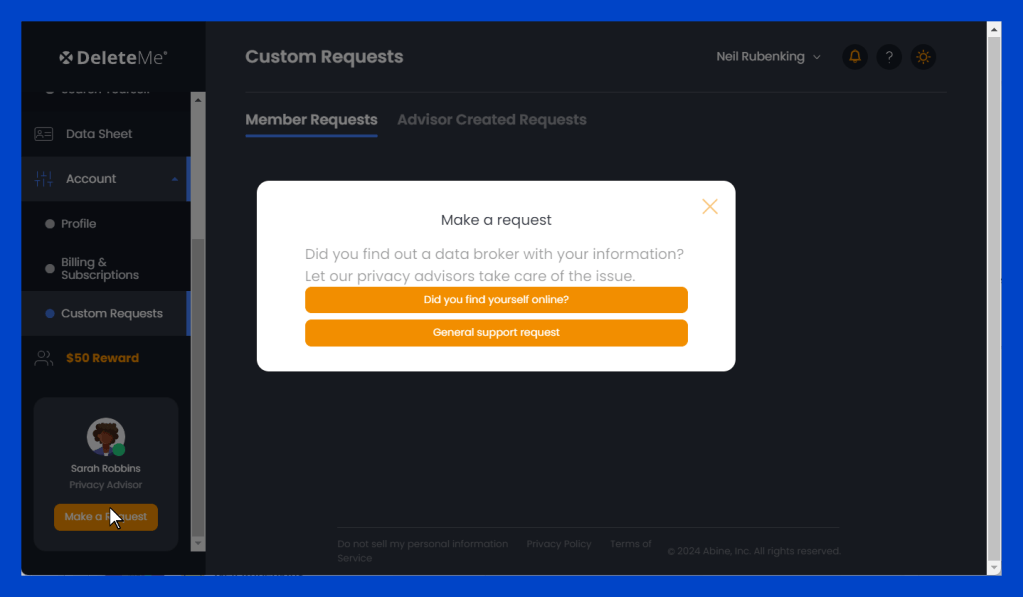
DeleteMe focuses on finding and removing personal information from data broker sites. Users submit details like their name, address, email, and phone number and the DeleteMe team searches data broker databases and people search websites to locate where sensitive information is listed.
Instead of just showing you where your data appears, DeleteMe sends removal requests on your behalf. These requests target listings that include personal details like your home address, relatives, and contact information that shows up in Google search results through third-party sites.
You receive periodic reports that show where your information was found and whether it has been removed. The service continues scanning and submitting new removal requests over time.
Pros:
- Actively removes personal data
- Handles the opt-out process for you
Cons:
- Limits visibility into your full digital footprint beyond supported data broker sites
- Lacks focus on breach data or dark web exposure
Rated 5: Incogni
What it scans: Data broker databases, people search sites, marketing and profiling databases, public records listings, personal profile data
Incogni identifies where your personal information is held by data brokers and sends removal requests on your behalf. After signing up, you provide basic details like your name, email, and address, which are used to locate your data across a network of data broker databases and people search platforms.
Once your information is matched to these sources, Incogni automatically sends opt-out and deletion requests to the companies holding your data. These requests target listings that include personal details such as contact information, demographics, and behavioral data collected for marketing or profiling purposes.
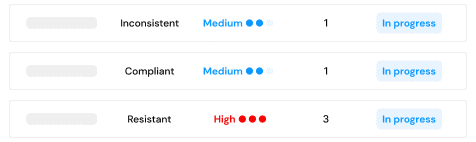
You can track progress through a dashboard that shows which brokers have your data, which requests are in progress, and which removals have been completed. The platform continues to follow up with brokers over time and resubmits requests when data reappears.
Pros:
- Handles data removal automatically
- Continuously follows up with brokers
Cons:
Gives less emphasis on detailed reporting or deep insights
Lacks focus on breach data, account exposure, or dark web monitoring
Rated 6: Kanary
What it scans: People search sites, data broker databases, Google search results, public records listings, exposed personal profiles
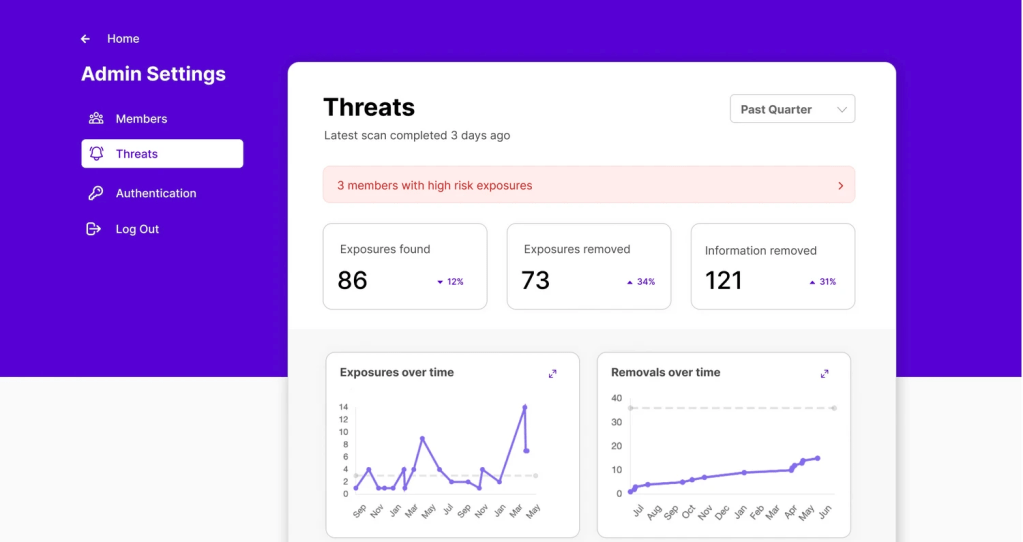
Kanary scans hundreds of data brokers and people search sites to find exact pages where your information appears, including links to the listings themselves. It surfaces these findings in a dashboard that shows where your data was found, what information is exposed, and what stage each removal is in.
You can also see whether a request has been submitted, is being processed, or has been completed. When it comes to removal, Kanary uses a mix of automated requests and guided actions.
For many sites, it submits opt-out requests on your behalf. For others, like Google results or more complex listings, it provides step-by-step instructions so you can complete the process yourself.
Pros:
- Shows the full removal process step-by-step
- Continuously rechecks sites
Cons:
- Requires more user involvement for certain removals
- Coverage is strongest in the US, with limited international reach
Rated 7: Mozilla Monitor
What it scans: Data breaches, leaked email addresses, exposed passwords, breached account data, public breach databases
Mozilla Monitor checks whether your personal information has appeared in known data breaches. You start by entering your email address, and the tool searches a large database of publicly known breaches to see if your accounts have been exposed.
The results show which breaches your email is linked to, along with details about what type of information was exposed such as passwords, usernames, or other personal data. This gives you a view of how your digital footprint has been affected by past incidents.
For ongoing use, you can sign up for monitoring, which sends alerts if your email appears in new breaches. Mozilla Monitor also includes guidance on what steps to take, like changing passwords or securing affected accounts.

Pros:
- Checks your exposure in seconds
- Offers clear, actionable guidance without requiring a paid plan to get started
Cons:
- Limited to breach data, so it does not show data broker listings or broader online presence
- Does not include data removal or cleanup features
Rated 8: OneRep
What it scans: People search sites, data broker databases, public records profiles, exposed personal listings, Google-indexed profile pages
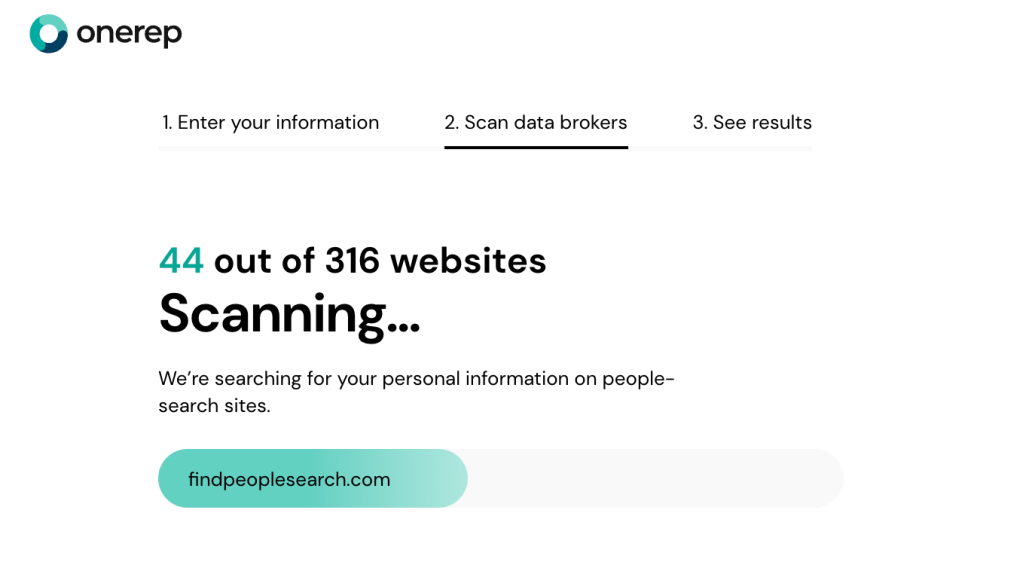
OneRep focuses on finding and removing personal profiles from people search websites. It runs an initial scan to identify listings tied to your identity across dozens of these sites. These listings can include details like your address history, phone numbers, relatives, and other background information that is publicly accessible.
OneRep first verifies whether your data exists on each site before submitting opt-out requests. Once matches are confirmed, the service submits removal requests across its supported network of data brokers and continues scanning those sites on a recurring basis.
The platform tracks progress through monthly reports, showing which listings have been removed, which are in progress, and which require additional time or follow-up. It also supports multiple variations of your identity like alternate names, phone numbers, and past addresses.
Pros:
- Verifies exposure before removal
- Provides regular reports that show real progress over time
Cons:
- Covers fewer data broker sites than some competitors with broader networks
- Available mainly to U.S. users, with limited international availability
Rated 9: Optery
What it scans: Data broker databases, people search sites, Google search results, exposed personal profiles, marketing data listings
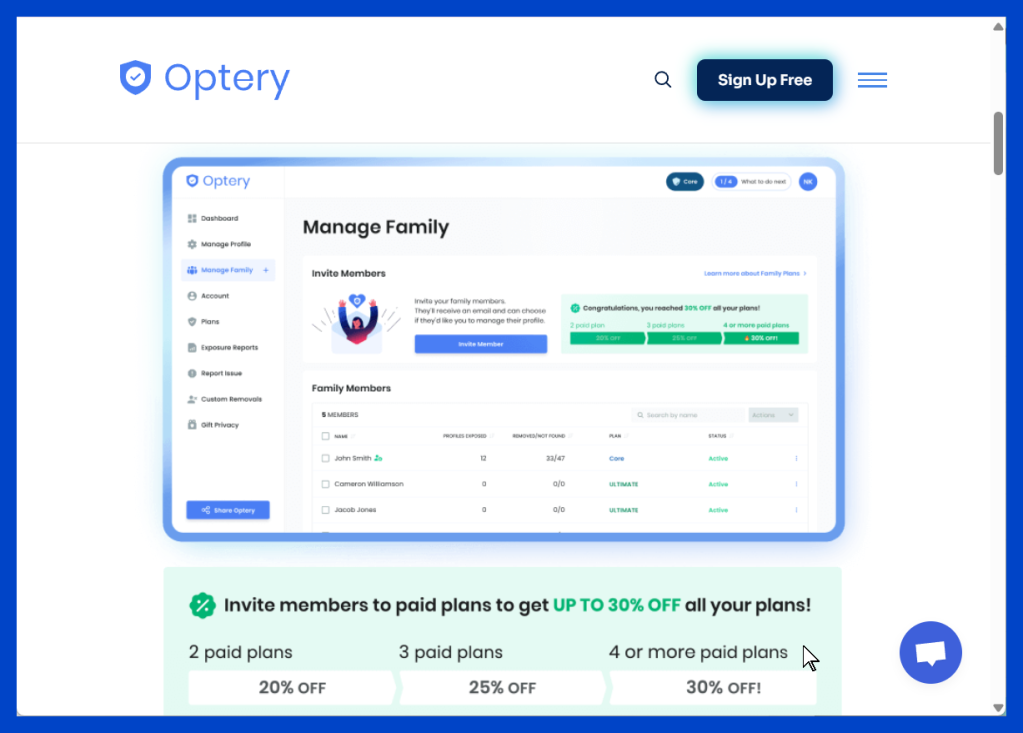
Optery gives you an exposure report before you commit to anything. After entering your personal details, it runs a scan across hundreds of data brokers and people search sites, identifying where your information appears and how widely it’s been distributed.
Optery also shows evidence of exposure, including screenshots or direct references to the listings it found. Some tiers give access to the exposure report along with step-by-step instructions to remove your data yourself. On higher end tiers, Optery shifts into a managed process where it submits removal requests automatically or uses automation with human review to handle more complex cases.
It continues scanning in the background and generates periodic reports that show what’s been removed, what’s still active, and where follow-up is needed. Some plans also extend removal to outdated search engine results.
Pros:
- Provides verifiable proof of exposure
- Offers both self-service and fully managed removal
Cons:
- Focuses mainly on data broker ecosystems, with no dark web or breach monitoring
- Full automation and broader coverage require higher-tier plans
Rated 10: Privacy Bee
What it scans: Data broker databases, marketing databases, shopping and purchase data, public records, exposed personal profiles
Privacy Bee scans data broker networks, marketing databases, and other companies that collect consumer data behind the scenes rather than appearing directly in search results.
Instead of limiting itself to people search sites, it looks at a broader range of data uses, including companies that build profiles based on shopping behavior, location data, and online activity. These profiles are often used for targeted advertising or shared between businesses, contributing to a less visible layer of your digital footprint.
Once your data is identified, Privacy Bee sends opt-out and deletion requests to these companies and continues to follow up over time. It also enforces consumer privacy rights where applicable, such as requesting access to stored data or asking companies to stop selling it.
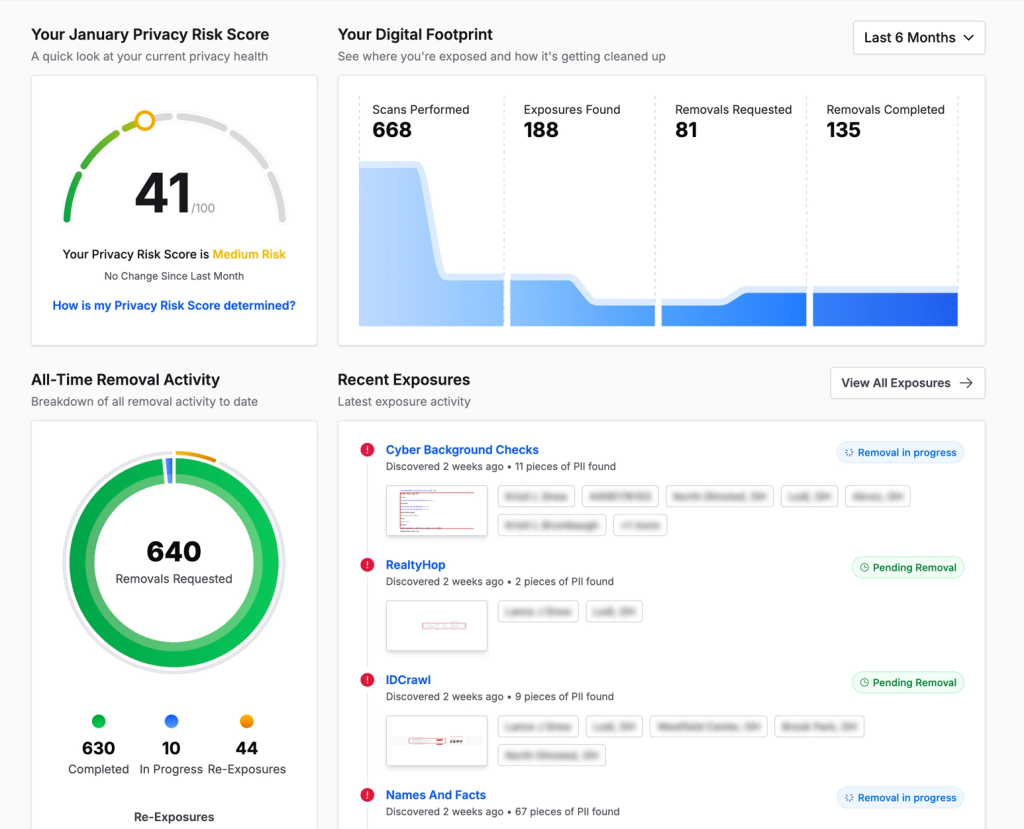
The platform tracks progress through a dashboard that shows which companies have responded, which requests are still pending, and where your data is still active. It continues scanning and submitting requests on a recurring basis.
Pros:
- Extends beyond typical broker sites
- Enforces privacy rights
Cons:
- Lacks detailed mapping of your full digital footprint
- Interface centers on request tracking rather than deep exposure analysis
What to do after scanning your digital footprint
After scanning, the next step is to actually reduce your risk. Start with the biggest exposure first and work your way down. Here’s an overview of what that process typically looks like:
Monitor your digital footprint regularly: Broker sites may republish data even after you’ve deleted it. You need to set up ongoing monitoring or run scans periodically so new exposures don’t slip through.
Update passwords for breached accounts: If any of your emails or accounts show up in data breaches, change those passwords immediately. Attackers tend to rely on reused passwords, so use strong and unique passwords for each account.
Remove your data from broker sites: If your scan shows listings on people-search or broker sites, submit opt-out requests to get that information taken down. This is one of the fastest ways to reduce how easily someone can find your personal details online. Malwarebytes offers a Personal Data Remover solution specifically for this.
Enable multi-factor authentication (MFA): Even if your password gets exposed, MFA can protect your account. Always turn it on for critical accounts, especially banking accounts.
Adjust your privacy settings: Review your social media and app permissions. Make sure you limit what’s publicly visible and tighten access to personal information wherever possible. It’s also a good practice to remove apps you no longer use.
Invest in Identity Theft Protection service: Ongoing identity monitoring and financial insurance can provide a peace of mind and necessary protection for you and your family.
Finding the right digital footprint scanner for your privacy
If your goal is just visibility, a one-time scan will show you where your data is exposed. That’s useful for a quick check. But if your goal is to reduce risk by removing personal data, you’ll need a tool that offers continuous monitoring, breach alerts, and the option to remove data from broker sites.
The tools covered in this guide are scanners. All of them can help you find exposed personal data, and most can also help remove it. The right choice comes down to how proactive you want to be about your privacy and the feature set you’re looking for.
Want to see how secure your personal information is? Try the Malwarebytes Digital Footprint Scanner for free today.
*You will be asked to verify your email before proceeding
By submitting your email, you consent to Malwarebytes contacting you regarding products and services and using your personal data as described in our Terms of Service and Privacy Policy.
Frequently asked questions about digital footprint scanners
Are digital footprint checkers accurate?
Can you see everything about yourself online?
How often should you check your digital footprint?
What is the best personal data removal service?
All-in-one cybersecurity protection always by your side.