Update required to use VPN
To ensure you have the best protection and latest features, please update your Malwarebytes app to the newest version.
If you currently have a subscription with VPN access
No worries, your VPN subscription is active and in good standing. To continue using the VPN, please update Malwarebytes to the latest version.
If you don’t currently have a subscription with VPN access
Updating your Malwarebytes app gives you the latest protection and allows you to explore new features, including VPN. After updating, you can easily upgrade your plan to include VPN if you’d like.
How to update:
• Open the Malwarebytes app
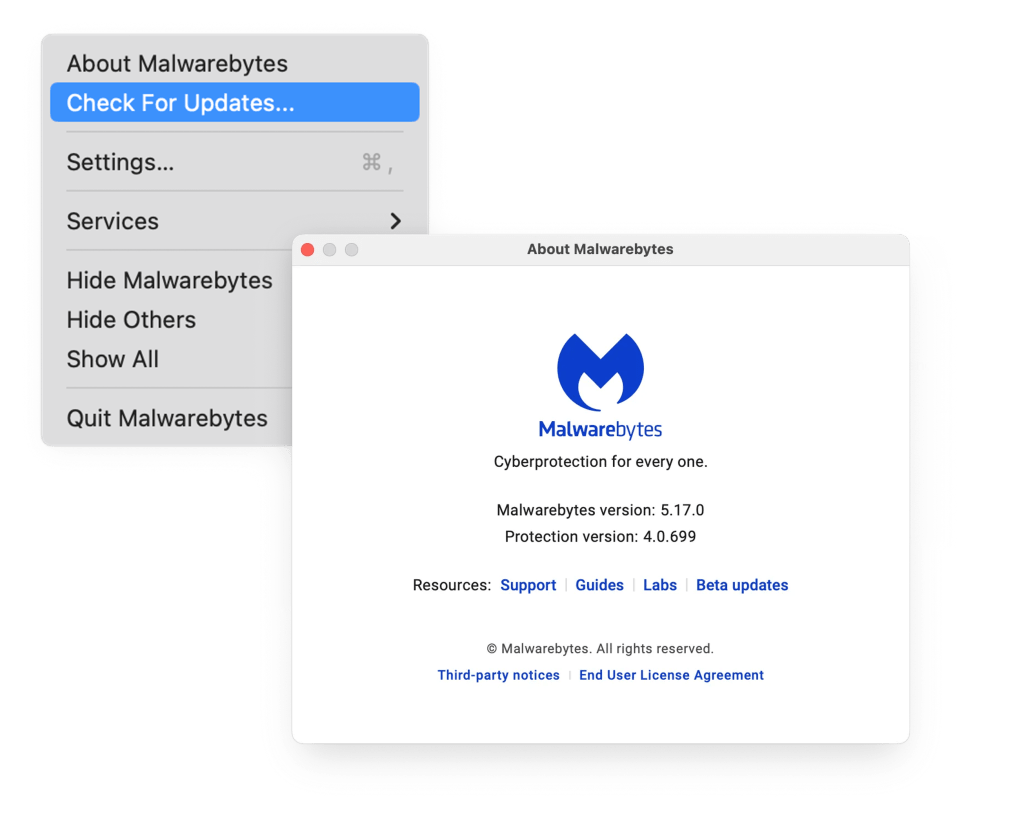
• In the menu bar, click Malwarebytes and select Check for Updates
• An update will download and automatically install
• After updating, click About Malwarebytes in the menu bar and ensure it’s version 5.17 or higher
For more information, please visit the Malwarebytes Help Center.