Best personal data removal services [2026 comparison]
This guide below reviews the best ad bloking extensions and tools to help improve your web browsing experience and protect your privacy.
Key takeaways:
- Your personal data is often spread across dozens or even hundreds of data broker sites
- Data removal services help reduce that exposure by finding and removing your information at scale
- Data brokers often relist information over time, which is why ongoing rescans and repeat removals help keep your information private
- Automated services handle removals continuously in the background, while manual removal requires repeated opt-out requests across different sites
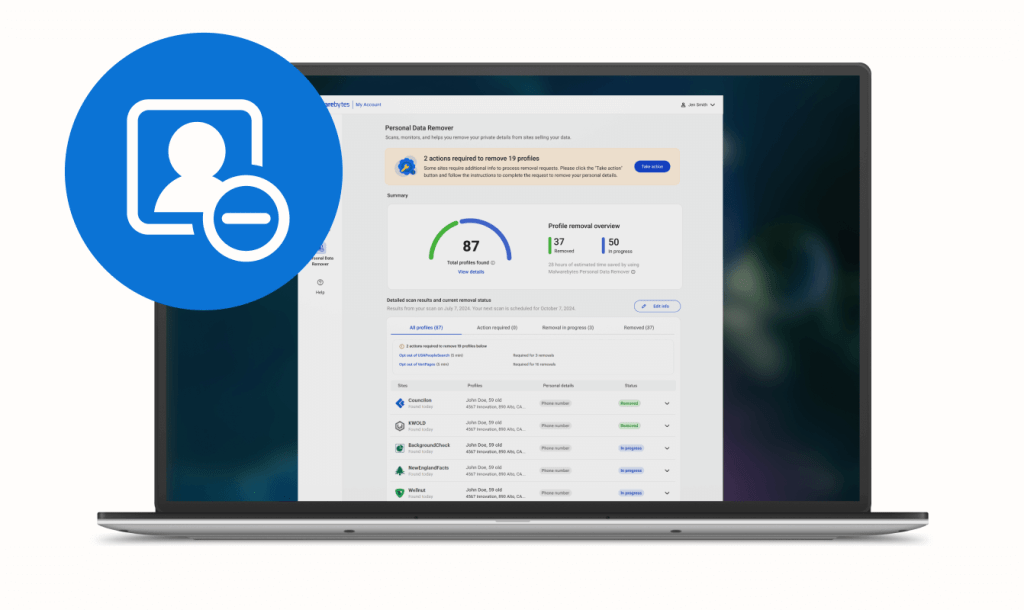
You’ve likely already felt the effects of having your data online. One day, it’s a random spam call. Then you’re seeing ads that somehow know your name, location, or past purchases. That information doesn’t come from nowhere. It’s collected, packaged, and sold by data brokers behind the scenes.
When that data gets exposed or misused, you’re the one who feels the impact. In fact, a recent US Congressional report found that just four major data broker breaches have already led to over $20 billion in identity theft losses for consumers.
That’s why people are turning to personal data removal solutions. Instead of trying to track down dozens, or even hundreds, of data broker sites on your own, these tools help you find where your information is listed, submit removal requests, and monitor whether it comes back.
This guide covers the best personal data removal services available today, how they work, and how they compare. You’ll see how each one handles data broker removals, what level of automation they offer, and where they differ.
Best personal data removers: Quick review
These services all aim to remove your data from broker sites, but they take very different approaches. Some focus on large-scale automated removals, others prioritize detailed reporting, and a few lean toward identity monitoring or managed support.
To compare them fairly, we reviewed product documentation, feature pages, dashboards, pricing, customer reviews, and third-party testing where available. We looked at how many broker sites each service covers, whether removals are automated or manual, how often they rescan for reappearances, and how much visibility they give you into the process. We also considered real-world limitations like removal timelines, coverage gaps, and whether the service remains effective without ongoing monitoring.
The table below highlights those differences so you can quickly compare how each service handles data removal and long-term exposure management.
| Tool | Best for | Capabilities | Cost | Customer review rating |
| Malwarebytes | Exposure scanning with automated cleanup | 175+ brokers, footprint scan, periodic rescans, removal tracking | Starts at $59.99/yr for 3 devices | 4.6/5 |
| Aura | Automated removal across broker networks | 200+ broker coverage, ongoing rescans, identity monitoring | Starts at $13-$50/mo | 4.2/5 |
| Bitdefender Digital Identity Protection | Exposure mapping across breaches and databases | Breach detection, identity monitoring, limited removal support | $7.99/mo | 4.3/5 |
| DeleteMe | Human-reviewed removals with detailed reporting | 700+ sites, quarterly reports, hybrid manual + automated removal | $129/year | 4.2/5 |
| Incogni | Large-scale legal automation | 420+ brokers, automated requests + follow-ups, minimal user input | $15.98/mo to $29.98/mo | 4.4/5 |
| Kanary | Hybrid removal with broader web coverage | 300+ brokers, search + public web scanning, guided removals | Starts at $16.99/mo | 8.4/10 |
| Mozilla Monitor Plus | Free scan with upgrade-based removal | 190+ brokers, breach alerts, monthly monitoring | Starts at $8.99/mo | 4.4/5 |
| Optery | Detailed reporting with tiered automation | Screenshot-based reporting, free scan, multi-tier removal options | $0/mo to $24.99/mo | 4.1/5 |
| Reputation Defender (Norton) | Managed service with identity support | Broker removals, identity monitoring, support services | Start at $9.95/mo | 4.3/5 |
How do data brokers use your personal data?
Data brokers build detailed profiles using information like your name, address, phone number, email, age, income, purchases, browsing activity, and location data. They collect that information from public records, apps, websites, loyalty programs, advertising networks, and other third-party sources.
Over time, those data points are linked together across different databases to create a broader picture of your identity and online behavior. That information is then packaged and sold to advertisers, marketers, financial companies, and other organizations that want to target or evaluate consumers more precisely.
The industry behind that data is massive. In fact, the global data broker market was valued at roughly $270.4 billion in 2024 and is projected to reach $473.35 billion by 2032. In some cases, exposed broker data can also end up in the hands of scammers, who use personal details to make phishing messages, impersonation attempts, and fraud feel more believable.
How do data removers work?
Personal data removal services work by acting as your proxy for dealing with data brokers. Instead of you submitting manual removal requests to each broker (which may be hundreds), the service scans data brokers and people-search sites to find where your information appears, then submits opt-out requests on your behalf.
Once you sign up, most services ask for basic details like your name, address history, or email so they can match your data across these sites. From there, they send automated requests, and in some cases manual follow-ups, to have your information removed.
The work typically doesn’t stop after one pass. Data brokers often relist information over time, so many services continue scanning in the background and resend removal requests when your data shows up again.
Data removal services can reduce how much of your information is publicly available, but they’re not a permanent fix. As cybersecurity expert Weiqing Sun explains, “Most times, it will work to a certain extent… [but] the removed data may come back later.” That’s why many services continuously rescan broker sites and resend removal requests over time.
Automated vs. manual data removal
| Automated removal services | Manual data removal | |
| Time investment | Low: Runs in the background after setup | High: Requires submitting requests site by site |
| Accuracy | Consistent across many sites, but can depend on service coverage | High for individual sites, but harder to maintain across many |
| Cost | Paid subscription (monthly or yearly) | Free, but costs time and effort |
| Maintenance | Ongoing: Services monitor and re-submit removals automatically | Ongoing: You have to repeat the process when data reappears |
| Best for | Continuous monitoring and large-scale data removal | One-time cleanup or targeting a few specific sites |
| Coverage | Broad: Scans dozens to hundreds of data broker sites | Limited: Only the sites you manually find and submit to |
Best online personal data removers
Rated 1: Malwarebytes Personal Data Remover – best for end-to-end data removal

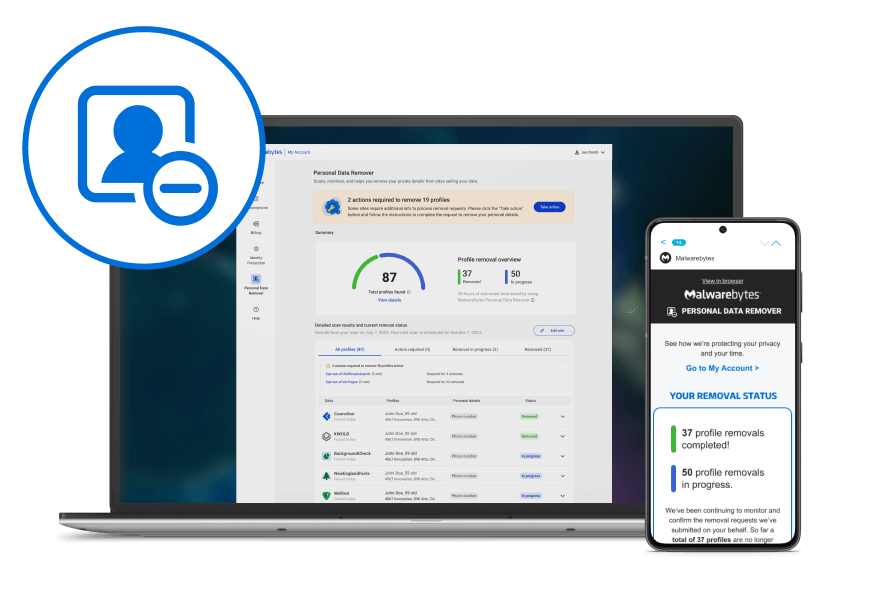
Malwarebytes Personal Data Remover starts by scanning your digital footprint to show where your personal information is exposed across data brokers, people-search sites, and other sources. It checks 175+ broker databases and hundreds of sites to identify listings tied to your identity, then submits removal requests and tracks progress as removals are completed.
The service continues rescanning every few months to catch new listings when your data reappears. It also connects with Malwarebytes’ broader privacy and security tools, including dark web monitoring, scam protection, and identity-focused alerts, so you can manage exposure and ongoing threats in one place.
Pros:
- Shows actual exposed records before removal, so you know what exists first
- Re-scans every few months and resubmits removals when data comes back
- Includes a free digital footprint scan
Cons:
- Removal timelines vary
- Ongoing protection requires an active subscription
Pricing:
- Personal Data Remover: $99.99/year
- Ultimate: $119.99/year
Learn more about Malwarebytes Personal Data Remover
Rated 2: Aura – best for submitting automated removal requests

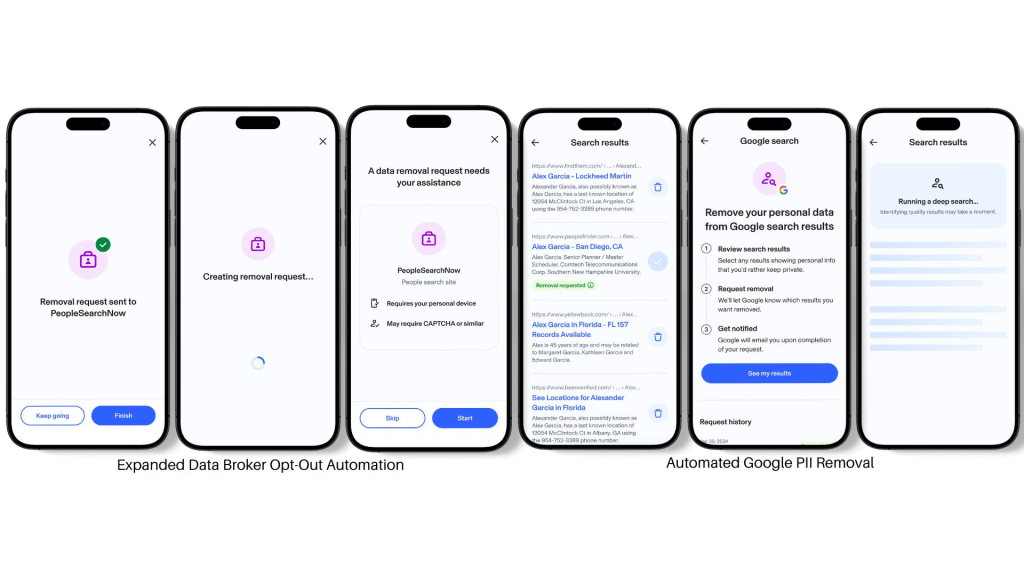
Aura is a subscription service that scans data brokers and people-search sites for your personal information, then submits opt-out requests for you. After you sign up, it searches for your data across broker databases and begins the removal process automatically. It continues scanning over time and resends requests if your data reappears.
Pros:
- Removes data from 200+ broker sites automatically
- Flags unused accounts tied to your email
Cons:
- Does not support custom removals for sites outside its network
- Strong focus on bundled security features may add cost if you only want data removal
Pricing:
Family: $50/mo
Kids: $13/mo
Individual: $15/mo
Couple: $29/mo
Rated 3: Bitdefender Digital Identity Protection – best for finding exposed personal data
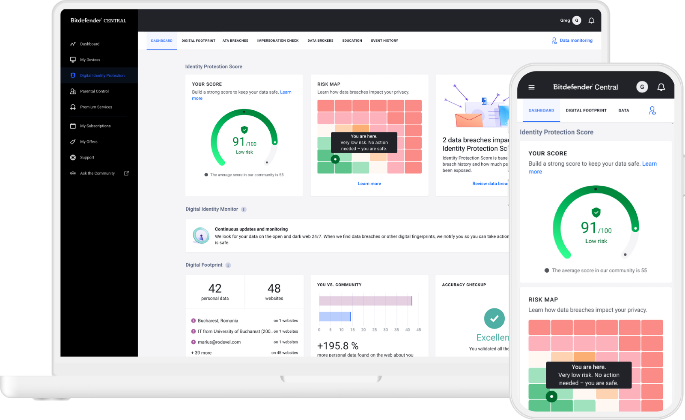
Bitdefender Digital Identity Protection scans the web and dark web to find where your personal information has been exposed. It builds a profile of your digital footprint by identifying leaked data tied to your identity, including compromised accounts and passwords. It continuously monitors for new exposures and alerts you when your information appears in breaches or public databases. Instead of fully automating removals, it highlights where your data exists and provides guidance on how to remove it from selected broker sites.
Pros:
- Surfaces breach data and exposed credentials
- Tracks identity exposure across accounts, emails, personal details
Cons:
- Only supports removal on a small set of brokers
- Requires manual steps to complete most removals
Pricing: $7.99/mo
Rated 4: DeleteMe – best for human-reviewed reporting
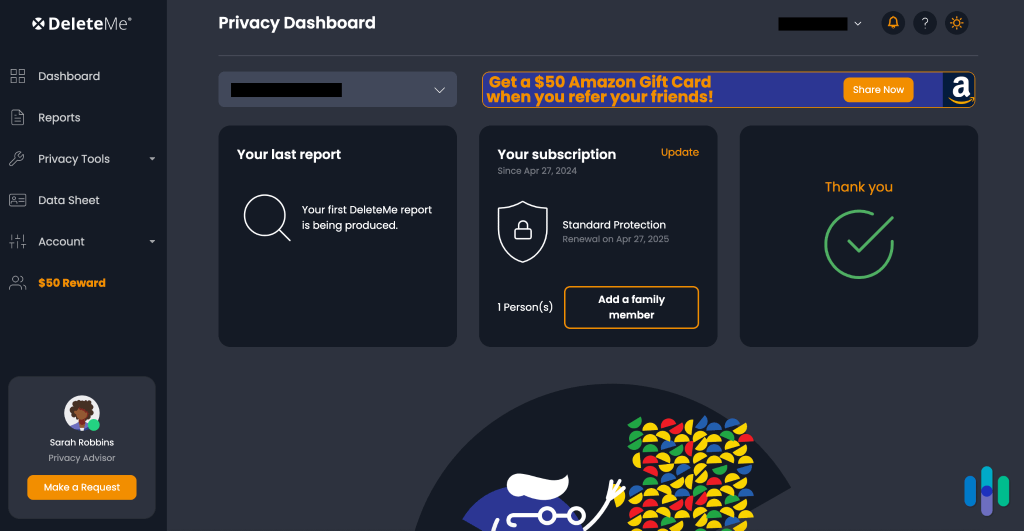
DeleteMe removes personal information from data brokers and people-search sites using a mix of automation and human review. After you submit your details, the team searches for your data across broker sites and begins the opt-out process on your behalf. You receive a detailed report within about a week showing where your data was found and what’s been removed, with updated reports delivered regularly.
Pros:
- Covers 700+ data broker sites
- Uses human review for harder removals
Cons:
- Removals are done in cycles, so full cleanup can take multiple months
- Limited international coverage (primarily U.S.-focused)
Pricing: $129/year
Rated 5: Incogni – best for sending legally backed data deletion requests
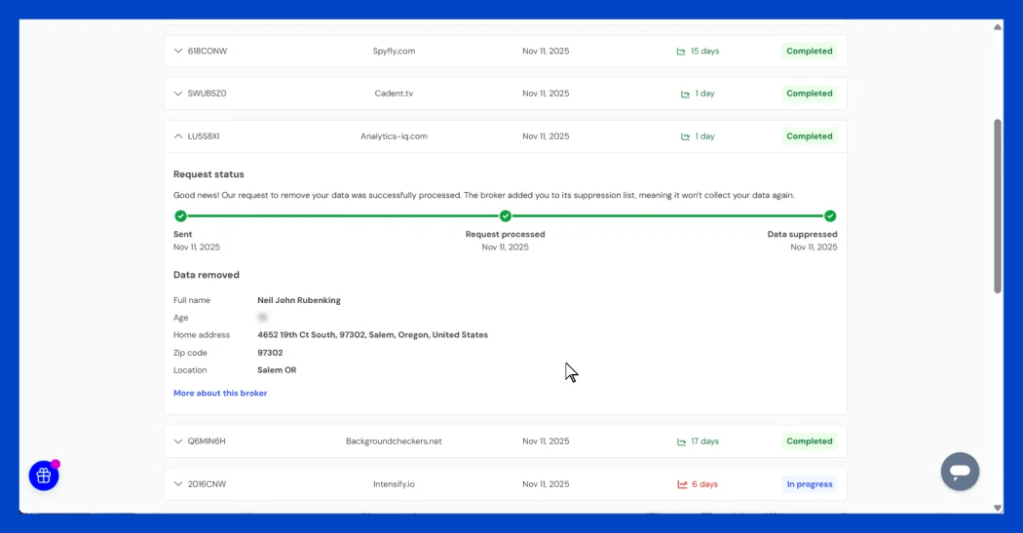
Incogni is a data removal service from Surfshark that uses privacy laws like GDPR and CCPA to request the deletion of your personal data from brokers. It scans data broker databases and sends legally binding requests to companies that hold your information. The process runs automatically, with a dashboard that shows which companies were contacted and the status of each request.
Pros:
- Sends legally enforceable deletion requests across 420+ brokers
- Automatically follows up with non-responsive brokers over time
Cons:
- Does not show exact data listings or screenshots of exposures
- Limited control over individual removals or prioritization
Pricing:
Unlimited: $29.98/mo
Standard: $15.98/mo
Rated 6: Kanary – best for guided and manual removal support

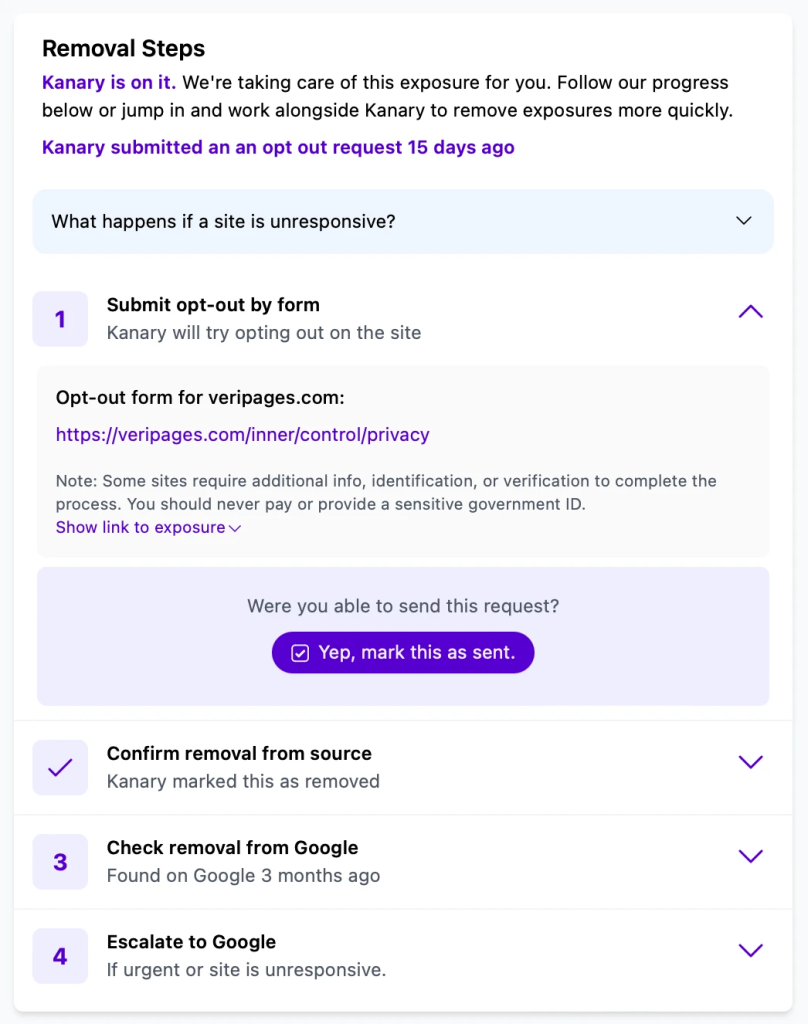
Kanary is a data removal service that scans hundreds of data broker and people-search sites to find where your information is exposed. Then, it begins the removal process automatically across roughly 300+ broker sites. After the initial scan, it submits removal requests and tracks progress in a dashboard, while also providing templates or guidance for sites that require manual action.
Pros:
- Covers 300+ data broker and people-search sites with automated requests
- Tracks removal progress with a dashboard showing completed vs pending requests
Cons:
- Some removals require manual follow-up from the user
- Primarily focused on U.S.-based data broker coverage
Pricing: Starts at $16.99/mo
Rated 7: Mozilla Monitor – best for basic exposure scanning

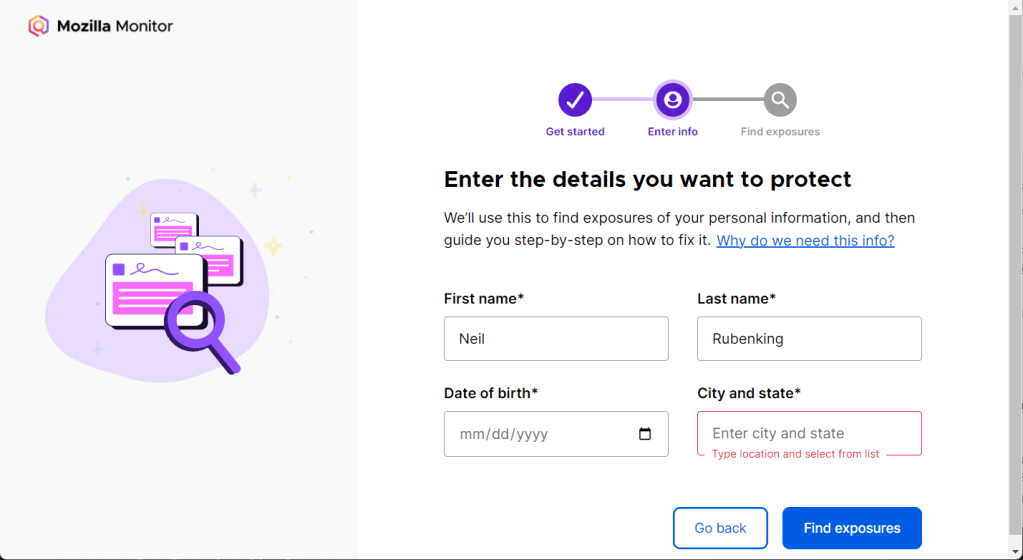
Mozilla Monitor Plus builds on Mozilla’s breach monitoring service by adding data broker scanning and removal. It starts with a free scan that shows where your personal information appears across data broker sites and breach databases, including details like addresses, phone numbers, and account exposures. If you upgrade, it automatically sends removal requests to 190+ data broker sites and continues scanning monthly to check if your data reappears.
Pros:
- Starts with a free exposure scan tied to known breach and broker data
- Integrates breach alerts with broker exposure in one place
Cons:
- Limited to U.S. users for full functionality
- Product direction has changed over time, which affects feature consistency
Pricing: Starts at $8.99/mo
Rated 8: Optery – best for exposure reporting with optional automated removals

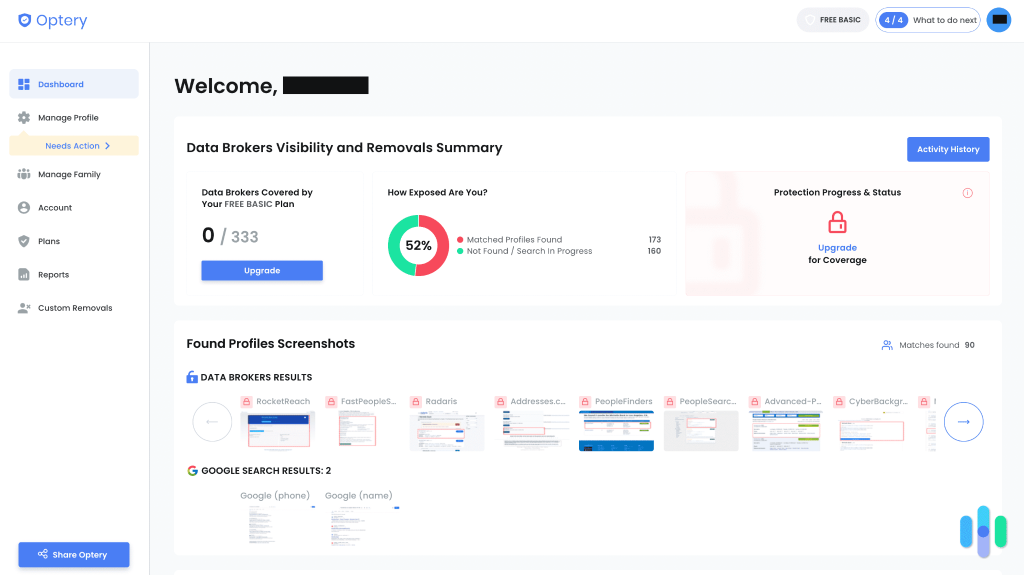
Optery is a data removal service that starts by scanning hundreds of data broker and people-search sites. It generates a detailed report showing exact listings and offers multiple tiers, from free scans and DIY removal guidance to paid plans that automate opt-out requests and provide ongoing monitoring.
Higher-tier plans include continuous rescanning and automated follow-ups when your data reappears.
Pros:
- Provides screenshots of actual listings
- Covers a large number of broker sites, depending on the plan
Cons:
- Full automation requires higher-tier plans
- Lower tiers require significant manual work to complete removals
Pricing:
- Basic: Free
- Core: $3.99/mo
- Extended: $14.99/mo
- Ultimate: $24.99/mo
Rated 9: Reputation Defender (Norton) – best for managing personal data removal with reputation support

Reputation Defender by Norton combines data broker removal with broader identity and privacy services. It scans data broker and people-search sites for your personal information, then submits opt-out requests on its own. The service includes ongoing monitoring to catch new listings, along with support features like identity protection and reputation management tools.
Compared to pure removal tools, it leans more toward a managed service approach with additional support layered in.

[Source: https://ceblog.s3.amazonaws.com/wp-content/uploads/2023/03/08185845/Reputation-Defender-Digital-Security.png
Alt text: Norton Reputation Defender dashboard showing identity and data protection tools]
Pros:
- Handles removal requests as part of a broader managed privacy service
- Offers support beyond broker removal
Cons:
- Less visibility into which sites your data was removed from
- Pricing reflects bundled services, not just data removal
Pricing: Start at $9.95/mo
What to look for in a data broker removal service
Depending on how much control you want and how much time you’re willing to spend, the right option can look very different. Before making a final decision, consider:
- Coverage depth: Look for a service that scans a large number of data broker sites. If coverage is limited, your information can still remain visible on platforms the service doesn’t reach. The broader the coverage, the more complete your data removal will be across the internet.
- Automation level: Consider how much of the process is handled automatically. Services that continuously scan and resend removal requests help keep your data from reappearing over time. Without automation, you’ll need to repeat the process manually whenever your information shows up again.
- Transparency and reporting: Data broker removers should clearly show where your data was found and what’s been removed. Without that visibility, it’s hard to tell if the service is actually doing anything. Good reporting lets you track progress and see how much of your data is still exposed.
- Pricing model: As you compare monthly prices, look at what the service includes. Some plans only run occasional scans, while others monitor continuously and resend removal requests over time. A lower price can mean limited coverage or fewer updates, which affects how effective the service is long term. You should also check whether the plan covers just one person or supports couples and families, since that can significantly change the overall value.
- Data security: Make sure the service explains how they handle your personal information. You’ll need to provide details like your name, address, or email so it can find your records. If the company isn’t clear about how that data is stored and protected, you’re adding another layer of risk instead of reducing it.
Get started with data broker removals today
Most people don’t realize how widely their information is distributed until they actually see it. Once you do, the decision becomes less about whether to remove it and more about how much control you want to take back. Some people prefer a one-time cleanup, while others want ongoing monitoring to keep their data from resurfacing over time.
The tools in this guide give you different ways to approach that. Whether you want full automation, detailed visibility, or a mix of both, the key is choosing a method you’ll stick with long term.
Malwarebytes Personal Data Remover is built around that long-term approach. Instead of only submitting one-time removals, it keeps checking for relisted data, tracks removal progress, and helps you stay aware of new exposures tied to your identity. Combined with Malwarebytes’ broader privacy and scam protection tools, it gives you a more complete way to manage your digital footprint over time.
See where your personal information is exposed right now.
Is your personal info exposed to hackers?
Input your email below to discover if your digital info is secure and assess your risk of identity theft:
*You will be asked to verify your email before proceeding
By submitting your email, you consent to Malwarebytes contacting you regarding products and services and using your personal data as described in our Terms of Service and Privacy Policy.
Frequently asked questions about personal data removers
What is a data broker?
How can you remove yourself from data broker sites?
How can you remove personal data from the internet?
All-in-one cybersecurity protection always by your side.