ACTION NEEDED.
Update your Malwarebytes for Mac
Update now to get the latest protection against hackers, malicious sites, viruses, malware, and more.
How to update to the latest version:
- Open the Malwarebytes app
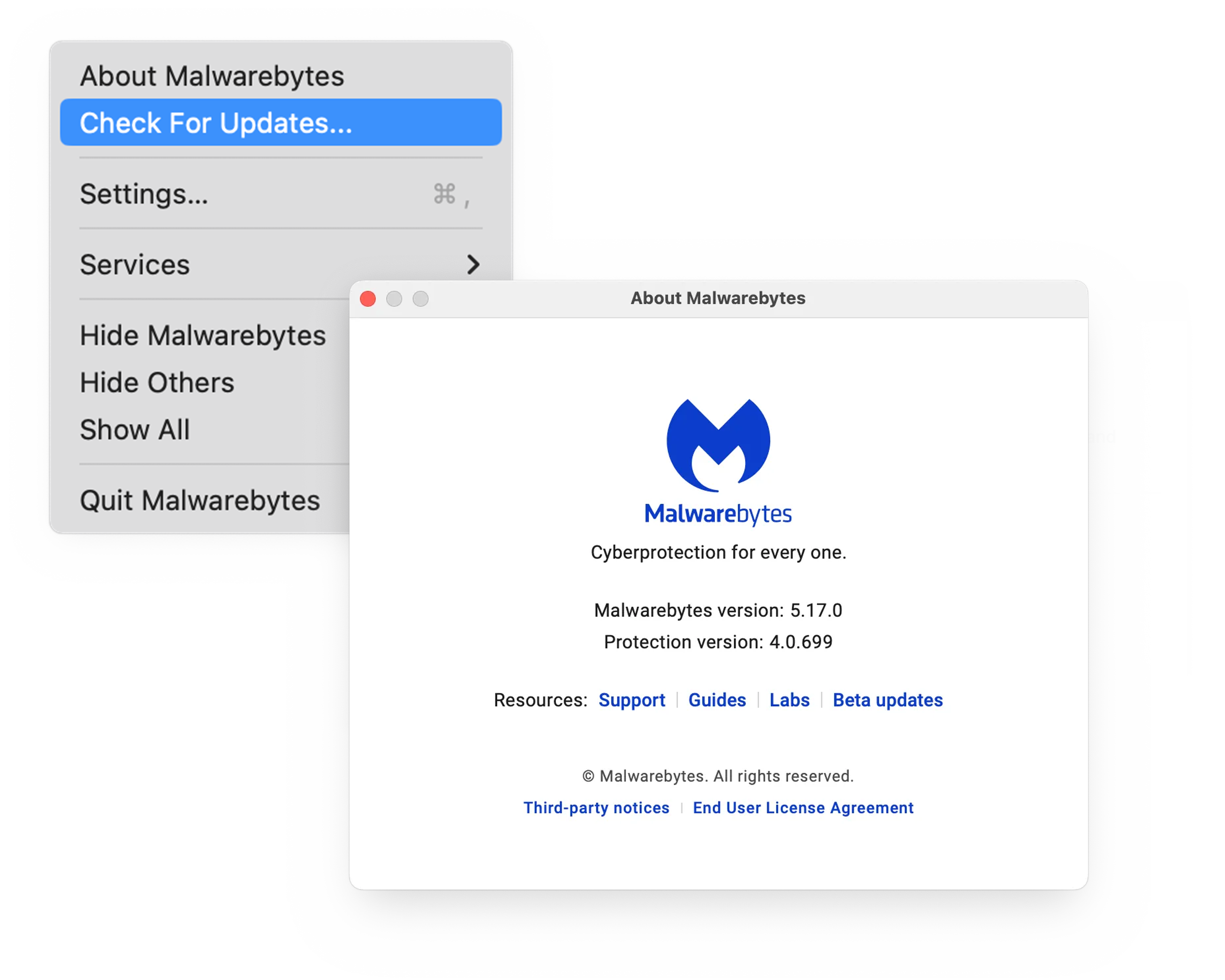
- In the menu bar, click Malwarebytes and select Check for Updates
- An update will download and automatically install
- After updating, click About Malwarebytes in the menu bar and ensure it’s version 5.17 or higher
For more information, please visit the Malwarebytes for Mac support forum.