On November 11, Google issued a security update to Chrome’s Stable channel for Windows, Mac, and Linux. The update is rolling out over the coming days and weeks.
Most users are on Chrome’s Stable channel. The desktop update brings Chrome to versions 157.0.8103.78/.79 for Windows and Mac and 157.0.8103.78 for Linux. It includes 83 security fixes, five of which are rated Critical—the highest severity level. This update came out only two days after the previous one.
How to update Chrome
The easiest option is to allow Chrome to update automatically. But you can end up lagging behind on updates if you never close your browser or if something goes wrong, such as an extension preventing the update.
If you don’t want to wait for the rollout to reach you, you can update manually. Open About Google Chrome from Chrome’s Settings or Help menu. Chrome will check for updates and download any available update. If prompted, click Relaunch to apply it.
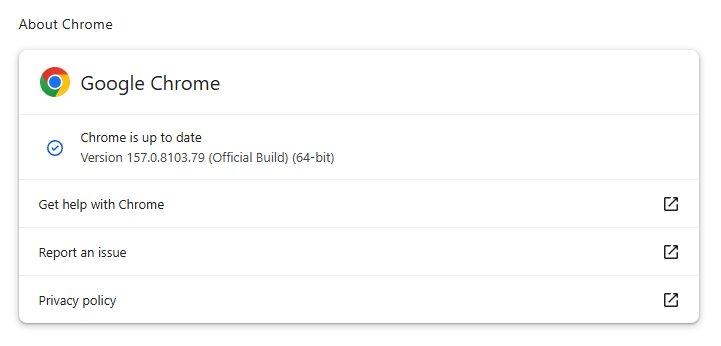
You can find an explanation of the version numbering system and step-by-step instructions in our guide: How to update Chrome on every operating system.
Technical details
Since all five Critical vulnerabilities patched in this update are use-after-free flaws, let’s have a closer look at what causes this type of vulnerability.
A use-after-free (UAF) vulnerability happens when software accesses memory after it has released that memory for reuse. The program still has a reference to the old location, but the original object is no longer valid, and something else may now occupy that space.
The leftover reference is called a “dangling pointer” and is caused by a mistake in managing how long an object remains available. One part of a program may release it while another still expects to use it. That can happen because of confused ownership, faulty error handling, or a timing issue between tasks running simultaneously.
The consequences range from crashes and corrupted data to information leaks and, in some cases, execution of attacker-controlled code. The dangerous possibility is that an attacker can influence what replaces the freed object, then trick the program into treating that replacement as legitimate data or instructions for what to do next.
That explains why UAF flaws can receive critical severity ratings. However, the label describes a class of memory-management bugs, not a guaranteed outcome: the actual impact depends on the affected component, how reliably an attacker can exploit the mistake, and the protections in place.
Stop threats before they can do any harm.
Malwarebytes Browser Guard blocks phishing pages and malicious sites automatically. Free, one click to install. Add it to your browser →