Malwarebytes was awarded Product of the Year 2025 by AVLab Cybersecurity Foundation. Read more >
Finally, cybersecurity smart enough for your Mac.
AI-powered, personal security
Built to anticipate & crush infestations while preventing future attacks. Stops threats and protects your Mac and personal files from hackers and cyber criminals.
Robust threat & scam protection
In addition to halting ransomware, adware & suspicious apps, web protection stops hackers, malicious sites, infected ads, credit card skimmers and credential stealers from getting and leaking your personal information and data.
Lightweight and intuitive
Secure your Mac without compromising speed. Scan in as little as 30 seconds. With an easy to use built-in dashboard for quick access to all your controls and privacy settings.
Here for you, always
Get expert guidance and tailored security assessments, with built-in ‘Trusted Advisor’, your digital always-on security guard. Just in case, we have humans ready to help you 24/7. All plans are backed by our 60-day money-back guarantee.
Malwarebytes uses App Block technology to prevent malicious developers from bypassing security measures and releasing modified version of harmful apps which infest your system and compromise your data.
Malwarebytes Browser Guard
Malwarebytes Browser Guard is a browser extension that you can install as a plugin to your favorite web browser (Chrome, Firefox, or Safari) that comes free with Malwarebytes Premium Security.
Malwarebytes Browser Guard blocks annoying ads, prevents third-party cookies from tracking your activity online, and flags suspicious sites that are known to deliver malware and viruses.
Security coaching
With expert guidance built-in with the Trusted Advisor feature, Malwarebytes offers a simple way to improve your online security. The Protection Score helps alert you of security gaps, and provides personalized tips to address vulnerabilities in real-time.
Real-time threat quarantine
To ensure maximum security, threats are quarantined in real-time automatically to prevent your device from being compromised.
Web Protection
Malwarebytes Premium Security for Mac includes enhanced web protection capabilities to stop app-based & IP-based threats such as botnets, illegal software, and exfiltration servers. Alongside Browser Guard, our free browser extension for blocking scams, trackers, and malicious content, users benefit from advanced threat protection to stop today’s sophisticated AI-powered attacks.
Expert built, expert run.
Malwarebytes experts have been quoted and referenced in many news publications.

Apple's Digital ID makes travel smoother and saves you from digging for documents, but it comes with privacy and security trade-offs. We break down the pros and cons.
Apple has patched nearly 50 security flaws across iPhones, Macs, Safari and more. Some could expose your data or let hackers in, so don’t wait to update.
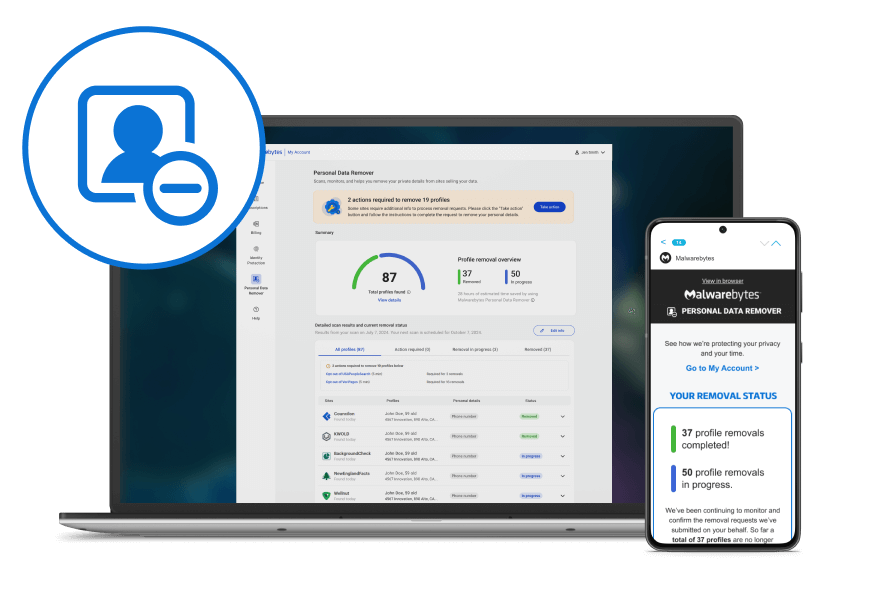
Your name, age, phone number, and address can be easily found by online scammers and identity thieves. Start deleting your data across the web with Malwarebytes Personal Data Remover**.
What are the symptoms of a virus or malware infection?
If your device has gotten a virus or malware infection, there are some telltale signs, including:
Reduced Speed: Your device slows down significantly.
Pop-ups: You have started to see a lot of unexpected pop-ups.
System crashing: Your system unexpectedly crashes, either by freezing or by giving you a blue screen.
Loss of disk space: A lot of your device’s storage has been taken up unexpectedly.
Settings changed: Device or browser settings change without you changing them.
Files encrypted: Ransomware has locked you out of your files or your entire device.
Different types of malware use your device’s resources in different ways, such as making it part of a botnet to perform DDoS attacks, mining cryptocurrency without your knowledge, or other nefarious activities.
If you suspect your device may be infected with a virus or malware, download our free malware scanner and run a free scan to find and quarantine any malware on your device.
What’s the difference between the Malwarebytes Free and Premium Security products?
Malwarebytes Free is a cleanup tool for cyberattacks that have already infected a device. Malwarebytes Premium Security stops these attacks from happening in the first place. It runs automatically on an ongoing basis, giving you peace of mind.
Is Malwarebytes Premium Security an antivirus?
Malwarebytes Premium Security is an antivirus and more. Traditional antivirus alone is no longer sufficient against today’s sophisticated malware threats. Malwarebytes Premium Security prevents threats in real-time, stops ransomware, defends against harmful sites, and cleans and removes malware.
What is Malwarebytes Browser Guard?
Malwarebytes Browser Guard is a browser extension that you can install as a plugin to your favorite web browser (Chrome, Firefox, or Edge) that comes free with Premium Security.
Browser Guard blocks annoying ads, prevents third-party cookies from tracking your activity online, and flags suspicious sites that are known to deliver malware and viruses.
I’m already a Malwarebytes Premium Security subscriber. How can I protect more devices?
You can easily activate, upgrade and manage your subscription in MyAccount.
Sign in to your Malwarebytes account at my.malwarebytes.com and explore the options you’re interested in.
Will Malwarebytes Premium Security work on my device?
Chances are it will! Check out our product tech specs to make sure, though.
For more details on the features of specific operating systems, see our solution pages:
*Really Real Sale offer available to new users and existing users on upgrades and cannot be combined with any other offers or promotions. Excludes stand-alone VPN & Personal Data Remover subscriptions. Plan availability may vary by user location. Sales ends 12/7/2025