Apple has expanded its threat-notification system for targets of mercenary spyware.
Apple now shows a warning directly on an iPhone’s Lock Screen and in Settings when it believes the device owner has been targeted by mercenary spyware. The new on-device alert is meant to make a high-risk warning harder to overlook and complements notifications by email and through the user’s Apple Account page.
In the explanation, Apple states:
“Apple threat notifications are high-confidence alerts that a user has been individually targeted by a mercenary spyware attack, and should be taken very seriously.”
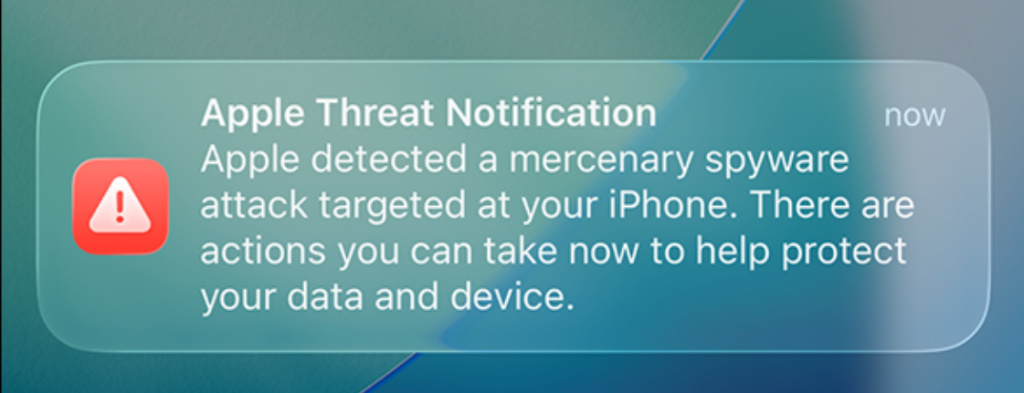
“Apple Threat Notification
Apple detected a mercenary spyware attack targeted at your iPhone. There are actions you can take now to help protect your data and device.”
Apple says its threat notifications are intended for people individually targeted by mercenary spyware attacks, which are highly sophisticated campaigns usually associated with commercial surveillance vendors and their government customers. Apple says it has notified targets in over 150 countries since the launch of the program in 2021, while the latest round of notifications reached people in 110 countries.
Mercenary spyware campaigns are usually not aimed at the average iPhone owner—at least at first. The initial targets are often people selected for who they are, what they know, or the work they do. But it would be a mistake to view this as someone else’s problem.
Attack techniques developed for narrowly targeted operations have a habit of spreading. Exploits can be reused, sold onward, reverse engineered, copied by other surveillance vendors, or adapted by criminal groups. A vulnerability initially valuable because it compromises a small number of carefully chosen devices may become much more dangerous once public disclosure, patch analysis, or exploit sharing makes them available for more widespread campaigns.
How to stay safe
Apple advises users to:
- Update your devices to the latest software, which includes the latest security fixes.
- Protect your devices with a passcode, Touch ID, or Face ID.
- Use two-factor authentication and a strong password for your Apple Account.
- Turn on Stolen Device Protection.
- Install apps from the App Store.
- Use strong and unique passwords, and passkeys where available.
- Don’t open links or attachments from unknown senders.
We’d like to add:
- Potential targets of mercenary spyware should consider applying Apple’s Lockdown Mode.
- Check if an Apple Threat Notification is real. Scammers will undoubtedly try and mimic them. You can verify a notification by signing in to your Apple account. A genuine Threat Notification will always be clearly listed there.
- If you receive an Apple Threat Notification, Apple recommends seeking expert help, such as the Digital Security Helpline from Access Now.
Scammers know more about you than you think.
Malwarebytes Mobile Security protects you from phishing, scam texts, malicious sites, and more. With real-time AI-powered Scam Guard built right in.