Chrome is rolling out an update for its desktop browser. The update includes 230 security fixes, one of which is known to be actively exploited.
The stable channel has been updated to 153.0.8010.36/.37 for Windows and Mac, and 153.0.8010.36 for Linux.
How to update Chrome
If you don’t want to wait for the rollout to reach you, manually updating is easy.
The easiest option is to allow Chrome to update automatically. But you can end up lagging behind on updates if you never close your browser or if something goes wrong, such as an extension preventing the update.
To update manually, click the More menu (three dots), then go to Settings > About Chrome. If an update is available, Chrome will start downloading it automatically. Restart Chrome to complete the update, and you’ll be protected against these vulnerabilities.
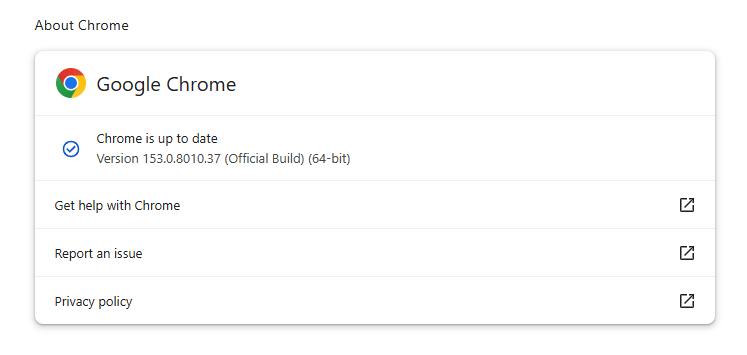
You can find an explanation of the version numbering system and step-by-step instructions in our guide: How to update Chrome on every operating system.
Technical details
The actively exploited vulnerability is tracked as CVE-2026-87491. The description says it’s an out-of-bounds write vulnerability in Chrome’s V8 engine that could allow a remote attacker to execute arbitrary code inside the browser’s sandbox via a crafted HTML page.
This means the bug was found in the part of Chrome that runs JavaScript. A malicious website could exploit it by getting someone to load a specially designed web page, causing Chrome’s JavaScript engine to mishandle memory and run attacker-chosen instructions. Those instructions would initially run within Chrome’s security sandbox rather than with unrestricted access to the whole device.
Chrome’s sandbox is intended to limit that code’s access to the rest of the device, but the flaw is still serious because it gives an attacker a foothold simply by getting a target to view a malicious web page. Emails are unlikely to trigger the flaw because most reputable email clients sanitize incoming HTML before displaying it. They strip or disable active web features that would let a sender run code in the inbox, such as JavaScript. However, an email could contain a link that takes the recipient to a malicious website.
Besides this medium-severity flaw, the update fixes five vulnerabilities rated Critical, four of which were found in WebGL (Web Graphics Library). WebGL is a JavaScript programming interface used to render interactive 2D and 3D graphics inside the browser without needing extra plugins.
Stop threats before they can do any harm.
Malwarebytes Browser Guard blocks phishing pages and malicious sites automatically. Free, one click to install. Add it to your browser →