204.76.203.6
Short bio
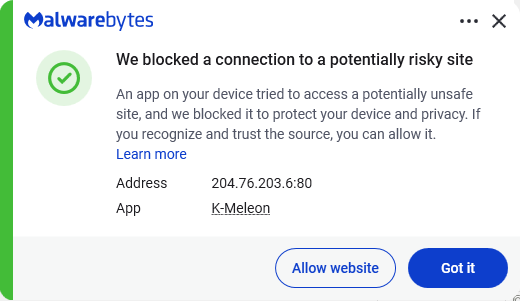
The IP address 204.76.203.6 was blocked by Malwarebytes because it is associated with riskware.
Malicious behavior
This IP address was found to be associated with a botnet.
Protection
Malwarebytes blocks the IP address 204.76.203.6 because it is associated with riskware.
Exclusion
Should users wish to visit a blocked IP Address and exclude it from being blocked, they can add it to the exclusions list. Here’s how to do it.
- Open Malwarebytes for Windows.
- To add an item to the Allow List, click Add item.
- Select Select website.
- Select Add an IP address and enter the IP address that you wish to exclude.
- Click on Save and the IP address should appear in your Allow List.
You can also remove exclusions here when they are no longer needed.


