94.130.198.6

Short bio
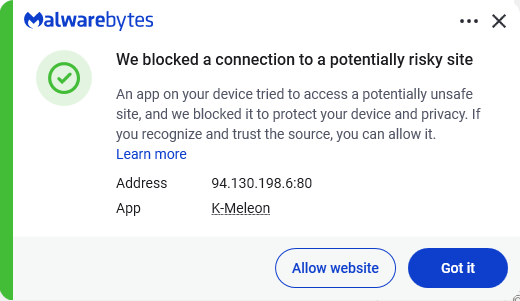
The IP address 94.130.198.6 was blocked by Malwarebytes because it is associated with riskware.
Malicious behavior
Domains at this IP address were found to host websites and advertisements that redirect visitors to PUPs, adware, and fraudulent sites.
Protection
Malwarebytes blocks the IP address 94.130.198.6 because it is associated with riskware.
Exclusion
Should users wish to visit a blocked IP Address and exclude it from being blocked, they can add it to the exclusions list. Here’s how to do it.
- Open Malwarebytes for Windows.
- To add an item to the Allow List, click Add item.
- Select Select website.
- Select Add an IP address and enter the IP address that you wish to exclude.
- Click on Save and the IP address should appear in your Allow List.
You can also remove exclusions here when they are no longer needed.


