Why did we send you here?
Your last scan detected an infection that changed your Internet browser’s settings.
Upgrade your plan to get real time protection for the future, and review the steps to restore your browser settings below.
How to restore browser for Firefox and Chrome
If unexpected sites open when you launch your browser, or your default search engine changed, select your browser below to see instructions for restoring these settings and more.
Mozilla Firefox
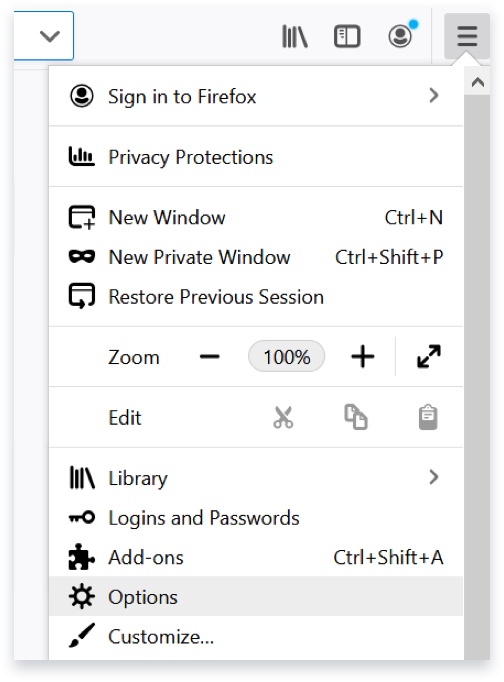
- Click the menu button on the top right corner of the browser window. It looks like three horizontal lines. Next, click Options if you use a PC, or Preferences if you use a Mac.
- Click the Home tab on the left side of the screen.
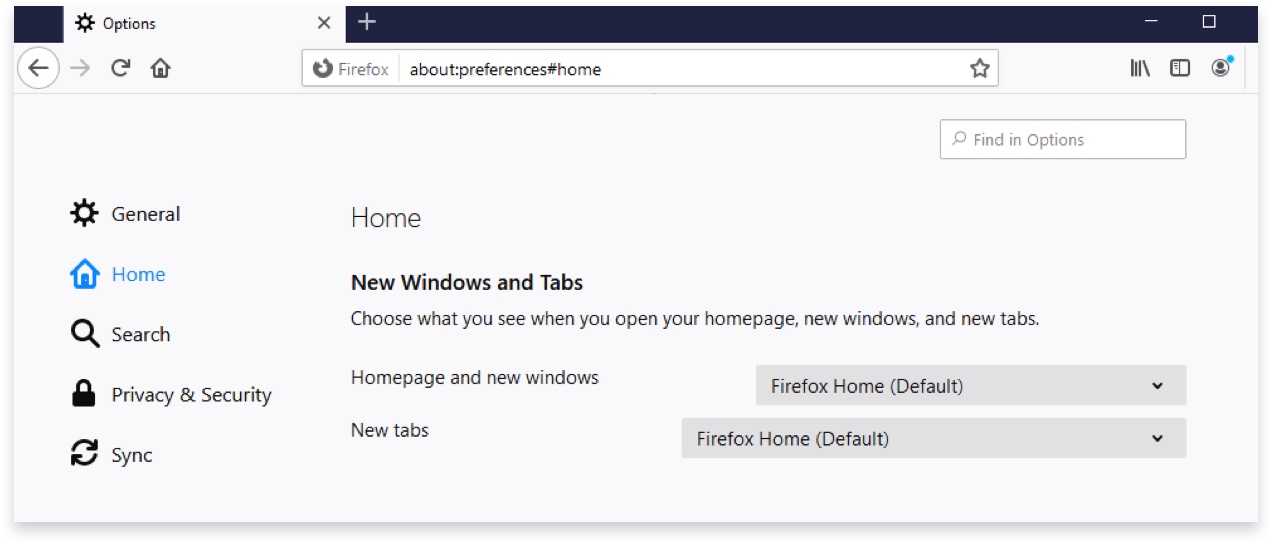
- Under New Windows and Tabs, use the drop-down menus to select what home page you’d like to use.
If the site you want isn’t listed, click Custom URLs… and enter the site URL manually.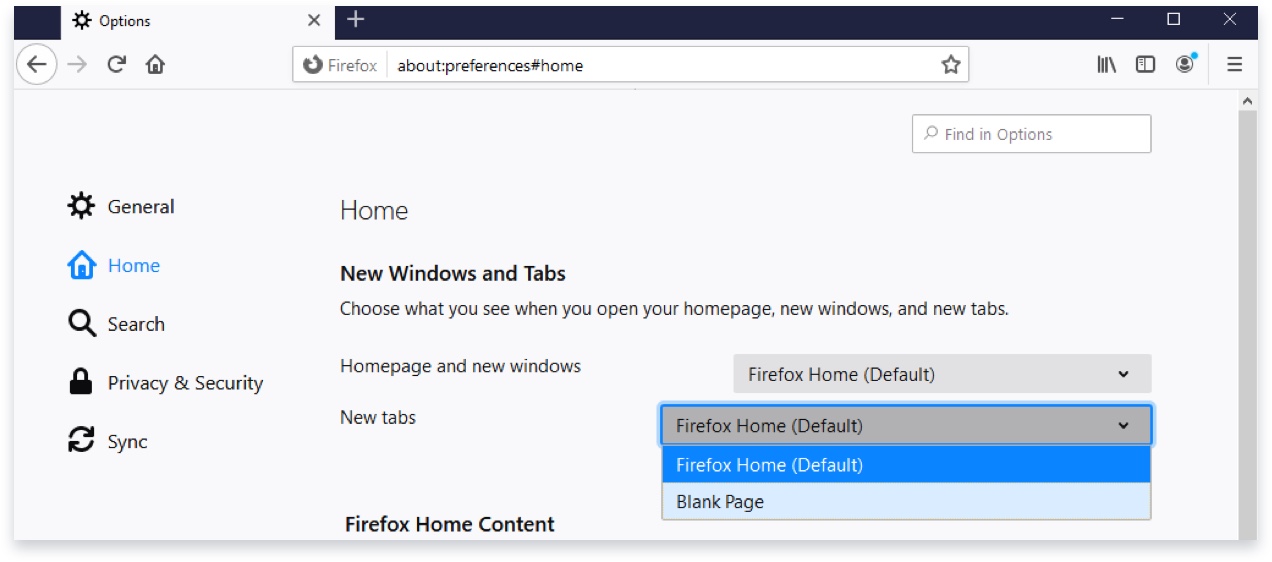
- Click the menu button on the top right corner of the browser window. It looks like three horizontal lines. Next, click Options if you use a PC, or Preferences if you use a Mac.
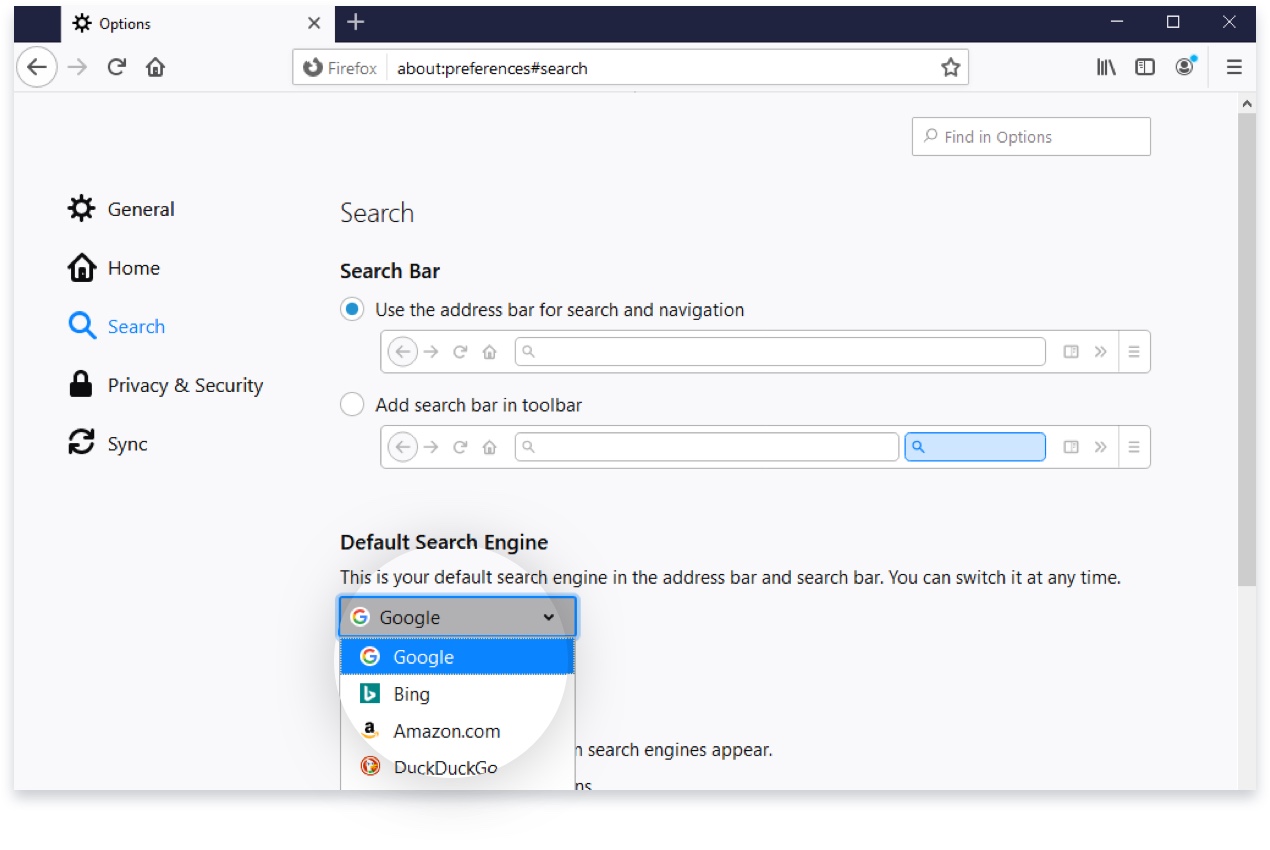
- Click the Search tab on the left side of the screen.
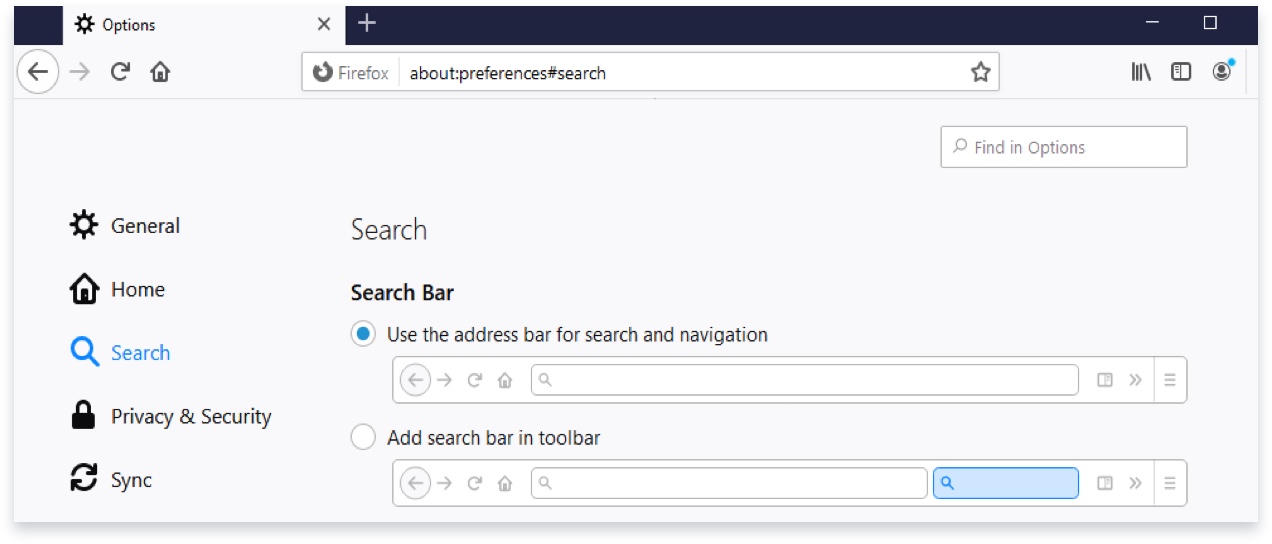
- Under Default Search Engine, use the drop-down menu to select which search engine you’d like to use.

Note
If you follow these steps above and problems persist, in extreme cases, it may be necessary to uninstall Firefox and make a fresh start. If you do that, we recommend following the instructions during the uninstall process to Remove user data and settings.
If you want to transfer your bookmarks to the new setup, follow these instructions.
Google Chrome
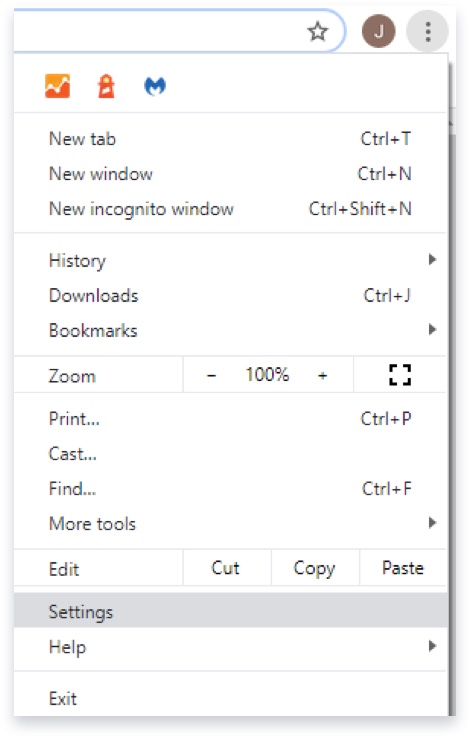
- Click the menu button on the top right corner of the browser window. It looks like three dots. Next, click Settings.
- Click the Appearance tab on the left side of the screen.
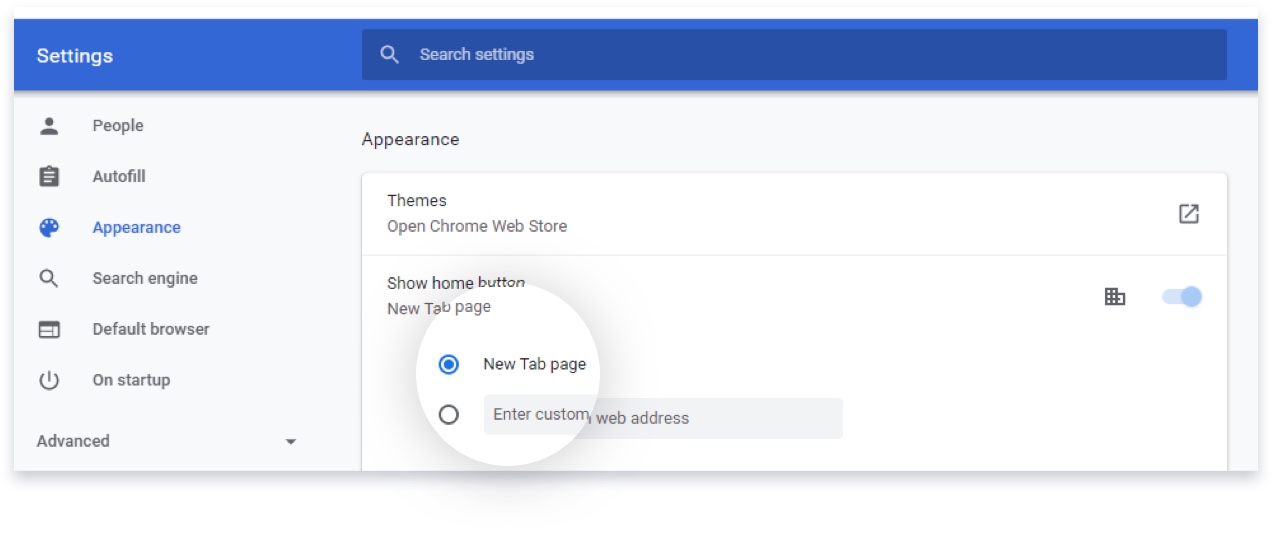
- Under Show home button, enter the URL for your preferred home page in the pop up, or select New Tab page, to use Google.com.
- Click the menu button on the top right corner of the browser window. It looks like three dots. Next, click Settings.
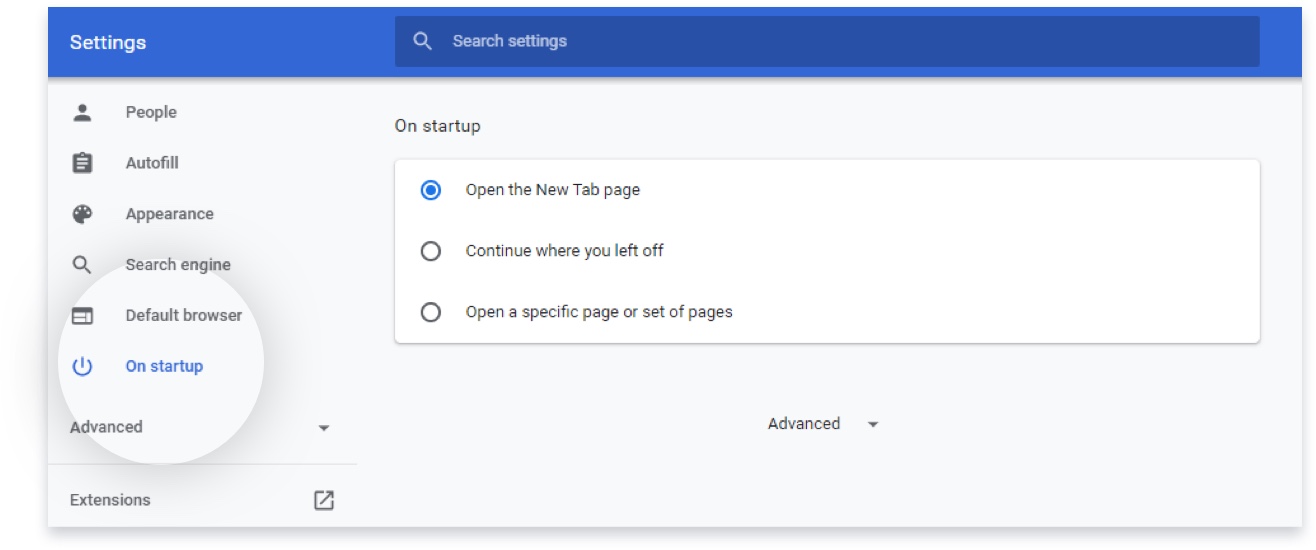
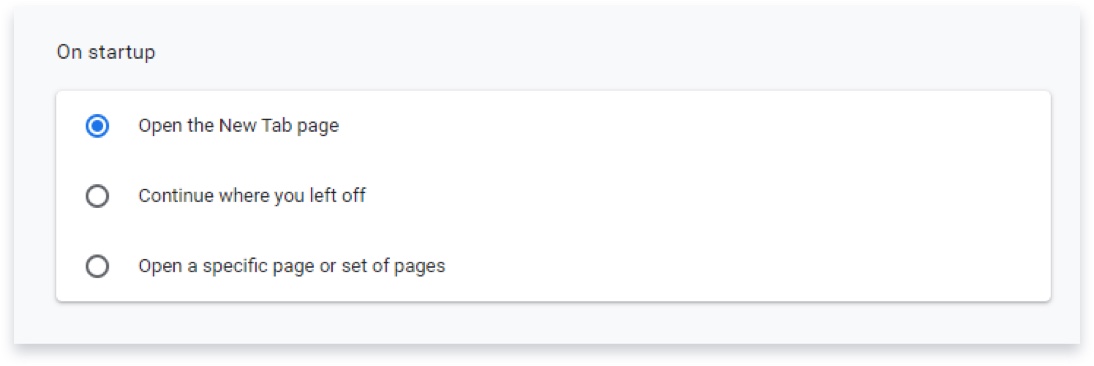
- Click the On startup tab on the left side of the screen.
- Select what the browser should do when it starts up.
- If you’d like it to open a single tab with your default browser, select Open the New Tab page.
- If you’d like it to open all the tabs you had open when you last closed Chrome, select Continue where you left off.
- If you’d like it to Open a specific site, or a few specific sites, select Open a specific page or set of pages, then click add a new page and enter the URL. If you see any sites that you don’t recognize that are already on this list, delete them by clicking the three dots on the right side of the entry and selecting Remove.
- Click the menu button on the top right corner of the browser window. It looks like three dots. Next, click Settings.
- Click the Search engine tab on the left side of the screen.
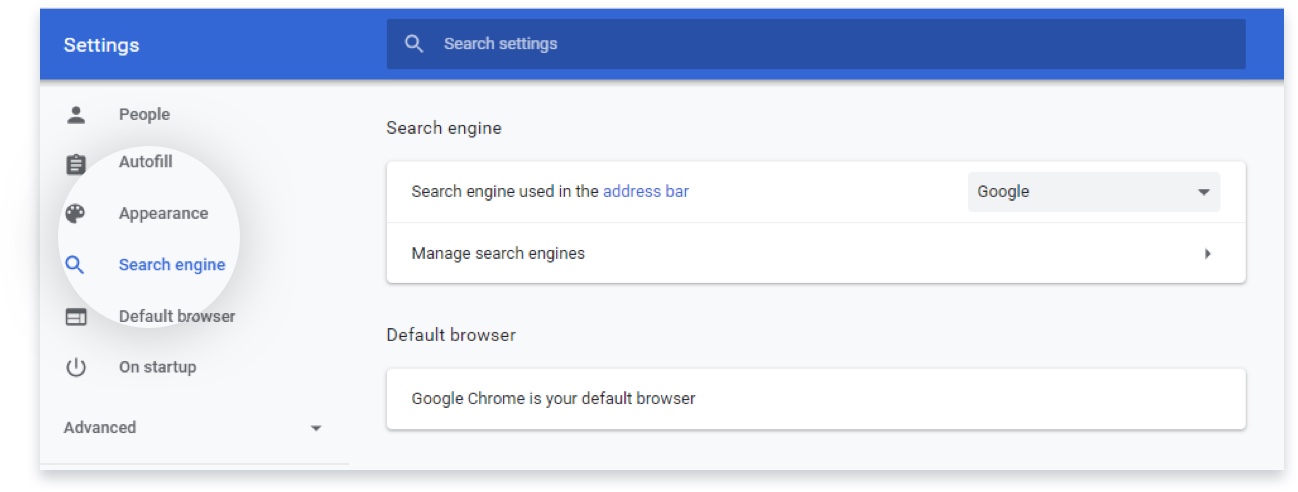
- Under the entry Search engine used in the address bar, use the drop-down menu to select which search engine you’d like to use.
If you see options you don’t recognize and you want to get rid of them, click the Manage search engines button and delete entries by clicking the three dots to the right of their names and selecting Remove from list.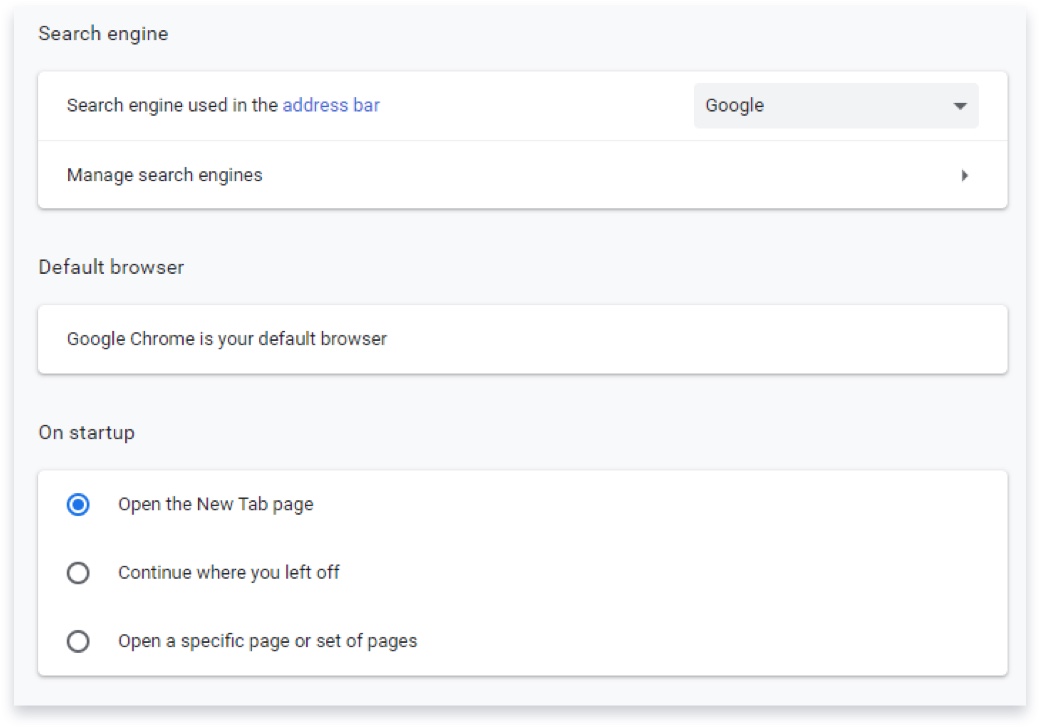
- Click the menu button on the top right corner of the browser window. It looks like three dots. Next, click Settings.
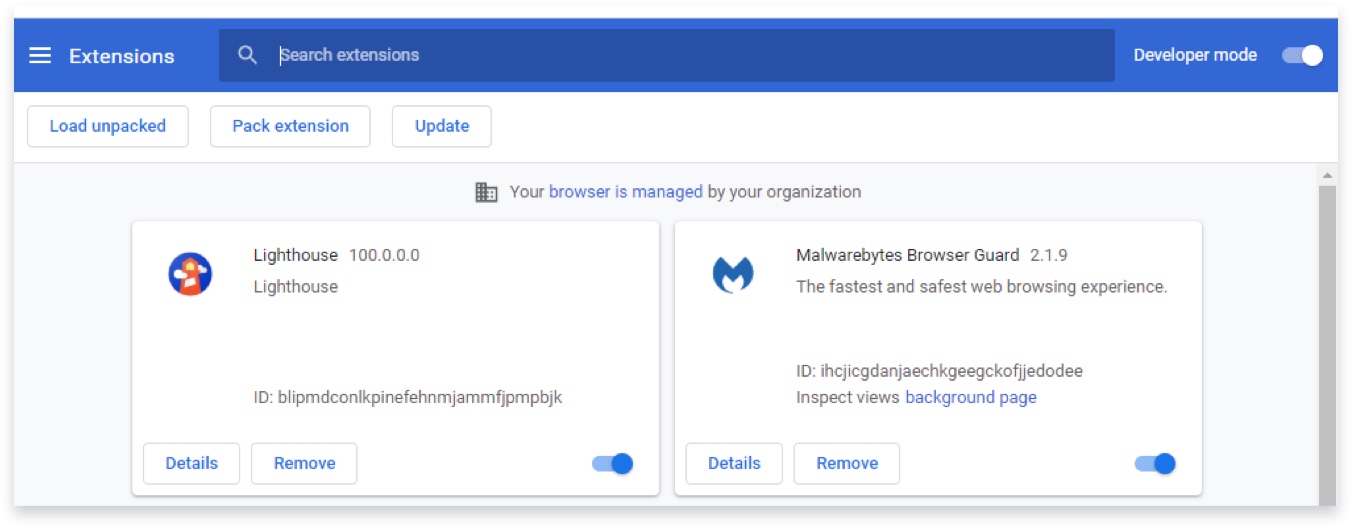
- Click the Extensions link on the left side of the screen.
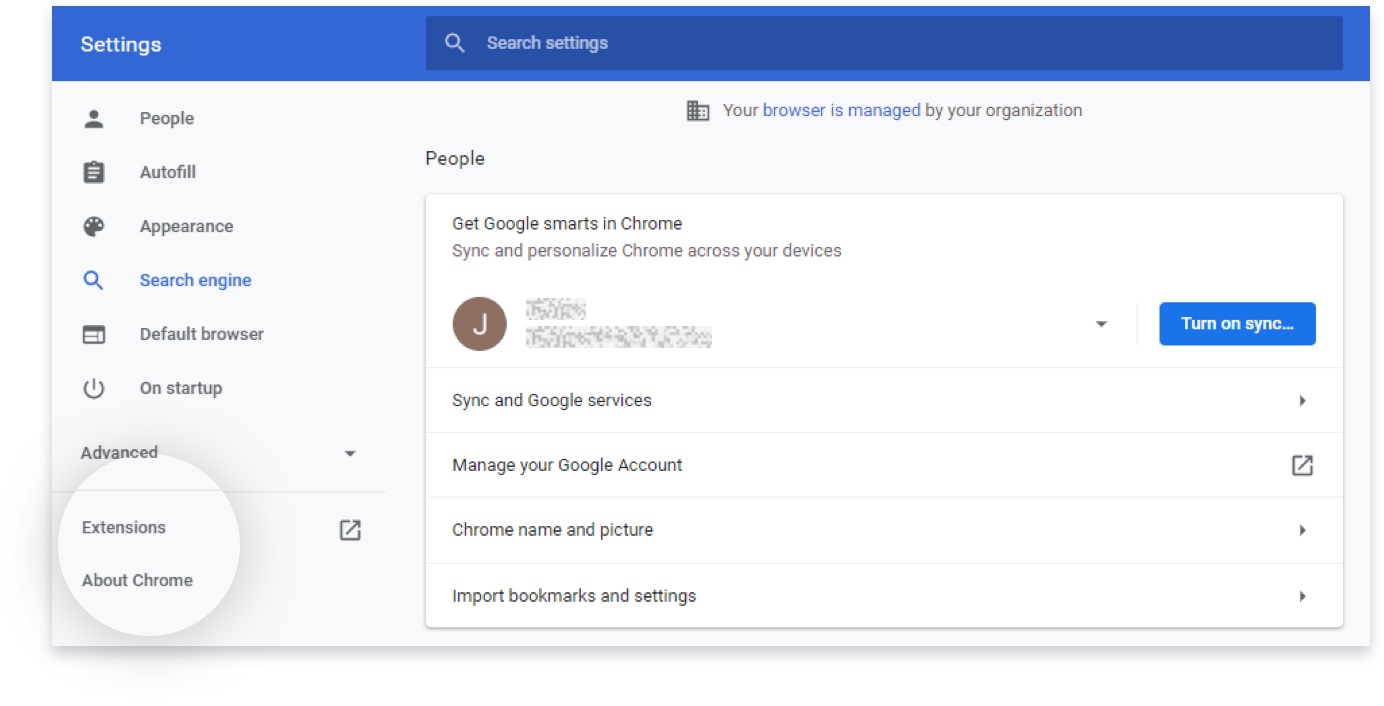
- In the Extensions menu, delete anything you don’t recognize by clicking the Remove button below its name.
Note
If you follow these steps above and problems persist, in extreme cases, it might be necessary to do a fresh install. Once you decide it is better to uninstall Chrome, you may want to back up your bookmarks first. To prevent an infection from carrying over to the new install, you should use the Also delete your browsing data checkbox when you uninstall.
Read the instructions for synced data to avoid spreading the infection to other devices or receiving additional infections from other devices.
How to fix browser shortcuts for Firefox, Chrome, and Internet Explorer
If you’re still seeing unexpected sites or behavior when you launch your browser, the shortcut you use to open your browser may be infected.
Shortcuts are the icons on your desktop, taskbar, and Start menu that you use to open a program. Some browser hijackers work by modifying these shortcuts, instructing your browser to show you ads or load specific sites.
Fix browser shortcuts
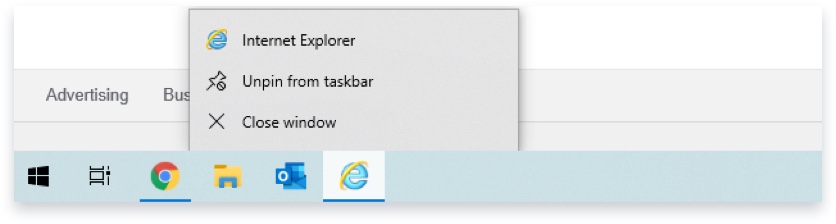
- Right-click the icon and choose Unpin this program from taskbar.
- Show your hidden files by opening Control Panel/Folder Options/View and selecting Show hidden files, folders, and drives.
Go to Control Panel/Folder Options/View, and then select Show hidden files, folders, and drives.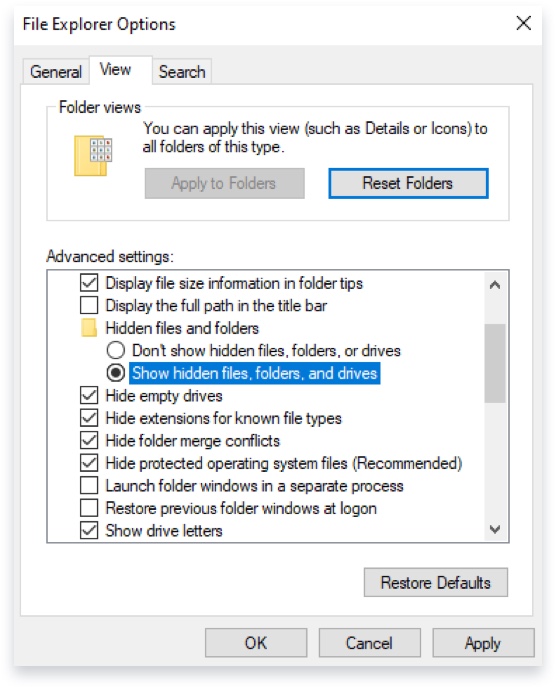
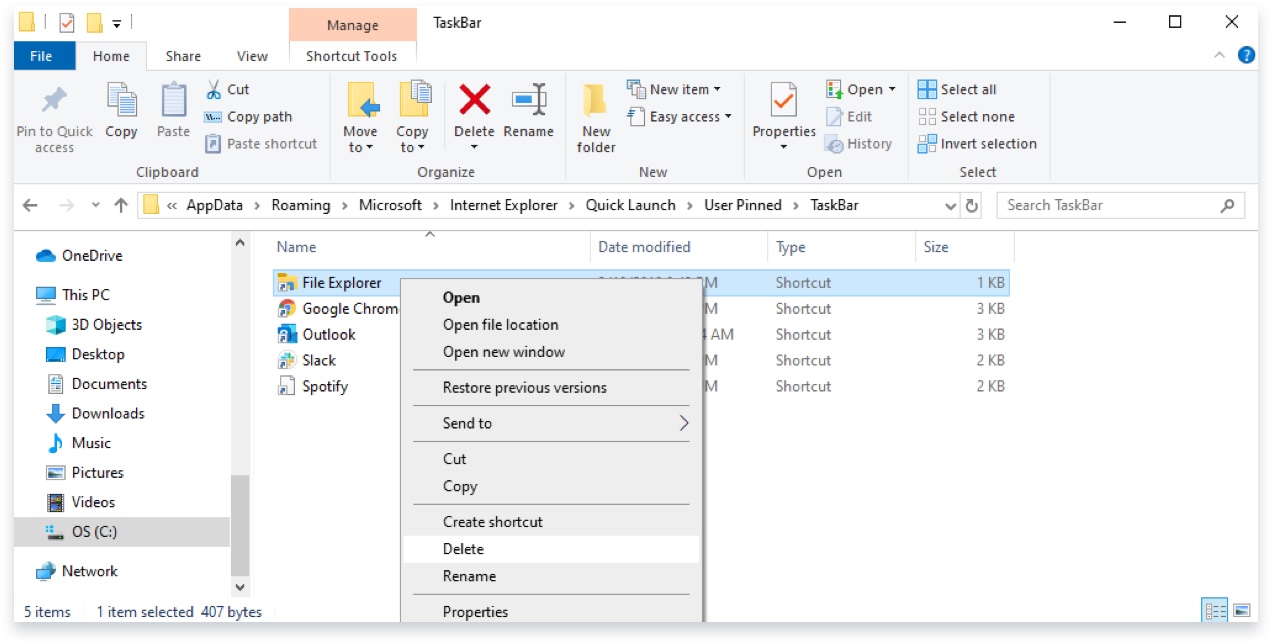
- Open the following folder: C:\Users\{username}\AppData\Roaming\Microsoft\Internet Explorer\Quick Launch\User Pinned\TaskBar
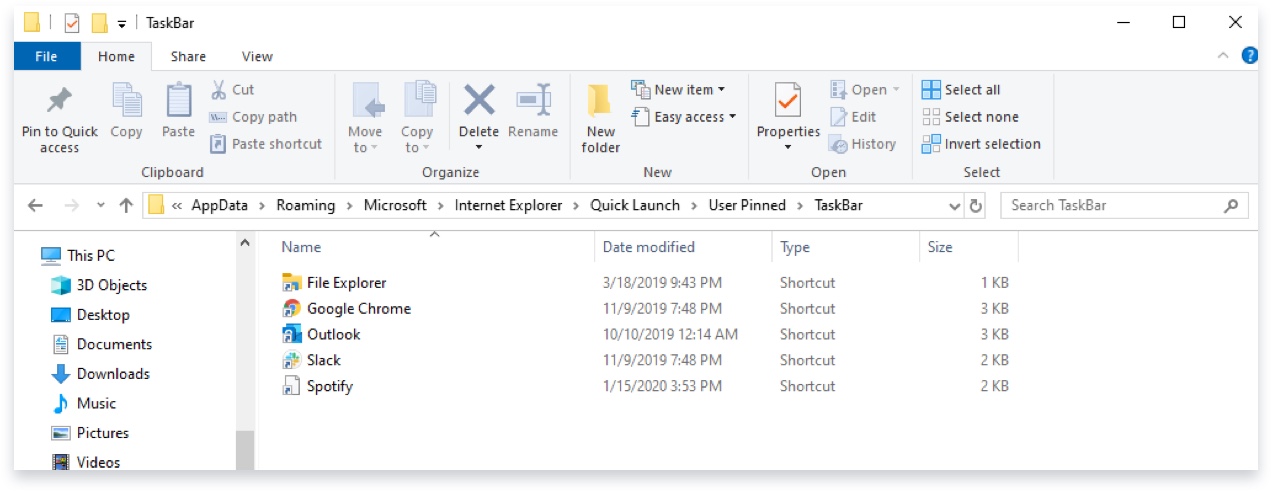
- Select the shortcuts you’d like to remove and delete them (or right-click and delete). Removing shortcuts from this location may require a reboot for the removal to take effect.
- Once the altered shortcut is removed, right-click your desktop and choose New then Shortcut.
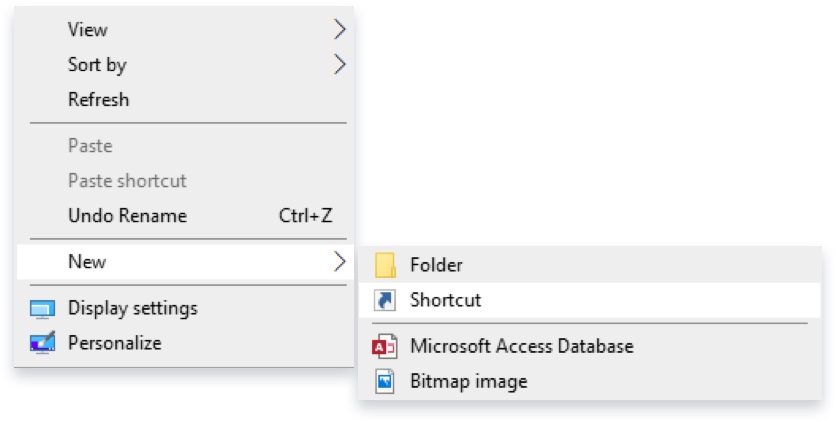
- Next, browse to the location of the program you want to start with the shortcut.
Common paths/locations for browsers are:
“C:\Program Files\Internet Explorer\iexplore.exe”
“C:\Program Files\Google\Chrome\Application\chrome.exe”
“C:\Program Files\Mozilla Firefox\firefox.exe”
“C:\Program Files\Opera\launcher.exe”
Program Files may be Program Files (x86) if you are running a 64-bit operating system.
Please note that the quotes are necessary for these shortcuts to work.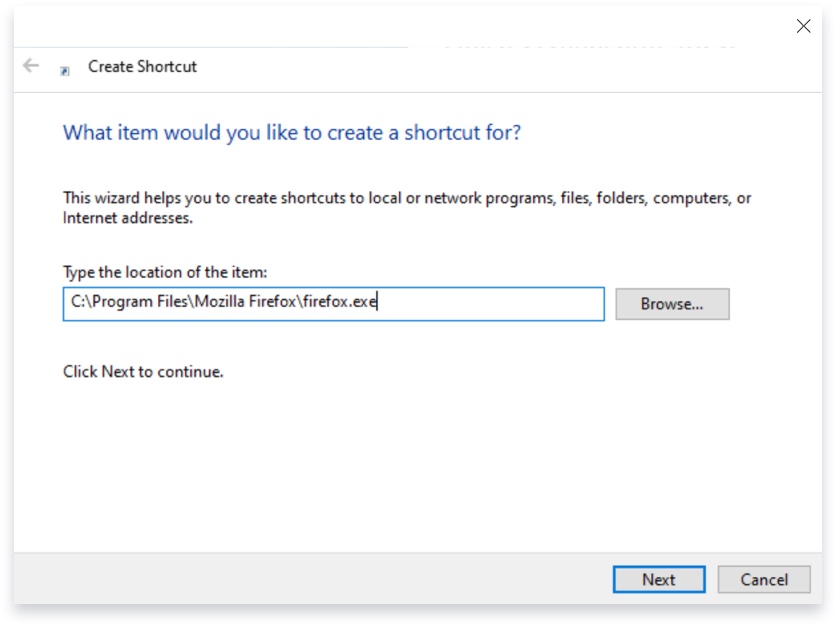
- Once you find the target of your shortcut, click Next and Finish.
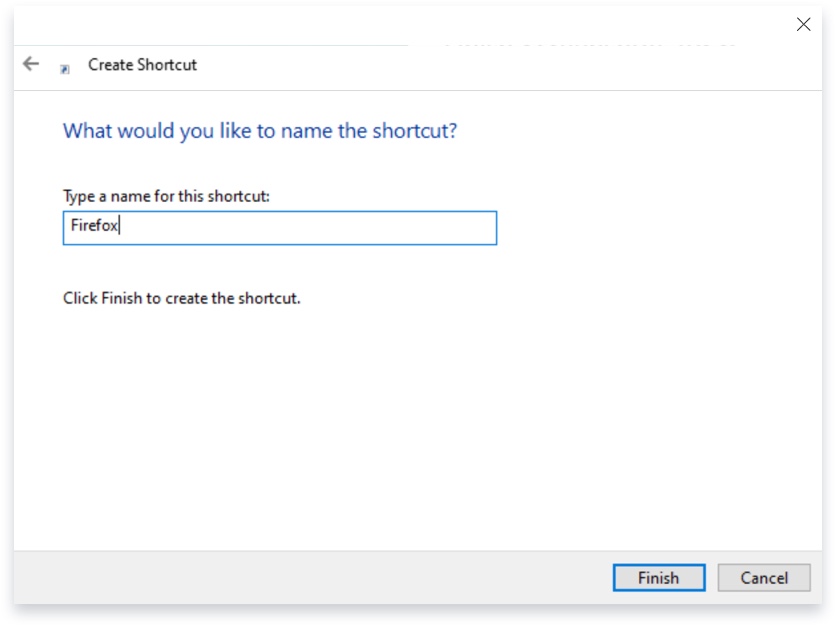
- Check if the shortcut is working properly and drag it to the taskbar, which will offer you the option to pin it.
Use the same procedure to pin the shortcut to the Start menu by dragging the icon to the Start button.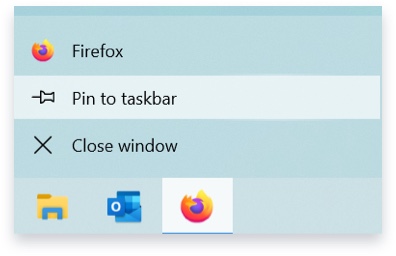
- Right click on the shortcut.
- Select Properties.
- In the Target field, remove everything after the path to the program, remembering to leave the quotes.
Common paths/locationsfor browsers are:
“C:\Program Files\Internet Explorer\iexplore.exe”
“C:\Program Files\Google\Chrome\Application\chrome.exe”
“C:\Program Files\Mozilla Firefox\firefox.exe”
“C:\Program Files\Opera\launcher.exe”
Program Files may be Program Files (x86) if you are running a 64-bit operating system.
Please note that the quotes are necessary for these shortcuts to work.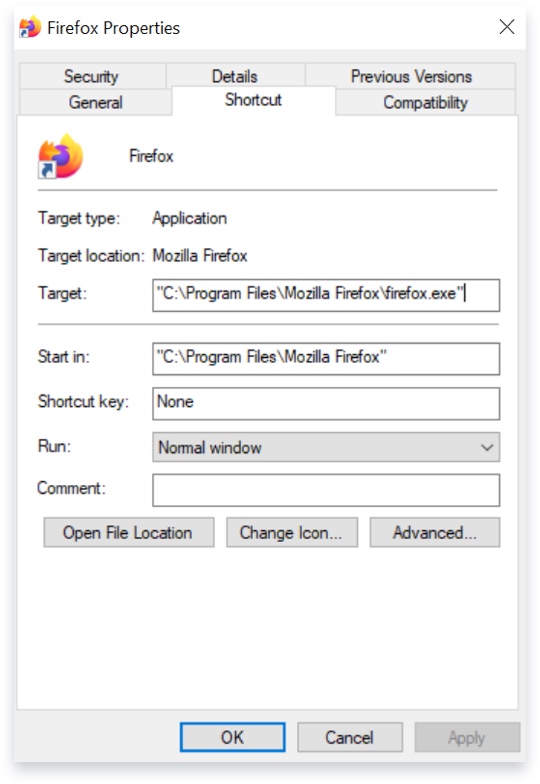
Note
If you follow these steps above and problems persist, in extreme cases, it may be necessary to uninstall Firefox and make a fresh start. If you do that, we recommend following the instructions during the uninstall process to Remove user data and settings.
If you want to transfer your bookmarks to the new setup, follow these instructions.