Best ad blockers for secure browsing [2026 comparison]
This guide below reviews the best ad blocking extensions and tools to help improve your web browsing experience and protect your privacy.
Ads have become one of the most common delivery mechanisms for malicious redirects and data collection and the scale is hard to ignore. In 2025, Google blocked 8.3 billion ads and suspended 24.9 million accounts, including 602 million ads and 4 million accounts associated with scams.
That’s why more users are turning to ad blockers for a cleaner, safer browsing experience. The right tool can stop trackers and block access to known malicious domains, reducing risk to your privacy.
If you’re looking to secure your browsing experience but need help choosing the right tool, this guide is for you. We’ll break down the best ad blockers available today and dive into details about what they do well and where they fall short.
Quick comparison of the best ad blockers
We compared the best ad blockers based on how they perform in everyday use. That included looking at how each one blocks content—through filter lists, behavior-based detection, or network-level blocking—and what it can stop, from ads and trackers to pop-ups and risky domains.
We also considered how much control users get, how easy each tool is to set up, and whether protection stays limited to the browser or extends across apps and devices.
To evaluate each option, we reviewed official product webpages, support and feature documentation, app store listings, and customer reviews. This gave us a clearer picture of both stated features and real-world usability.
We prioritized tools that are actively maintained, widely used, and useful for everyday people, and excluded options that felt outdated, unsupported, or too niche for this list.
| Tool | Best for | Customer Rating |
| Malwarebytes | Blocking ads alongside malicious sites, scams, and risky domains | 4.6/5 on G2 |
| AdGuard | Applying multiple filter categories and custom rules within a browser | 4.4/5 on G2 |
| NordVPN Threat Protection | Blocking ads and trackers at the network level through a VPN-based system | 4.4/5 on G2 |
| Privacy Badger | Learning and blocking trackers based on observed behavior rather than preset lists | 4.3/5 on Tech Radar |
| Ghostery | Displaying and managing individual trackers detected on each page | 4.2/5 on G2 |
| uBlock Origin | Applying multiple filter lists and dynamic rules for broad content blocking | 4.2/5 on Trustpilot |
| Surfshark CleanWeb | Blocking ads and trackers across devices through a VPN-integrated system | 3.9/5 on G2 |
Why ad blocker adoption is on the rise
As of Q2 2025, roughly 29.5% of internet users globally use ad blockers—an estimated 1.77 billion people worldwide. And it’s not hard to see why. Every page you visit triggers dozens of third-party requests, including ad networks, trackers, data brokers, and sometimes outright malicious scripts. This leads to:
- Privacy erosion: Many sites embed trackers that follow you as you browse the web, building detailed profiles that include what you read, what you buy, what you search for, and even how long you hover over something. The scale is bigger than most people realize. Studies have found that nearly 90% of top websites use at least one tracker, and the average news homepage alone loads around 41 of them.
- Security risk: Malicious ads (malvertising) have been used to deliver malware without a user having to click anything. All it takes to infect your device with ransomware is one bad ad network. And according to Malwarebytes’ ThreatDown State of Malware report, cybercriminals have heavily shifted toward malvertising as their delivery method of choice: creating ads that look indistinguishable from legitimate brands like Amazon, then using them to funnel victims toward malware-laced fake websites. Malvertising grew 10% year-over-year in 2024, and by October of that year, 81% of attacks used forced redirects. This means your browser gets silently pushed to a malicious page the moment an ad loads.
- Performance drag: Ads and trackers often account for a large chunk of page weight. Analysis of the world’s top news sites found average load times of 9.46 seconds with trackers running—and 2.69 seconds without them. That’s more than a 3x slowdown, which adds up fast across a day of browsing.
All of this makes for a daily web experience that can feel nearly hostile.
For example, suppose you open a news article. Before the text even loads, your browser starts contacting multiple ad servers, analytics tools, real-time bidding exchanges, fingerprinting scripts, and data brokers. Just one bad actor in that chain, and your device could be exposed to malware downloads and various other risks.
This is especially dangerous because you don’t need to do anything wrong: The ads appear in ordinary Google searches, on trusted sites, right alongside real results. Stuart Madnick, professor of information technology at MIT Sloan, put it simply: “You see something appearing on a Google search, you kind of assume it is something valid.”
That’s exactly where ad blocker extensions help. They block ads, trackers, and known malicious domains, cutting off that chain at the source and reducing the attack surface.

Safer. Cleaner. Ad-free browsing.
Best ad blocker extensions for safer browsing
Rated 1: Malwarebytes Browser Guard – best for blocking ads alongside malicious sites, scams, and risky domains
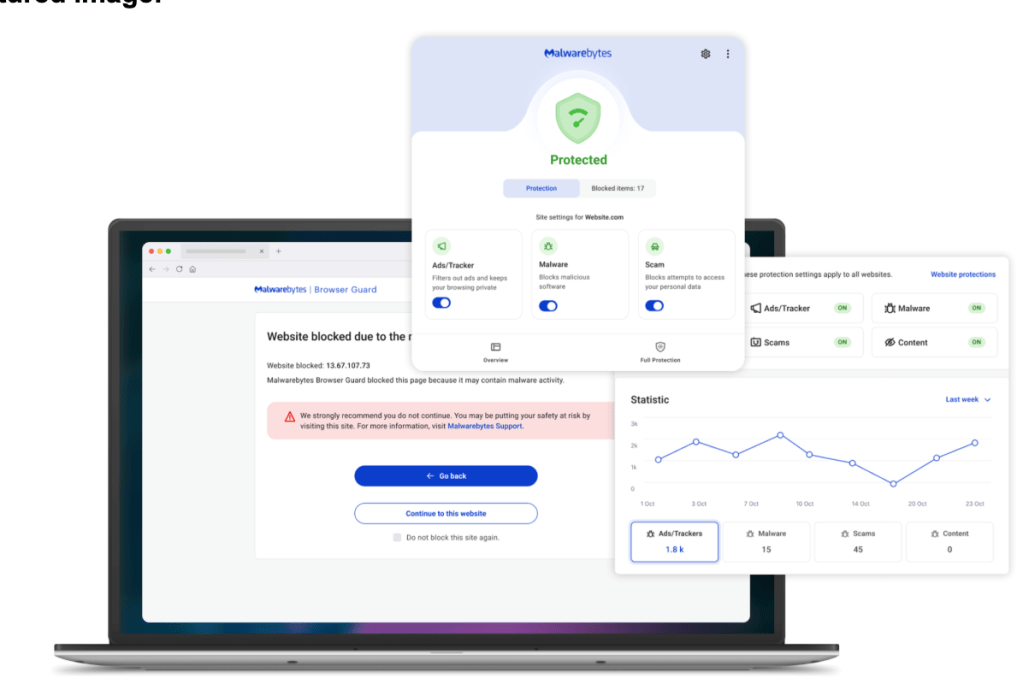
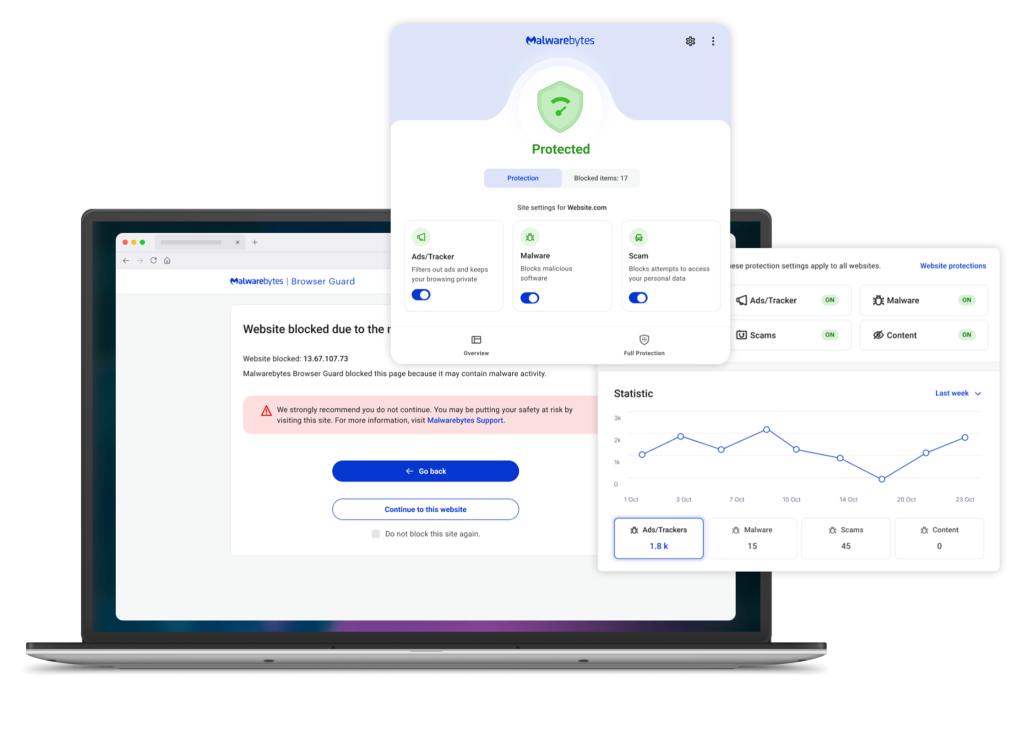
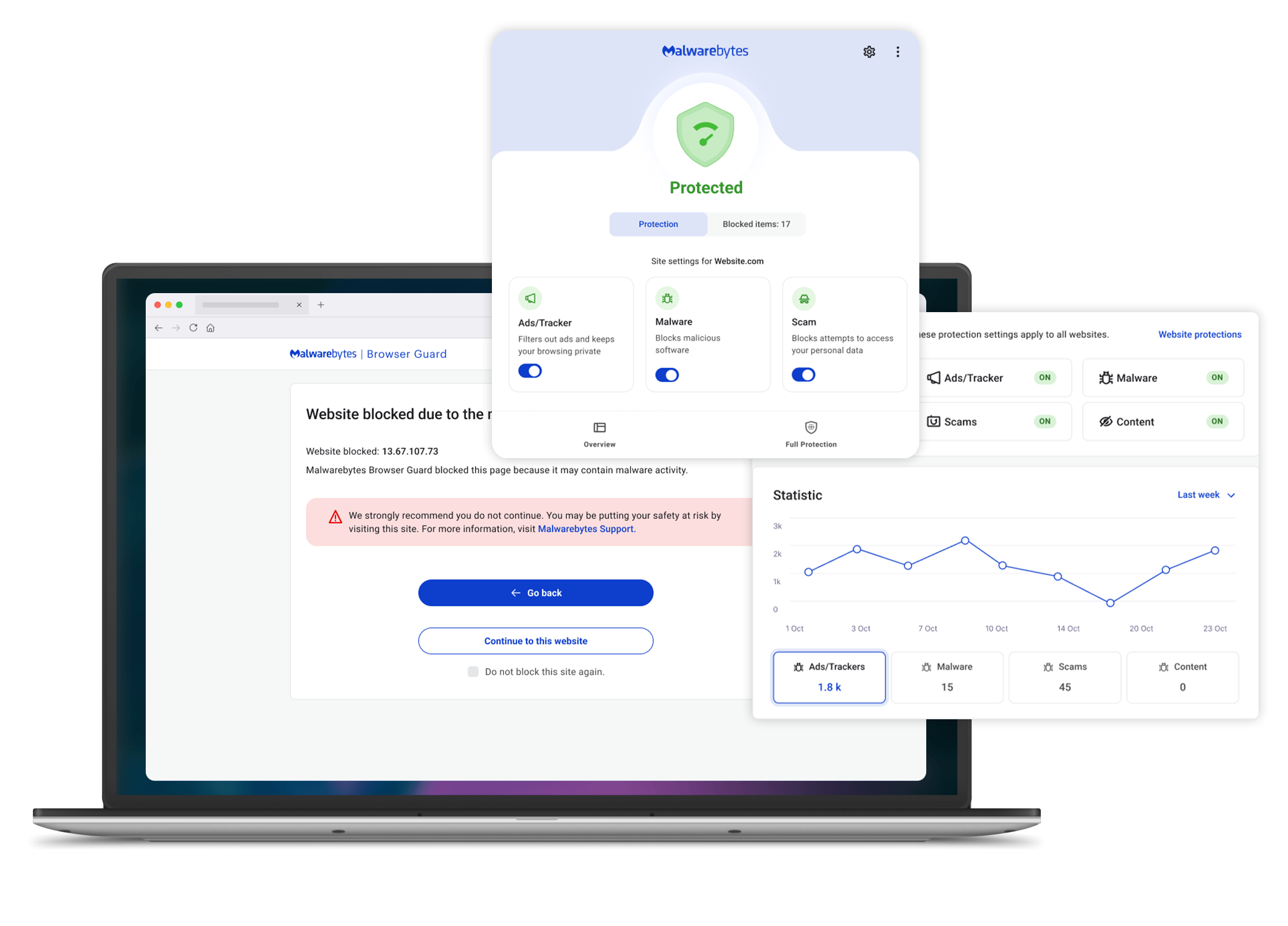
Malwarebytes offers Browser Guard, a free ad blocker extension that filters ads, trackers, and known malicious web content. It monitors the requests a webpage makes and blocks connections to domains associated with advertising networks, trackers, phishing pages, and malware distribution.
Unlike filter-heavy ad blockers, it combines ad blocking with threat intelligence. As pages load, it checks URLs and scripts against databases of known scam sites, hijackers, and malicious domains, stopping them before they fully load in the browser.
It also tracks how many ads and trackers are blocked per site and allows users to manually block specific page elements or allow trusted sites through an allow list. The extension runs automatically in the background, applying both ad filtering and site-level protection without requiring filter configuration.
Pros:
- Blocks known scam and phishing pages before they load
- Reduces exposure to malicious ads that redirect to unsafe sites
- Filters both ads and risky domains using the same system
- Works without needing to manage filter lists or custom rules
Cons:
- Primarily browser-based
- Best for individuals or families, not suitable for businesses
Pricing: Malwarebytes Browser Guard ad blocker is free, with paid plans available for other security and privacy needs.
Stop threats before they can do any harm.
Malwarebytes Browser Guard blocks phishing pages and malicious sites automatically. Free, one click to install. Add it to your browser →
Rated 2: AdGuard – best for applying custom rules within a browser
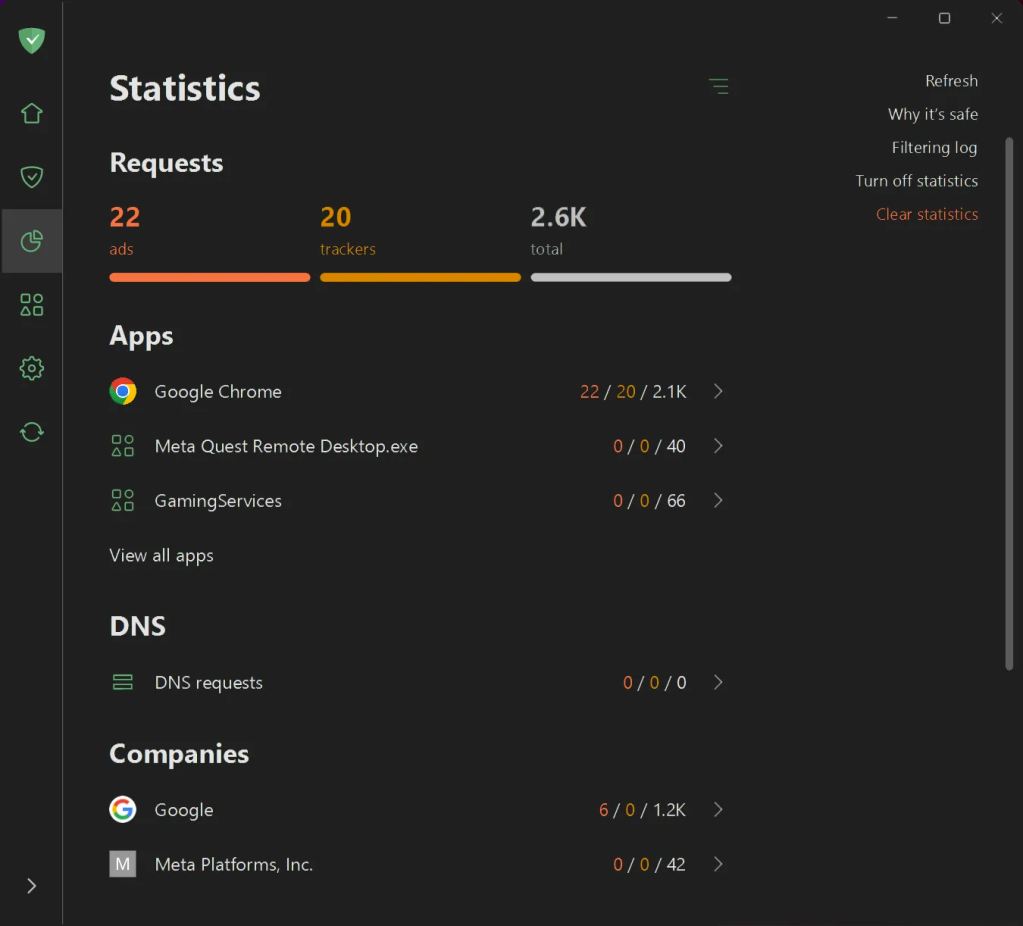
AdGuard is a browser-based ad blocker that uses multiple filter categories to control how ads, trackers, and page elements are handled. It applies default filtering rules to block common ads and pop-ups as pages load. From there, users can enable additional filter groups for things like privacy tracking, social media widgets, or region-specific ads.
It also allows manual rule creation, where users can block or modify specific elements on a page. Since the extension operates within the browser, its filtering capabilities are limited by browser rules, but it still offers more customization than most standard ad blockers.
Pros:
- Can target specific elements on a page
- Includes multiple filter categories for different types of tracking and content
Cons:
- Requires more setup to get the most out of it
- Browser-based version only works within the browser
Pricing:
Family: $89.64/year
Personal: 29.88/yr
Rated 3: NordVPN Threat Protection – best for blocking ads and trackers at the network level through a VPN-based system
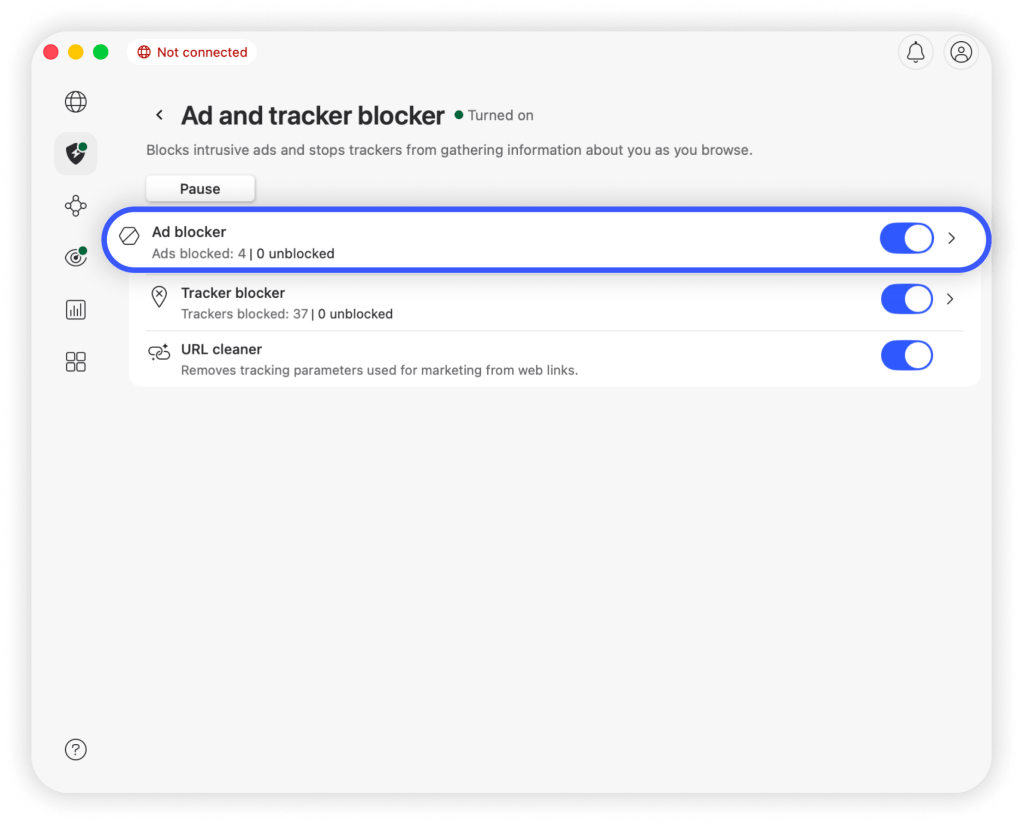
NordVPN Threat Protection is a feature built into the NordVPN app that blocks ads, trackers, and unsafe domains before they reach your browser. Instead of working as a browser extension, it filters traffic at the network or DNS level, meaning it intercepts requests before a webpage fully loads.
Once enabled, it checks domains and URLs against databases of known ad servers, tracking services, and malicious sites. If a match is found, the connection is blocked entirely, so the content never loads on the page. This approach works across browsers and can apply to other apps, depending on the version and setup.
In addition to ad blocking, it includes broader protections like phishing site blocking and download scanning. It doesn’t rely on element hiding or page-level rules because filtering happens before content reaches the browser.
Pros:
- Reduces exposure to malicious domains and phishing sites
- Runs in the background without needing filter management
Cons:
- Requires a NordVPN subscription to use
- Full functionality depends on app version and device compatibility
Pricing:
Prime: $25.29/mo
Basic: $12.99/mo
Plus: $15.29/mo
Complete: $18.69/mo
Rated 4: Privacy Badger – best for blocking trackers based on observed behavior rather than preset lists
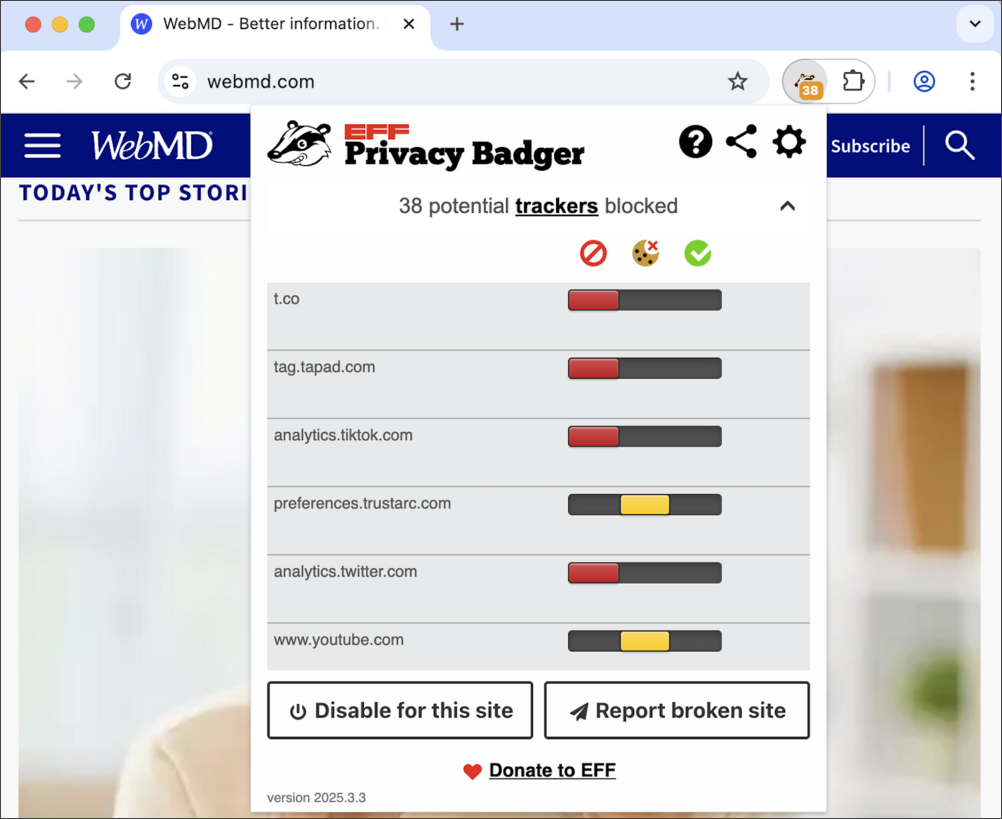
Privacy Badger is a browser extension developed by Electronic Frontier Foundation (EFF) that blocks trackers based on how they behave, rather than relying on predefined filter lists. It monitors third-party domains as you browse and looks for patterns that indicate tracking across multiple sites.
When it detects a domain that appears to be tracking your activity across different websites, it automatically blocks or restricts that domain’s ability to load content. Instead of starting with a large blocklist, it builds its blocking behavior over time as it observes repeated tracking activity.
It also enforces “Do Not Track” signals and can block invisible trackers, third-party cookies, and certain scripts without requiring manual configuration.
Pros:
- Reduces reliance on large, constantly updated blocklists
- Runs without requiring setup or ongoing management
Cons:
- Takes time to fully block trackers as it learns behavior
- Primarily focuses on tracking, not full ad removal
Pricing: Free
Rated 5: Ghostery – best for showing and controlling individual trackers
Google Messages includes built-in spam and scam detection to flag suspicious text messages as they arrive. The feature focuses on identifying Ghostery is a browser extension that combines ad blocking with tracker detection and visibility. It blocks ads, pop-ups, and tracking scripts as pages load, using a continuously updated database of known trackers and advertising sources.
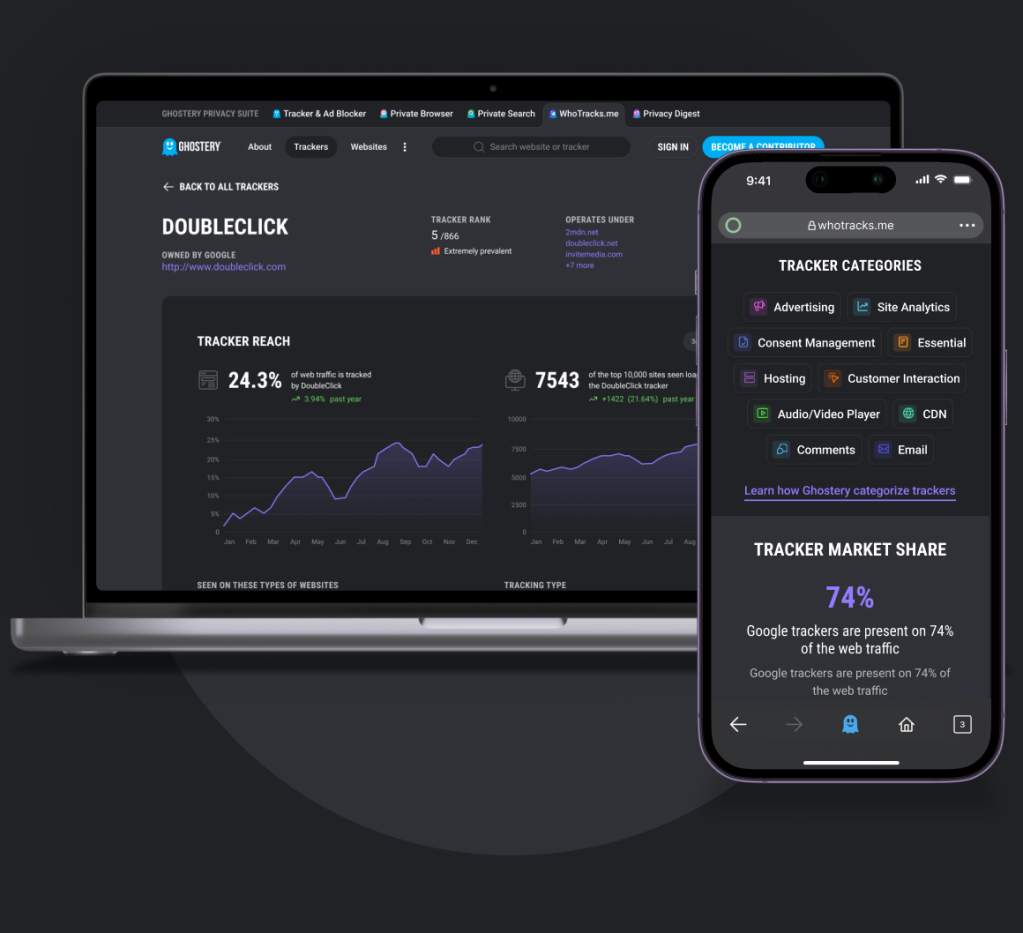
When you visit a site, Ghostery identifies the trackers present and displays them in a panel, showing which ones are active and which have been blocked. This allows users to adjust blocking behavior at the tracker level, rather than relying only on preset filter lists.
It also handles cookie consent pop-ups automatically through its “Never-Consent” feature and can apply blocking rules across ads, trackers, and embedded scripts at the same time. The extension relies on both curated tracker databases and behavior-based detection to identify new tracking scripts as they appear.
Pros:
- Allows selective blocking without fully breaking site functionality
- Adapts to tracking techniques that aren’t yet widely listed
Cons:
- Some ads (like certain video formats) may still get through
- Requires interaction if you want to fine-tune blocking
Pricing: FreePricing: Free
Rated 6: uBlock Origin – best for Applying multiple filter lists and dynamic rules for broad content blocking
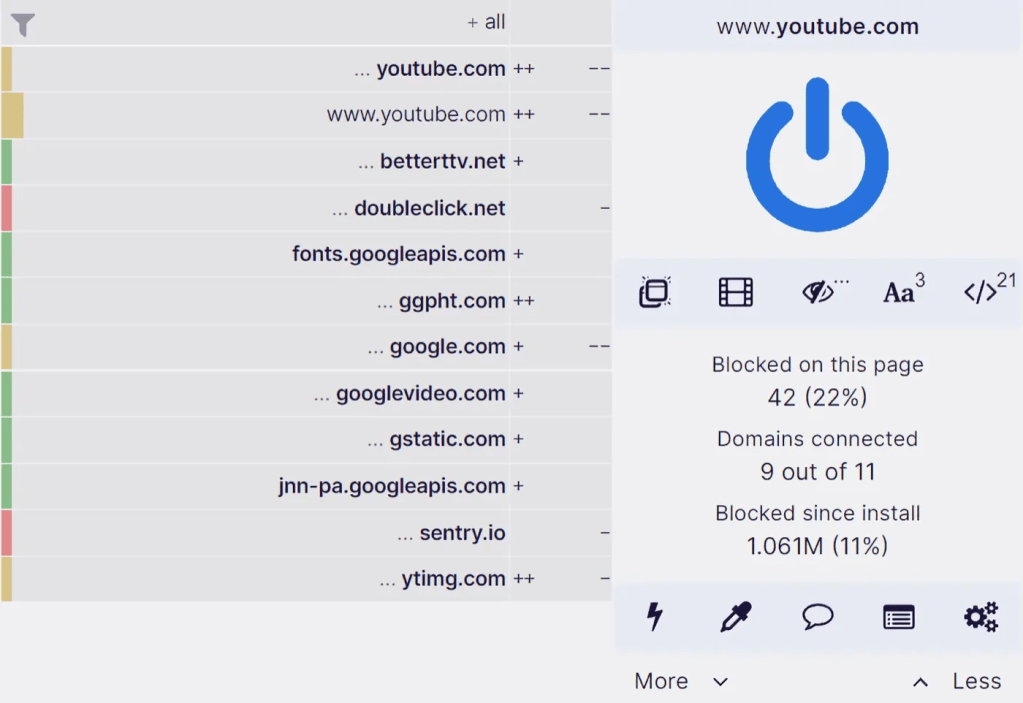
uBlock Origin is a browser extension that blocks ads, trackers, and other page elements using a combination of filter lists and dynamic filtering rules. It enables several default filter lists(including ad, privacy, and malware domain lists that intercept network requests and prevent matching content from loading.
As pages load, it checks each request against these lists and blocks connections to known ad servers, tracking domains, and unsafe sources before they reach the page. It also applies cosmetic filtering to remove leftover elements and can collapse blocked content to avoid empty spaces.
Beyond static filters, it includes dynamic filtering controls that let users allow or block scripts, frames, and domains at a deeper level.
Pros:
- Covers ads, trackers, and some malicious domains using multiple filter sources
- Handles large rule sets efficiently without slowing down browsing
Cons:
- Some advanced features work better on Firefox than Chrome
- Can break site functionality if filters are too aggressive
Pricing: Free
Rated 7: Surfshark CleanWeb – best for blocking ads and trackers across devices through a VPN-integrated system
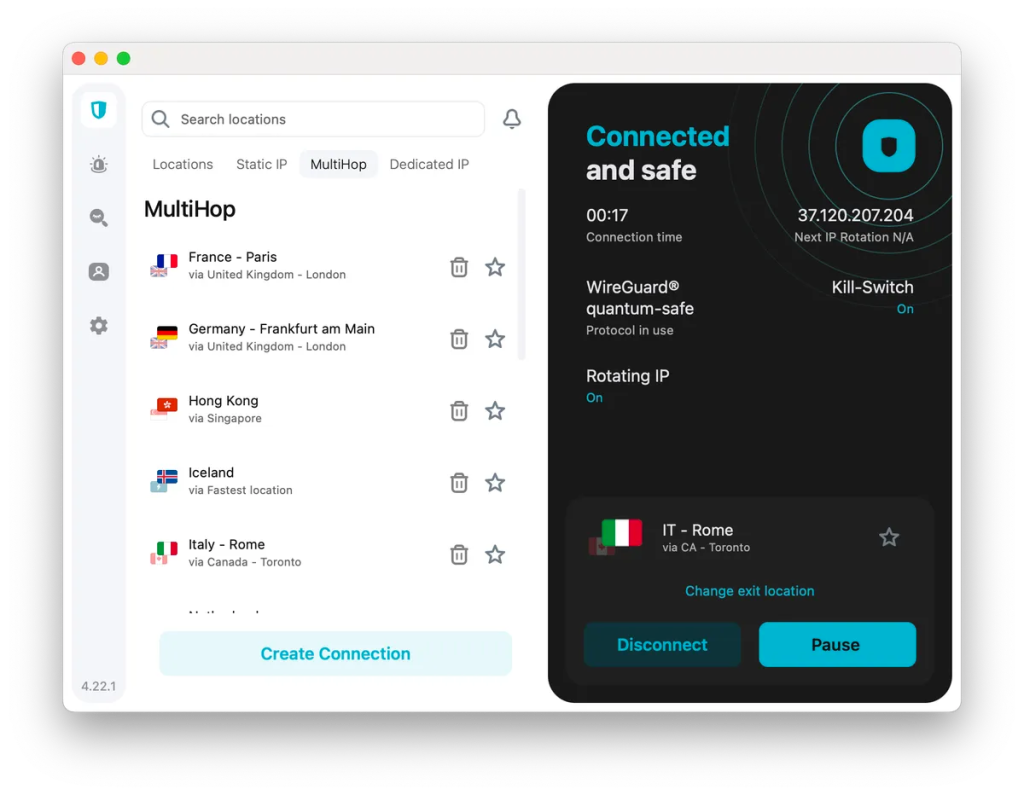
Surfshark CleanWeb is an ad-blocking feature built into the Surfshark VPN and its browser extension. When enabled, it filters web traffic at the DNS or network level, blocking connections to known ad servers, tracking domains, and malicious websites before they load.
It can run through the VPN app to apply blocking across apps and devices, or through the browser extension (CleanWeb 2.0), which adds more browser-specific controls like cookie pop-up blocking and additional filtering options.
The system relies on maintained blocklists of ad networks, trackers, and unsafe domains, preventing those requests from ever reaching the page. It also includes options to block cookie prompts and flag potentially risky sites during browsing.
Pros:
- Stops many ads and trackers before they load at all
- Includes built-in handling for cookie pop-ups
Cons:
- Requires a Surfshark subscription
- Full functionality depends on whether you use the app or extension
Pricing:
One+: $20.85/mo
Starter: $15.45/mo
One: $17.95/mo
What actually works in 2026 (post Manifest V3)
If ad blockers have started to feel…weaker, you’re not just imagining things. It’s because there has been a major shift in how Google allows extensions to operate.
Google’s Manifest V3 (MV3) replaced a powerful system (called webRequest) with a more restricted one (declarativeNetRequest). Basically, ad blockers can no longer inspect and block every request in real time. They now rely on pre-defined rules, which means:
- Less flexibility: Extensions can’t dynamically react to new ad or tracker techniques as effectively.
- Rule limits: There’s a cap on how many filtering rules an extension can use, which matters because modern blockers rely on massive filter lists.
- Reduced precision: Some advanced filters (especially anti-tracking and anti-script techniques) simply don’t translate well to the new system.
In Google’s defense, the idea was to limit how much access extensions have to your browsing data, which should prevent malicious extensions from spying or injecting harmful code. But those same limits also weaken legitimate ad blockers, which rely on that access to detect and block ads and trackers in real time.
Firefox has emerged as an outlier in this situation. It still supports the older extension model alongside MV3, so this change, at least so far, hasn’t impacted Firefox users. But if you’re not a Firefox user or want to ensure continued protection even after Firefox discontinues support for the older extension model, you need a tool like Malwarebytes that offers system-level protection.
Use the right tool to block ads, trackers, and online threats
Ads have become one of the most common entry points for malware, tracking, and scams—and safe browsing habits alone aren’t enough to stay protected. The right ad blocker doesn’t just clean up your browsing experience: it cuts off the chain before a bad actor can reach you and your family’s devices.
Malwarebytes Browser Guard goes beyond standard ad filtering to block malicious websites, scam pages, trackers, and intrusive ads. The browser you use does not matter. If you want fewer distractions and strong protection against online threats, Malwarebytes is your best bet in a post-MV3 world.
Try Malwarebytes today to browse with fewer risks and interruptions.
Learn more about Malwarebytes Browser Guard
Slide to see the difference
A Cleaner Browsing Experience


Free browser extension to block ads, trackers, malware & more
Say goodbye to annoying ads, sneaky trackers, and harmful websites. Enjoy safer browsing, and the peace of mind that your privacy is protected – every time you go online.
Install on any browser:
Your ad blocker and privacy defense against the worst parts of the web
Block scams & fraud
Browser Guard blocks malicious websites, phishing attempts, and credit card skimmers – stopping threats before they can do any harm
Stop credit card skimmers
Prevent thieves from capturing your payment details during online checkouts
Remove ads & cookie banners
Enjoy a cleaner browsing experience by blocking intrusive ads, pop-ups, and cookie consent overlays
Frequently asked questions about ad blockers
Are ad blockers legal?
Do ad blockers slow down your browser?
Why don’t some ad blockers work on Chrome anymore?
Can ad blockers block YouTube ads?
Are free ad blockers safe?
What’s the difference between DNS and extension blockers?
All-in-one cybersecurity protection always by your side.