8 best antivirus software for virus scanning [2026 comparison]
This guide below ranks antivirus software based on the virus scanning and protection capabilities.
Key takeaways:
- Modern cyber threats run quietly in the background, watching your activity, stealing data and waiting for the right moment to act.
- Antivirus software scans files against a database of known malware signatures, catching threats with recognized characteristics before they cause harm.
- National cybersecurity agencies advise most users to run an antivirus product as a baseline protection measure. Ongoing real-time protection can help you protect your data and device proactively.
- Today’s best antivirus software does more than scan for viruses. It combines malware detection, real-time protection, web protection, ransomware defense, as well as scam and phishing protection.
- Malwarebytes Premium Security helps you stay on top of all security needs for your entire family.

Real-time protection. Zero effort.
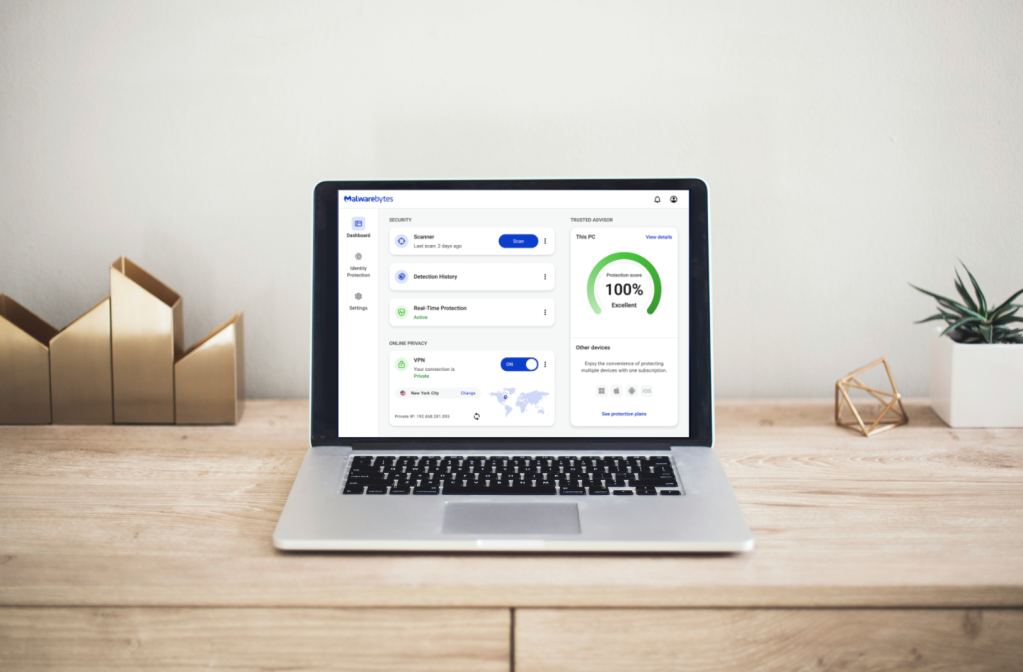
If you’re looking for antivirus software to run a virus scan, there’s a good chance something already feels off. Maybe your computer has slowed down for no clear reason, you clicked a link you shouldn’t have, or you just want to check your device for hidden threats.
Modern threats don’t announce themselves. They run quietly in the background, watching activity, stealing data, or waiting for the right moment to act.
And those threats are becoming more common. Some reports estimate malware attacks have increased 87% over the past decade, as attackers shift toward quieter, harder-to-spot techniques. A good virus scanner doesn’t just react after something goes wrong. It looks for early warning signs and stops problems before they spread.
The challenge is choosing the right one. Today’s best antivirus software does more than scan for viruses. It combines malware detection, real-time protection, web protection, ransomware defense, as well as scam and phishing protection.
This guide breaks down the best antivirus software for virus scanning, including both free and paid options. It’ll also walk through what matters in software, how these tools differ in real-world use, and help you narrow things down without getting lost in technical jargon.
Best antivirus software: Quick overview
| Software | Best for | Platforms | Free version? | Top features |
| Malwarebytes | All-in-one antivirus and virus scanner for the multi-device households | Windows, macOS, Android, iOS | Free trial of the premium antivirus, free virus and malware scanner | Near perfect detection virus scanning, real-time malware blocking (premium), ransomware protection and advanced scam detection |
| Norton | Comprehensive protection with advanced features | Windows, macOS, Android, iOS | Limited | Parental controls, identity monitoring |
| McAfee | Security and identity protection | Windows, macOS, Android, iOS | Free trial | Scam protection, identity theft coverage |
| Bitdefender | Advanced threat detection and enterprise suite | Windows, macOS, Android, iOS | Free trial | AI-powered protection, low system impact |
| Surfshark | VPN-first users | Windows, macOS, Android, iOS | No | VPN + antivirus bundle |
| AVG | Simple antivirus with limited features | Windows, macOS, Android, iOS | Yes | Basic malware scanning |
| Avira | Free basic protection with limited features | Windows, macOS, Android, iOS | Yes | Free antivirus + limited VPN |
| Aura | Identity protection and parental controls | Windows, macOS, Android, iOS | Free trial | Identity monitoring, fraud alerts |
Why does my PC need antivirus software?
Every day, new tech support scams and harmful programs are created, and PCs are a common target. A single click on a bad link, a fake email attachment, or a compromised website can be enough. In fact, nearly 70% of people report having personally experienced a cybersecurity threat, which shows how common these encounters have become.
Antivirus software watches for these risks in real time and steps in before they can take hold. On PCs, this includes scanning for known malware, suspicious files, and unusual behavior that doesn’t belong there. Things like malicious downloads, fake software updates, and hidden programs that run when your computer starts are far more common on Windows systems than many people realize.
The threat is also getting harder to recognize on sight. In fact, 85% of people struggle to tell a scam from the real thing, while 50% have encountered some form of AI-driven fraud or scam. That makes protections against phishing, malicious websites, and deceptive downloads an increasingly important part of modern antivirus software.
Over $12.5 billion were lost to known online scams in a single year, so relying on caution alone isn’t realistic. A great antivirus scanner knows what to look for and can flag problems that aren’t obvious to the average user. Antivirus protection checks what’s happening behind the scenes, blocks harmful activity, and helps you avoid problems you shouldn’t have to deal with in the first place.
Even if you’re always careful, antivirus protection adds an extra layer of safety that works quietly in the background so you don’t have to think about it every day.
Top antivirus software for virus scanning
To create this list, we took a layered approach that combines what the tools promise, how they perform under independent testing, and how they hold up in everyday use.
- Independent lab results and expert testing: We reviewed malware protection and performance data from established evaluators like AV-TEST and AV-Comparatives, along with hands-on expert reviews from outlets like PCMag. We paid close attention to detection and protection performance, false positives, and system impact, since a scanner that catches threats but slows your device to a crawl is not a win.
- Product documentation and feature verification: We cross-checked official product pages and documentation to confirm what each tool actually includes at the plan level (free vs paid), what runs in real time versus on-demand, and which protections are available on each operating system.
- User feedback and reliability signals: We looked at customer reviews from platforms like G2 and app marketplaces to spot patterns that testing doesn’t always capture, like setup friction, confusing alerts, aggressive upsells, noisy notifications, support quality, and whether the product feels trustworthy after long-term use.
Here are some of the best antivirus software for your personal devices.
Rated 1: Malwarebytes: Best multi-device antivirus and virus scanner for the whole family









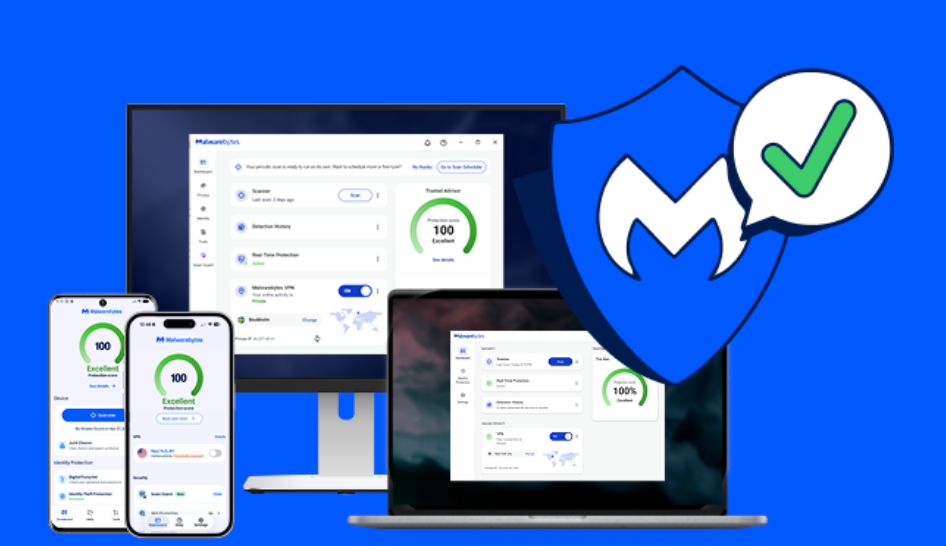
Malwarebytes is antivirus software that scans for viruses and helps protect your devices from everyday threats without adding complexity. It looks for malware that may already be on your device, including viruses, trojans, ransomware, spyware, and potentially unwanted programs, then removes what it finds. It also runs in the background to help stop new threats early, before malicious downloads, fake updates, and compromised websites can do damage.
Malwarebytes also helps protect against scam-driven threats and dangerous sites designed to trick people into installing harmful software or handing over personal information. It combines real-time detection, web protection, and behavior-based monitoring to catch threats that signature-only scanners can miss.
Malwarebytes has also earned recognition from leading independent reviewers and testing organizations. It received multiple PCMag Readers’ Choice Awards in 2025 and was recognized among PCMag’s Best Tech Brands in 2026, achieving the highest Net Promoter Score (NPS) of any brand evaluated. It was also named Best Antivirus for Maintaining Privacy by CNET in 2025 and earned multiple honors from the AVLab Cybersecurity Foundation, including Product of the Year (2024 and 2025) and a 100% in-the-wild malware blocking score.
Specs:
- Compatible devices: Windows PCs, macOS computers, Android phones and tablets, iPhones and iPads
- Devices covered: Plans support between 3 and 20 devices, depending on the tier
- Protection included: Virus and malware scanning, real-time threat protection, ransomware protection, malicious website and scam blocking, Browser Guard extension
- Privacy & identity (plan-dependent): VPN, Identity theft monitoring and insurance (up to $2 million), Scam Guard for checking suspicious links or screenshots
- Support: 24/7 human customer support, 60-day money-back guarantee on annual plans
Pros:
- Excels at detecting and blocking modern threats that don’t look like traditional malware, including scam links, phishing attempts, and deceptive downloads
- Uses behavior-based detection, which helps catch threats that haven’t been widely cataloged yet
- Keeps alerts clear and contextual, explaining why something is risky instead of showing cryptic warnings
- Runs quietly in the background without demanding frequent decisions, updates, or manual tuning
- Balances virus scanning with web, download, and scam-related protection, reducing cleanup after mistakes
- Uses powerful AI to identify and avoid scams easily
- Offers 24/7 human customer support

“One of the best cybersecurity suites on the planet.”
According to CNET. Read their review →
Cons:
- May feel too hands-off for people who prefer to actively manage and monitor security activity
- Some protections vary by operating system due to OS-level restrictions
Pricing:
- Standard: $59.99/year
- Plus: $79.99/year
- Ultimate: $139.99/year
- Standard Family: $119.99/year
- Plus Family: $149.99/year
- Ultimate Family: $199.99/year
Bottom line:
Use Malwarebytes if you want strong virus scanning and real-time protection for the entire family that works across multiple devices. It’s a great fit if you prefer a clean, simple experience with minimal setup, clear alerts, and protection for the whole family that runs quietly in the background.
Don’t use Malwarebytes if you’re shopping for enterprise-grade management features like centralized admin tools, large-scale deployment, or business policy controls.
Real-time protection. Zero effort.
Rated 2: Norton: Best for security with advanced identity theft protection

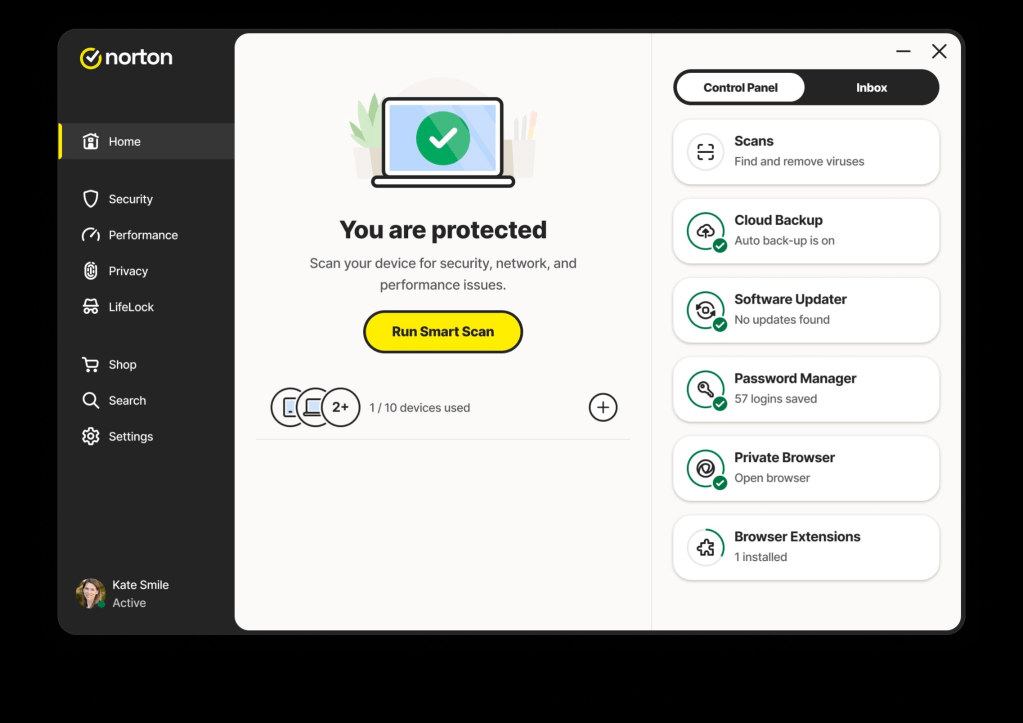
Norton is an antivirus and digital security brand that focuses on protecting computers and mobile devices from viruses, malware, and online threats. Its core offerings include malware scanning and blocking, scam protection, and tools that help keep your personal data safe while you browse, download files, or use apps. Norton’s security tools run in the background and aim to keep threats from installing or spreading without requiring constant attention.
Customer rating: 8.6/10 on CNET
Specs:
- Compatible devices: Windows PCs, macOS computers, Android phones/tablets, and iPhones/iPads
- Devices covered: 10 to unlimited
- Protection included: Virus, malware, ransomware, and phishing protection
Pros:
- Provides a broad, all-in-one security bundle that combines antivirus, firewall, VPN, and identity monitoring
- Performs consistently in traditional malware and virus detection across independent tests
- Includes identity and credit-monitoring tools
- Includes VPN and password management
Cons:
- Renewal pricing is typically higher than the initial first-year price
- Interface can feel busy or overwhelming, especially for non-technical users
- Notifications and upsell prompts can interrupt the experience
- Scam and phishing detection is present but not as prominent or explainable as dedicated tools
Pricing:
- Standard: $94.99/year
- Deluxe: $124.99/year
- Select Plus: $189.99/year
Bottom line: Norton is a strong pick if you want a bundled subscription with virus scanning, a firewall, a VPN, and identity monitoring in one place, and you are comfortable using a more feature-rich dashboard.
It may not be the best fit if you prefer lightweight protection with fewer prompts, or if you want more straightforward, step-by-step guidance when dealing with scams, phishing links, and misleading downloads.
Rated 3: McAfee: Best for bundled antivirus with online privacy features

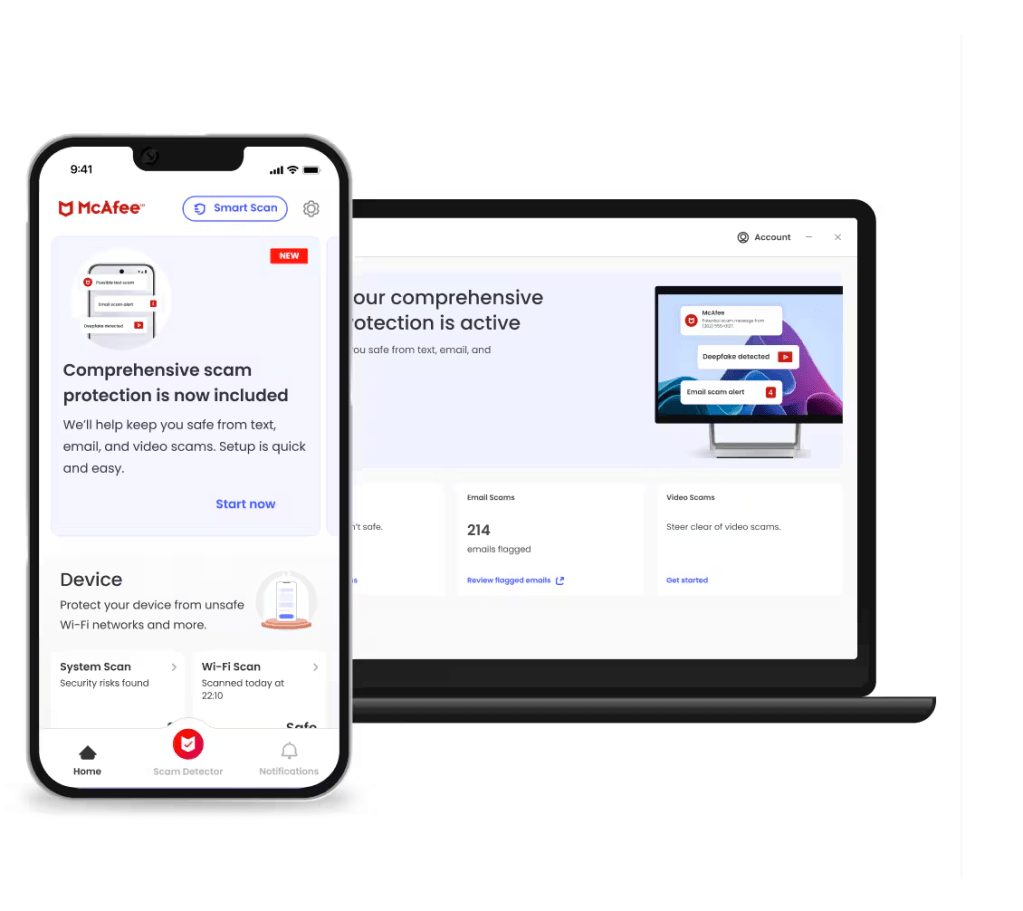
McAfee offers antivirus software bundled with privacy, identity, and scam-protection tools. It also focuses on protecting personal information, monitoring for identity theft, and helping users manage online privacy across accounts, apps, and devices. Its protection runs continuously in the background and covers both everyday browsing risks and more serious threats like scams and data exposure.
Customer rating: 4.4/5 on CNET
Specs:
- Compatible devices: Windows PCs, macOS computers, Android phones/tablets, and iPhones/iPads
- Devices covered: From 5 devices up to unlimited devices, depending on plan
- Protection included: Antivirus and malware scanning, real-time threat protection, scam and phishing protection, email breach and identity monitoring
Pros:
- Family plans allow users to protect multiple people under one subscription
- Includes VPN, password manager, and monitoring tools
- Performs reliably against known malware and common viruses
- Provides frequent definition updates and automated protection
Cons:
- Some protections overlap or require setup across different areas of the app
- Renewal pricing is typically higher than first-year promotional rates
- System impact may be noticeable on older PCs during scans
Pricing:
- Essential: $119.99/year
- McAfee+ Premium Individual: $149.99/year
- McAfee+ Advanced Individual: $199.99/year
Bottom line: Use McAfee if you want broad, household-style coverage that protects multiple devices under one subscription and includes extras like identity monitoring, a VPN, and web protection without needing to customize much.
Don’t use it if you prefer a quieter, lighter experience or want protection that prioritizes clear, in-the-moment guidance when dealing with suspicious links, downloads, or messages.
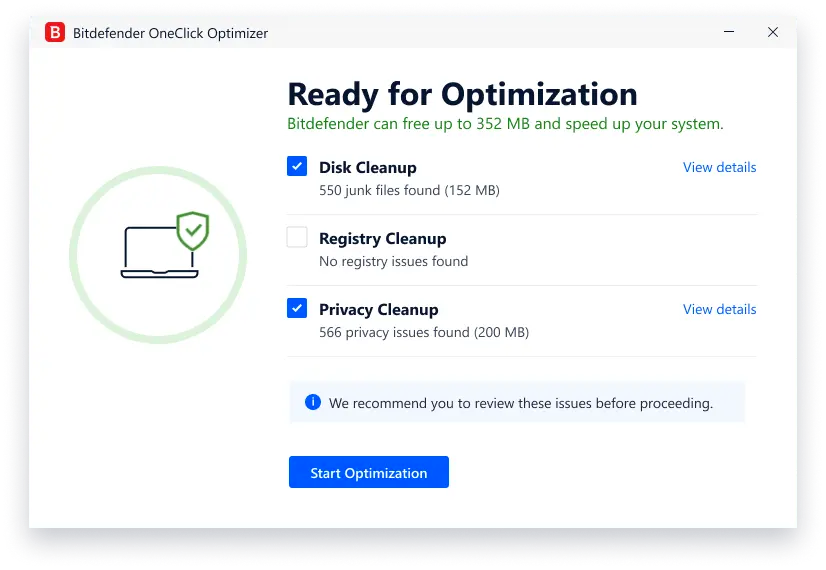
Rated 4: Bitdefender: Best for AI-powered protection with multiple features

Bitdefender is a security brand that uses AI-driven technology to protect devices from viruses, malware, scams, and online threats. Bitdefender can detect suspicious behavior early, block risky websites, and protect personal data across computers and mobile devices. Its protection runs in the background, without noticeably slowing down your system.
Customer rating: 3.6/5 on Trustpilot
Specs:
- Compatible devices: Windows PCs, macOS computers, Android phones/tablets, and iPhones/iPads
- Devices covered: Typically up to 5 devices on individual plans; family plans cover up to 25 devices and multiple users
- Protection included: Antivirus and malware scanning, AI-powered threat protection, scam and phishing protection, malicious website and link blocking
Pros:
- Offers malware detection backed by AI-based threat analysis
- Lightweight performance that runs on older devices
- Delivers strong malware detection with consistently high lab-test results
- Automatically handles most threats without requiring user decisions
Cons:
- Higher-tier plans include many tools that may be unnecessary for users who only want basic virus scanning
- Interface and plan options can feel complex compared to simpler antivirus tools
- Scam and phishing context is limited compared to behavior-focused tools
- Lacks emphasis on helping users interpret deceptive content
Pricing:
- Bitdefender Total Security: $109.99/yr
- Bitdefender Premium Security: $129.99/yr
- Bitdefender Ultimate Security: $159.99/yr
- Bitdefender Ultimate Security Plus: $189.99/yr
- Bitdefender Ultimate Security Plus Extended: $249.99/yr
Bottom line: Use Bitdefender if you want reliable, traditional malware protection that runs efficiently in the background and keeps system slowdown to a minimum. It may not be the best fit if you want more built-in help for scam situations as they happen, like clearer guidance for suspicious texts, phishing links, or deceptive websites, instead of a tool that focuses primarily on malware prevention.
Rated 5: Surfshark: Best for VPN users who want antivirus included

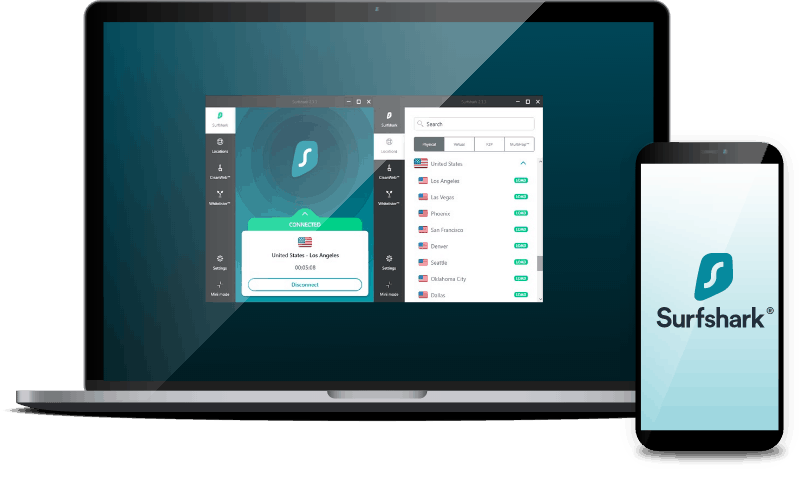
Surfshark is known for its VPN, but it also offers antivirus protection as part of its security bundle. The antivirus component scans for viruses and malware while running in the background, helping block threats as files are downloaded, apps are installed, or websites are accessed. Its antivirus is bundled with tools that help protect webcams, monitor for data breaches, and reduce online tracking.
Customer rating: 4.4/5 on Trustpilot
Specs:
- Compatible devices: Windows PCs, macOS computers, Android phones/tablets
- Devices covered: Up to 5 devices per subscription
- Protection included: Antivirus and malware scanning, real-time threat protection, spyware and malware shielding during downloads and installs, webcam protection, and access alerts
Pros:
- Prioritizes privacy-first protection, with a VPN at the core of the experience
- Works well for households or people with multiple PCs and phones
- Keeps performance impact low during everyday browsing and background use
- Blocks trackers, ads, and known malicious sites while the VPN is active
Cons:
- Scam and phishing protection is tied largely to web browsing
- Requires the VPN to be enabled for most protections to apply
Pricing:
- Starter: $16.45/mo
- One: $18.95/mo
- One+: $21.85/mo
Bottom line: Use Surfshark if you want antivirus protection bundled with a VPN and privacy tools in a single subscription. Don’t use Surfshark if you’re primarily looking for virus scanning or need coverage for a large number of devices.
Rated 6: Avira: Best for free, basic antivirus protection with premium add-on features

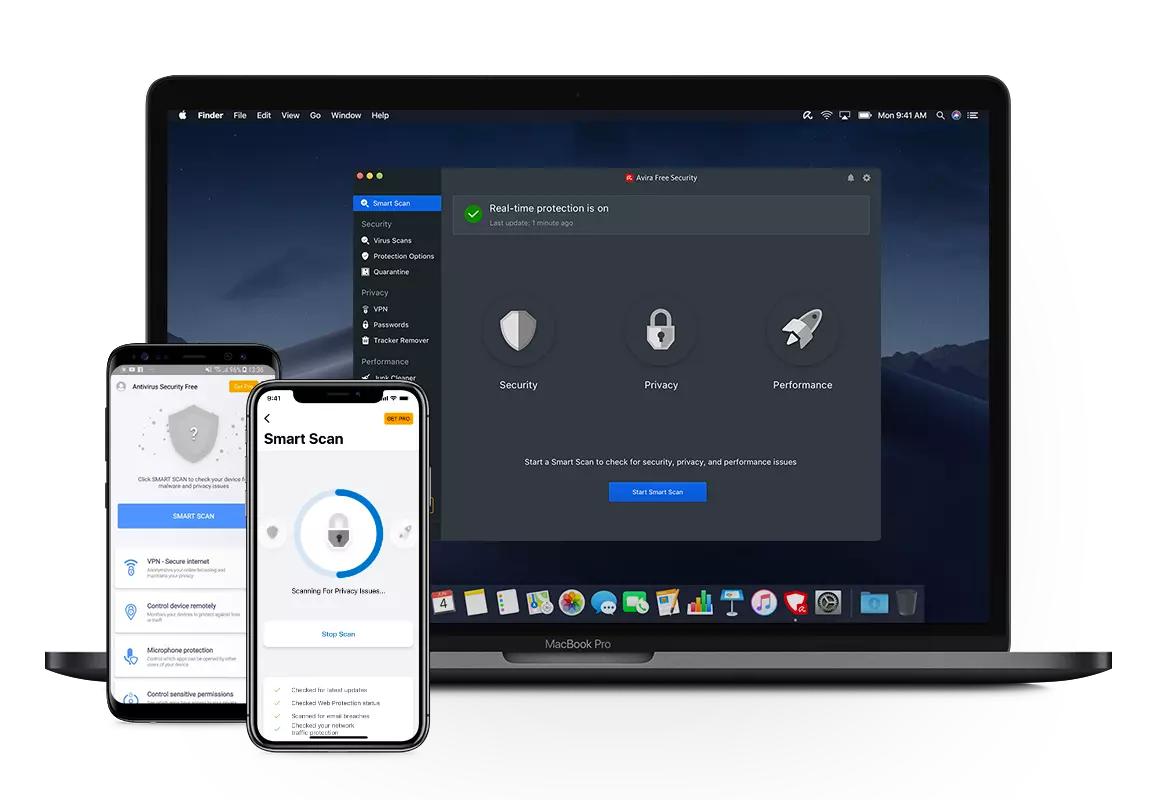
Avira is a cybersecurity brand that offers a free antivirus as well as paid security plans that add stronger protections and privacy tools. Its antivirus software scans for viruses and malware in real time while keeping system impact low. Avira offers paid plans that expand protection with features like ransomware defense, email scanning, tracker removal, and unlimited VPN access.
Customer rating: 3.6/5 on CNET
Specs:
- Compatible devices: Windows PCs, macOS computers, Android phones/tablets, and iPhones/iPads
- Devices covered: 1 to 5 devices
- Protection included: Antivirus and malware scanning, real-time threat protection, phishing and malicious website blocking, password manager, tracker, and ad blocking
Pros:
- Offers a lightweight antivirus engine that runs on lower-powered or older PCs
- Performs well in detecting common malware without heavy system slowdown
- Includes basic privacy tools like a VPN and password manager in bundled plans
Cons:
- VPN usage is capped unless upgraded
- Alerts can push users toward paid upgrades frequently
Pricing:
- Avira Free Security: $0
- Avira Antivirus Pro: $64.99/year (1 device, first year pricing)
- Avira Internet Security: $70.99/year (5 devices, first year pricing)
- Avira Prime: $109.99/year (1 device, first year pricing)
Bottom line: Use Avira if you want a lightweight antivirus that keeps your PC running smoothly and doesn’t need deep scam detection or hands-on guidance. Don’t use it if you want more proactive help identifying deceptive links, downloads, or social-engineering-based threats as they happen.
Rated 7: AVG: Best for gamers

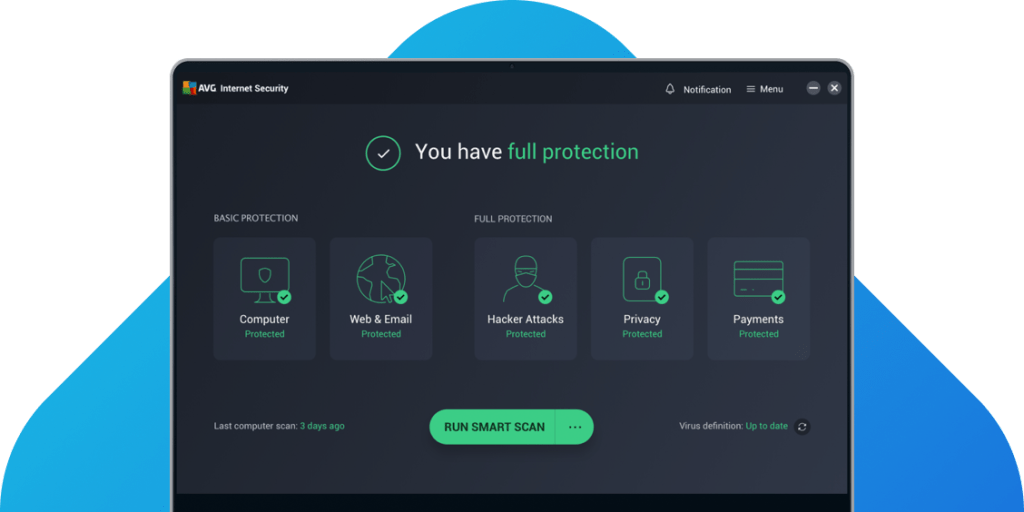
AVG offers free antivirus software with basic virus scanning and real-time protection. It can catch common threats like malware and unsafe downloads, and it also includes web and email protections to warn you about risky links and suspicious attachments. AVG also sells paid plans that add protections like a firewall, webcam protection, and more aggressive scam and phishing defenses.
Customer rating: 7.6/10 on CNET
Specs:
- Compatible devices: Windows PCs, macOS computers, Android phones/tablets, and iPhones/iPads
- Devices covered: 1 to 10 devices
- Protection included: Antivirus + malware scanning, web and email threat protection (unsafe links, downloads, attachments), ransomware protection, enhanced firewall and webcam protection, VPN + performance cleanup tools
Pros:
- Delivers solid baseline virus and malware detection for everyday PC use
- Keeps system impact relatively low during normal background protection
- Includes web and email protection that blocks known malicious content
Cons:
- Scam and phishing detection is mostly limited to known malicious sites
- Frequent upgrade prompts can interrupt the experience
- Lacks deeper behavior-based threat analysis
Pricing:
- AVG AntiVirus Free: $0
- AVG Internet Security: $99.99/year
- AVG Ultimate: $149.99/year
Bottom line: Use AVG if you want straightforward antivirus protection for the essentials and a simple way to get started. It’s a solid option if your priority is basic PC security now, with the flexibility to upgrade later if you decide you want more features.
It may not be the best fit if you want more built-in, proactive guidance in the moment, like extra help interpreting scammy downloads, suspicious pop-ups, or unclear threats as they appear.
Rated 8: Aura: Best for parental controls with identity theft protection

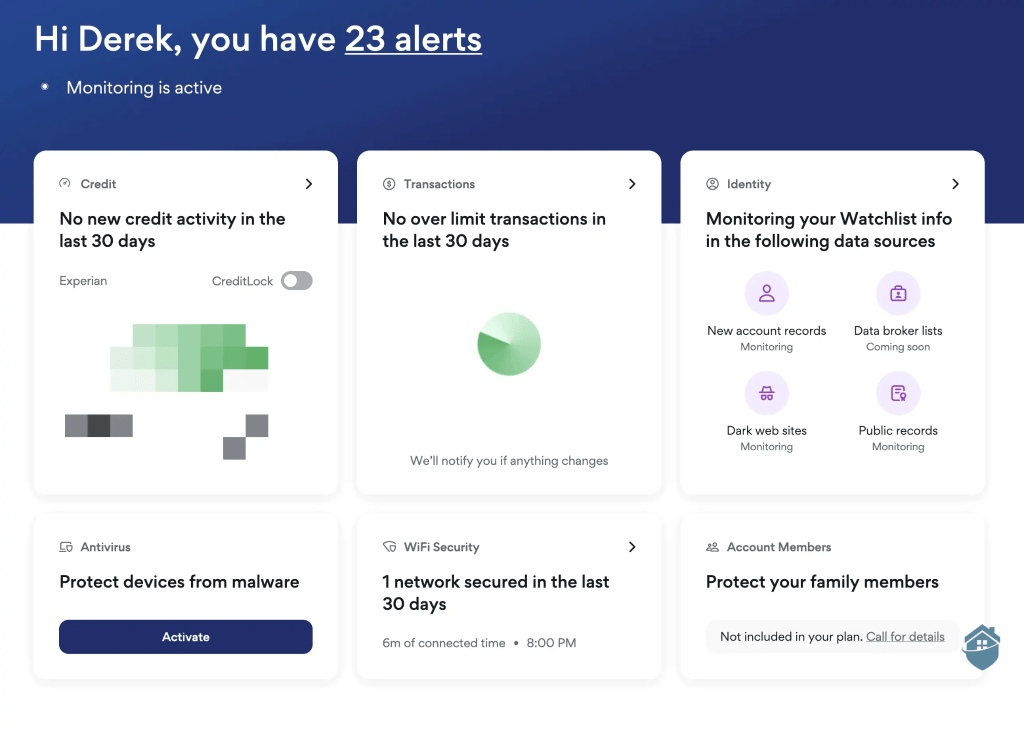
Aura offers antivirus protection with identity theft monitoring and fraud prevention tools. It scans for malware and runs in the background, while its broader focus is on protecting personal information, financial accounts, and online identities from misuse. Aura covers risks that go beyond viruses, such as identity theft, data leaks, and financial fraud.
Customer rating: 3.5/5 on PC Mag
Specs:
- Compatible devices: Windows PCs, macOS computers, Android phones/tablets, and iPhones/iPads
- Devices covered: 10 to unlimited
- Protection included: Antivirus and malware scanning, real-time threat protection, identity theft monitoring, credit and financial account monitoring, data breach alerts
Pros:
- Centers on identity theft protection, not just device security
- Monitors personal information, financial accounts, and credit activity
- Works well for families, with plans that cover multiple people
Cons:
- Does not focus on virus scanning or malware removal
- Offers limited protection against scam messages and deceptive downloads
- Provides less visibility into what’s happening at the device level
Pricing:
- Kids: $13/mo
- Individual: $15/mo
- Couple: $29/mo
- Family: $50/mo
Bottom line: Use Aura if you’re primarily concerned about identity theft and want monitoring and recovery support bundled with basic device privacy tools. Don’t use it if you want antivirus software that actively scans for malware, blocks scams in real time, or explains suspicious activity on your device.
Common signs of malware, viruses, and cyber threats on your device
On their own, these signs don’t always mean malware, but when you notice one or more, it’s worth taking a closer look. Here are some common warning signs and what to do if you encounter them:
- Your computer suddenly feels much slower than usual: If everyday tasks like opening a browser, checking email, or starting your computer take noticeably longer, something may be running in the background. Malware often uses system resources without your knowledge. Run a full virus scan with an antivirus software and close any programs you don’t recognize. If the slowdown continues, avoid logging into sensitive accounts until you’ve checked your system for any data breaches.
- Pop-ups or ads appear when you’re not browsing: Seeing ads on random websites is one thing. Seeing them pop up on your desktop, or on sites that never had ads before, is another. This can be a sign of adware or unwanted programs installed without clear permission. Don’t click the pop-ups. Run a scan and review recently installed apps or browser extensions.
- Your browser settings change on their own: If your homepage, search engine, or new tabs suddenly point somewhere unfamiliar, malware may have taken control of your browser. This is a common tactic used to track activity, redirect clicks, or hijack your computer. Reset your browser settings and scan your system for unwanted software.
- You get login alerts for accounts you didn’t access: Password reset emails or security alerts you didn’t request can be an early sign that your information has been exposed. Sometimes this happens after malware captures keystrokes or saved passwords. Change your passwords right away, starting with email and banking accounts, and run a full scan before signing back in.
- Programs open, close, or install without your input: If you notice apps launching on their own, unfamiliar icons appearing, or software installing without asking, that’s a strong red flag. Disconnect from the internet if possible and scan your device. Avoid uninstalling random files until you know what they are.
- Your device runs hot or the fan is constantly loud: Malware can force your computer to work harder than normal, even when you’re not doing much. If your device feels hot while sitting idle, something may be running behind the scenes. Check running processes and run a virus scan to identify anything unusual.
If you notice one of these signs, don’t panic. Start with a trusted antivirus scan, avoid clicking suspicious links or malicious websites, and hold off on entering sensitive information until you know your device is clean. Catching problems early makes them much easier to deal with and helps prevent small issues from turning into bigger ones later on.
Choose the right antivirus software for your family
Antivirus software isn’t one-size-fits-all. Some tools lean into identity protection, others bundle privacy extras, and some pack in advanced controls for people who want to fine-tune everything. The right choice depends on what you want most, and how hands-on you want to be.
The options on this list are strong contenders. They each do certain things well. The best antivirus software pick is the one that matches your priorities, whether that’s maximum features, the simplest setup, or protection that stays quietly in the background.
If you want an antivirus that scans thoroughly, blocks threats in real time, and doesn’t demand your attention, Malwarebytes is a great fit. It focuses on catching malware others miss, stopping threats before they install, and running efficiently without slowing down your devices. You get clear guidance when something needs action, but you don’t have to babysit dashboards or chase constant alerts. Malwarebytes protects automatically, day after day.
Protect your devices with Malwarebytes
Real-time protection. Zero effort.
DISCLAIMER: This article is published by Malwarebytes and is promotional in nature. The presented comparisons are based on the independent public sources and information available across the mentioned brands’ official websites. Pricing, features and details are subject to availability by region. You are encouraged to conduct your own research before making any purchasing decisions.
Frequently asked questions about antivirus and virus scanning
What is a computer virus?
Is there a free virus scan for laptops?
Is built-in Defender enough to protect my PC?
What is the best antivirus software for PCs?
What is the best free virus scanner?
What’s the best antivirus for malware protection?
What’s the best antivirus for ransomware protection and firewall?
All-in-one cybersecurity protection always by your side.