Cybercriminals are abusing Adobe infrastructure in a LinkedIn phishing campaign that steals passwords and redirects victims to the legitimate LinkedIn site afterward.
The phishing email masquerades as a business inquiry designed to look like it’s come via LinkedIn and includes a fake “contract” attachment. But it contains a number of red flags:
- The sender name, email address, and email signature don’t match
- The sender company exists, but not in the US
- The sender name exists, but not at that company
- The attachment has a double file extension:
pdf.html
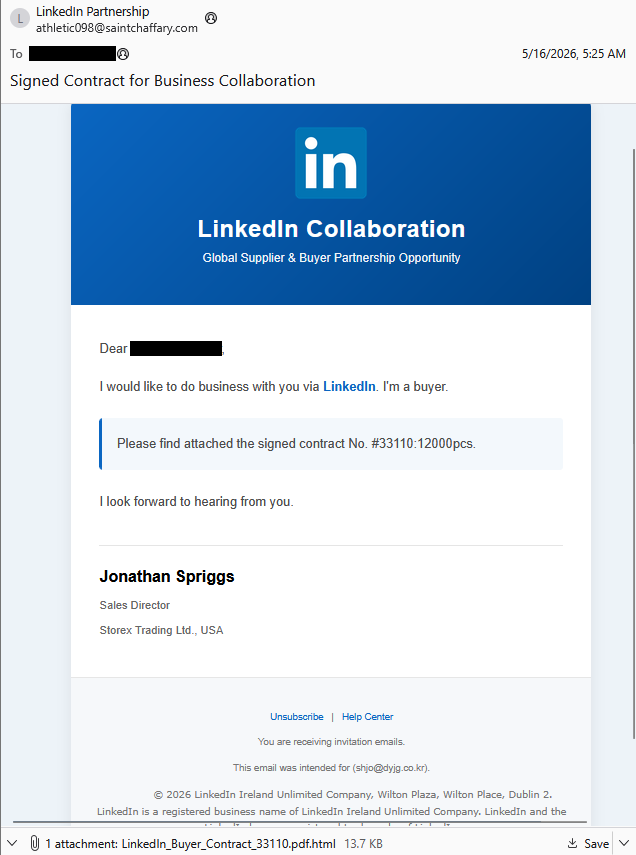
“I would like to do business with you via LinkedIn. I’m a buyer.
Please find attached the signed contract No. #33110:12000pcs.
I look forward to hearing from you. “

Scam or legit? Scam Guard knows.
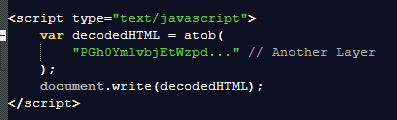
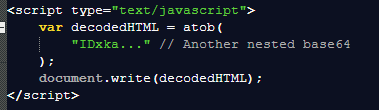
Double file extensions are often used to mislead recipients into thinking a file is something other than what it really is. The attached HTML file is highly obfuscated. Basically, it’s a one-line JavaScript.

The script uses two common obfuscation methods: URL encoding and Base64 . The script is divided into two Base64-encoded sections.
When you open the attachment, you’ll find a simple login form.
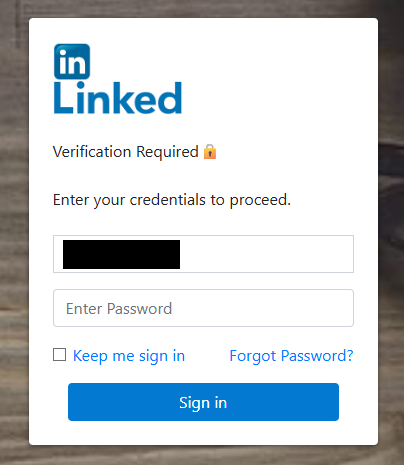
The target’s email address is hardcoded, and you’re unable to change or remove it. Possibly because some researchers have no qualms about flooding the receiving channel with false credentials.
But figuring out the receiving channel is where it gets interesting. Network analysis reveals this URL:
https://lnkd.tt.omtrdc.net/rest/v1/delivery
This domain belongs to Adobe and is associated with the Adobe Target A/B testing platform. But the campaign isn’t using Adobe Target to receive the phished credentials. Instead, attackers are abusing Adobe Target as a redirect/abuse point in the phishing flow. Most likely to track victims who fell for the phishing email.
In the end, it redirects the target to the legitimate business.linkedin.com site to reduce any suspicion the target may still have.
After deobfuscating the scripts, we found the destination for the submitted credentials:

All in all, even with the level of obfuscation, the method is very raw and simple:
POST to: http://a1263367.xsph.ru/taam/Ln.php
With data:
- AA = hardcoded email address
- BB = whatever password the user entered
The PHP file hosted on a .ru domain handles the redirect to LinkedIn, making the victim think they just logged in successfully.
How to stay safe
The good news: Once you know what to look for, these attacks are much easier to spot and block. The bad news: They’re cheap, scalable, and likely to keep circulating.
So, the next time a “PDF” asks for your password in a browser, pause and think about what might be hiding underneath.
Beyond avoiding unsolicited attachments, here are a few ways to stay safe:
- Only access your accounts through official apps or by typing the official website directly into your browser.
- Check file extensions carefully. Even if a file looks like a PDF, it may not be.
- Enable multi-factor authentication for your critical accounts.
- Use an up-to-date, real-time anti-malware solution with a web protection module.
Pro tip: Malwarebytes Scam Guard recognized this email as a scam.
Scammers don’t need to hack you. They just need you to click once.
Malwarebytes Identity Theft Protection catches suspicious activity before it becomes a problem.