Most of us think deleting a file means it’s gone for good. But “delete” on a Windows device often just means “out of sight,” not necessarily “out of reach.”
That’s where File Shredder, a new feature within Malwarebytes Tools for Windows, comes in. File Shredder lets you securely delete files from your hard drive or USB drive, so the files are not just removed—but completely unrecoverable, even with specialized recovery software.
What File Shredder does differently
When you delete a file by placing it in your Recycle Bin and emptying the contents, your computer typically removes the reference to it—but the data itself can remain on the drive until it’s overwritten. That leftover data can sometimes be recovered using basic digital tools, some of which can even be downloaded for free online. These data traces pose a problem if the file you want to delete includes personal, financial, or other sensitive information, like tax documents, scanned IDs, contracts, or anything else you would like to remain private forever.
File Shredder goes beyond standard deletion by instead permanently overwriting the file data, ensuring it can’t be reconstructed or recovered. Once a file is shredded, it’s gone for good—no undo, no recovery, no second chances.
That makes File Shredder especially useful when:
- You’re cleaning up sensitive files before selling or donating a device
- You need to securely remove files from a USB drive
- You’re minimizing digital clutter without leaving data behind
- You want peace of mind that private files stay private
How to use File Shredder
File Shredder is designed to be powerful without being complicated.
To use File Shredder:
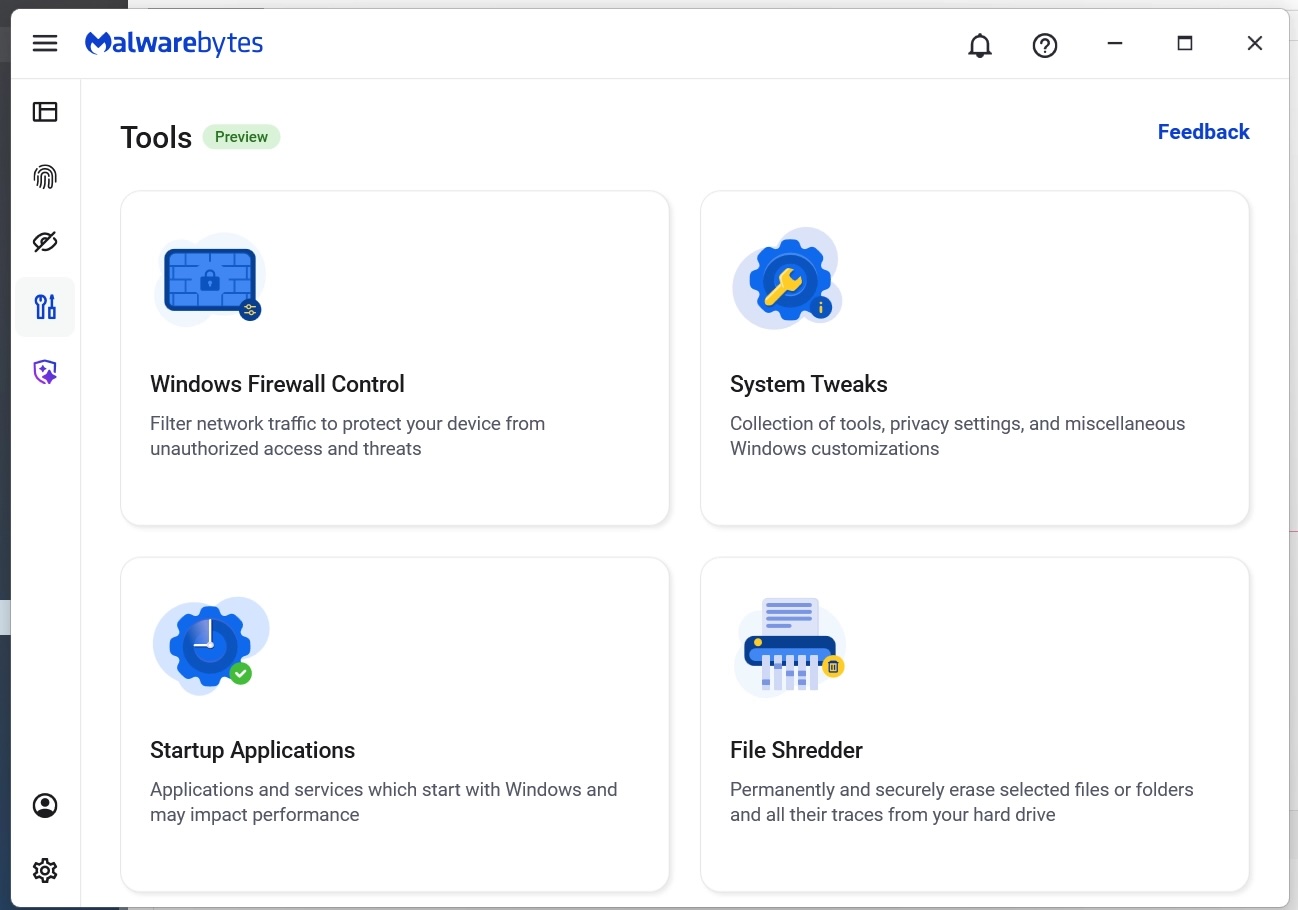
- Open the Malwarebytes app and select the “Tools” icon from the lefthand menu (the screwdriver and wrench icon)
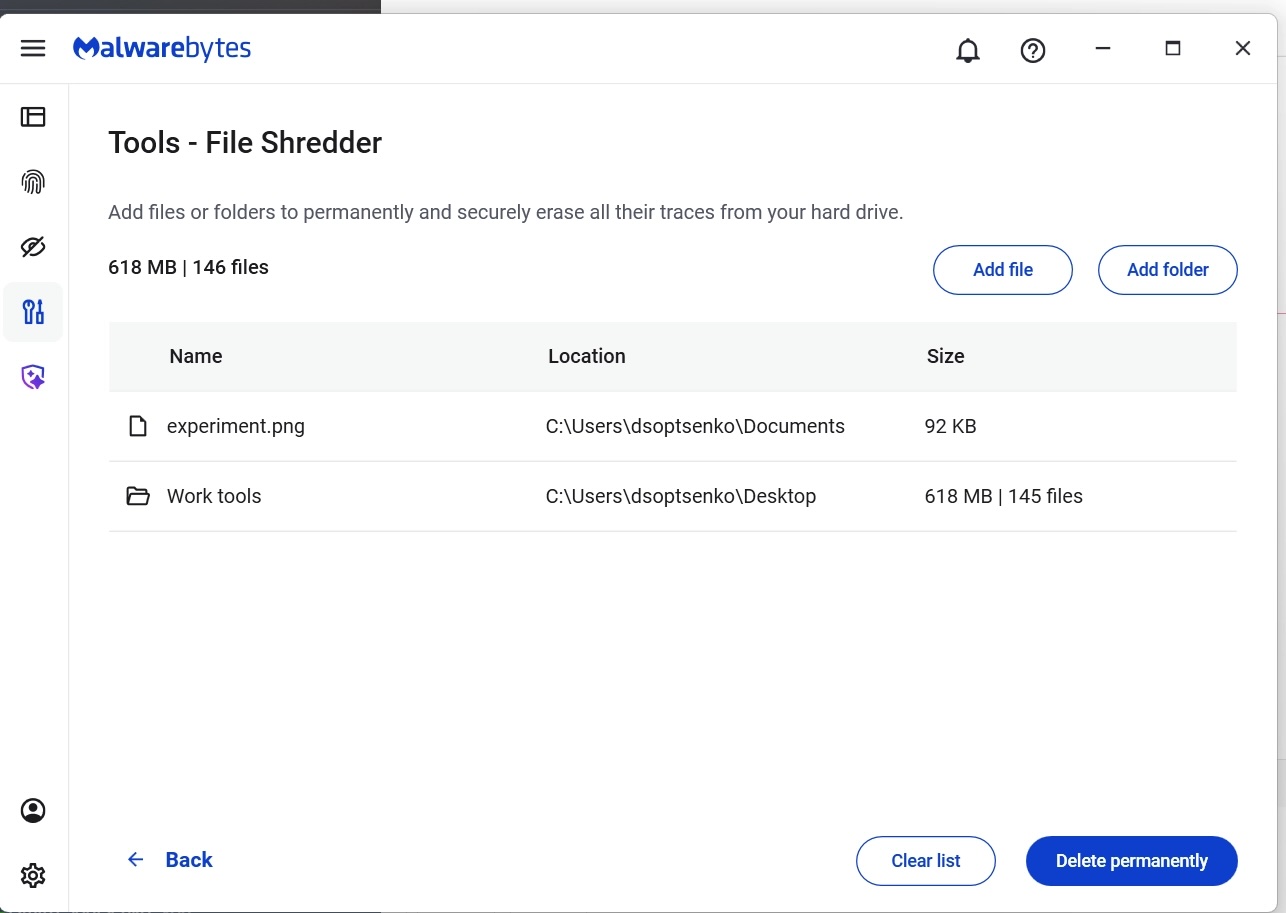
- From this menu, find and click on “File Shredder”
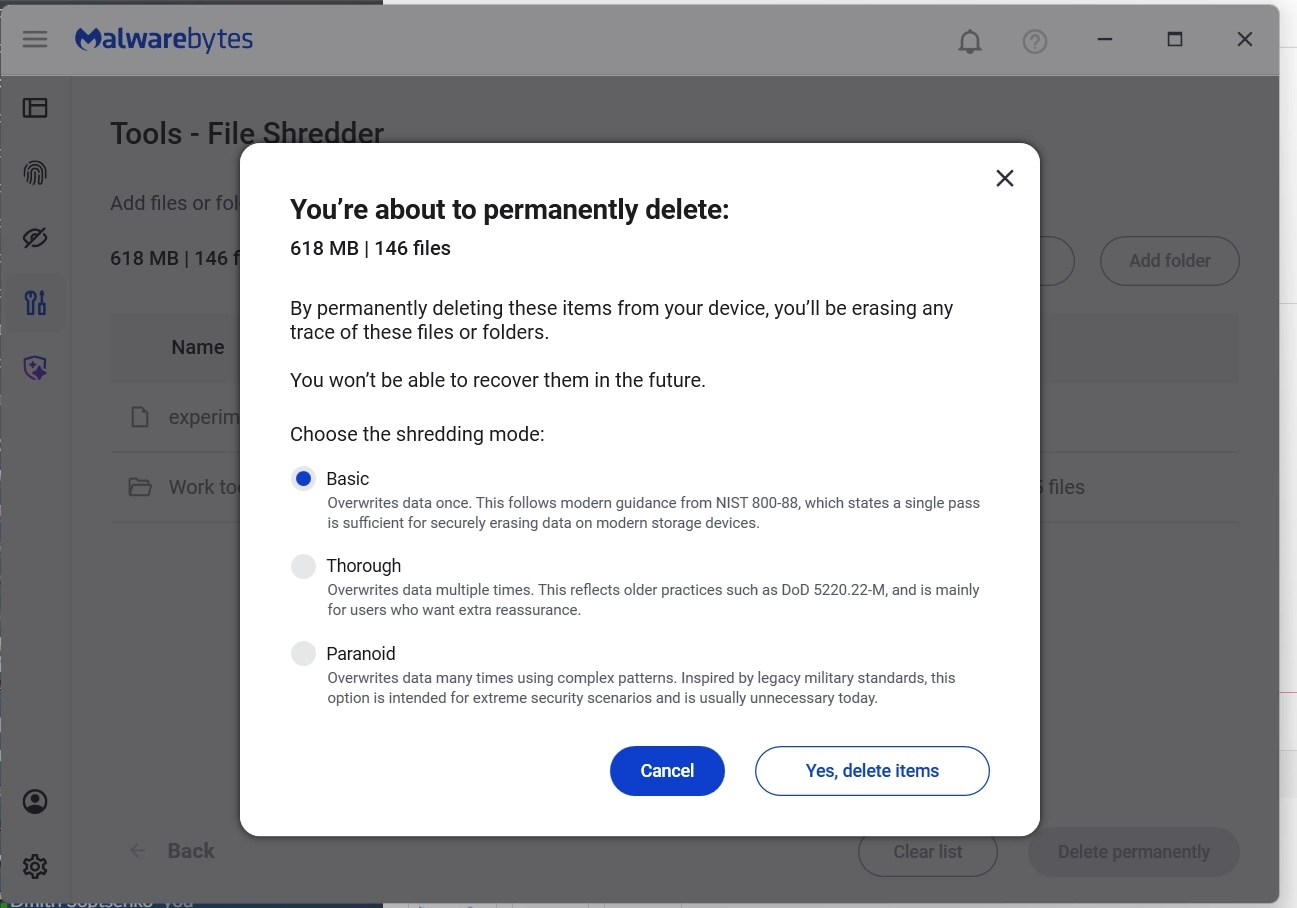
- Once here, you can manually add files or folders to the list and then click on the button “Delete permanently”
- You will be asked to confirm your request before File Shredder deletes the files
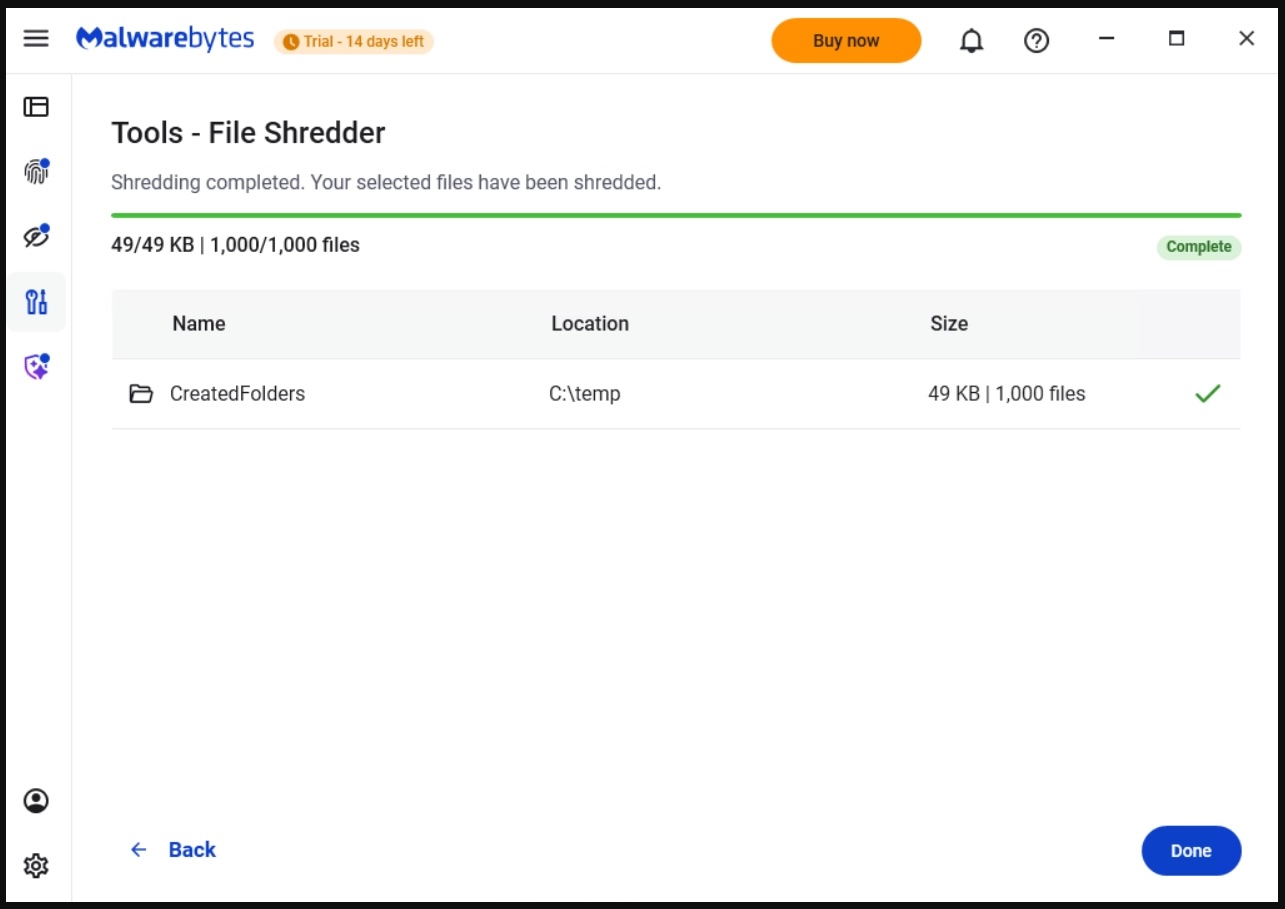
After your files are deleted by File Shredder you can move on, confident that the data can’t be accessed again.
Protection means your data is in your control
Cybersecurity isn’t just about blocking threats—it’s also about giving you control over your own data. File Shredder provides a way to do exactly that, helping you close the door on files that you no longer want on your devices.
Because when you’re done with a file, it should really be done.
From reporting threats to removing them.
Cybersecurity risks should never spread beyond a headline. Keep threats off your devices by downloading Malwarebytes today.