Update March 16, 2026
Earlier this week, Google incorrectly reported that an actively exploited vulnerability in Chrome had been fixed, and has now announced it will roll out a new update to protect users against the vulnerability tracked as CVE-2026-3909.
Original content:
Google has released an out-of-band security update for Chrome desktop that patches two high‑severity zero‑day vulnerabilities.
Both bugs can be exploited remotely and require only that a user visit a malicious website. Because the attack complexity is low, the vulnerabilities pose a higher real-world risk.
How to update Chrome
The latest version numbers are 146.0.7680.75/76 for Windows and macOS and 146.0.7680.75 for Linux. If your Chrome browser is on version 146.0.7680.75 or later, you’re protected from these vulnerabilities.
The easiest way to stay up to date is to allow Chrome to update automatically. However, updates can lag if you rarely close your browser, or if something interferes with the update process.
To update manually:
- Click the More menu (three dots)
- Go to Settings > About Chrome.
- If an update is available, Chrome will start downloading it.
- Restart Chrome to complete the update, and you’ll be protected against these vulnerabilities.
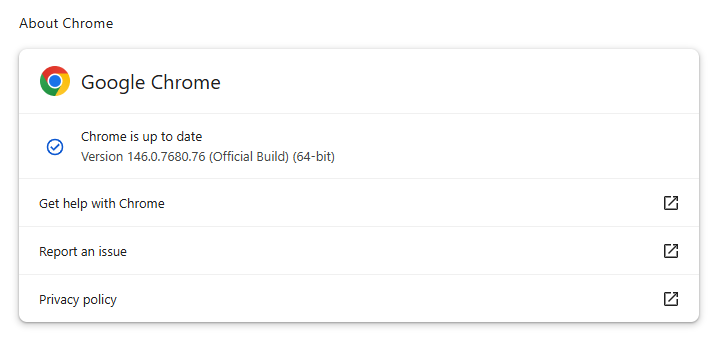
You can also find step-by-step instructions in our guide to how to update Chrome on every operating system, which includes instructions for checking your version number.
Technical details
Google reports that it discovered and fixed both bugs internally, with patches landing within roughly two days of reporting.
CVE‑2026‑3909 is an out‑of‑bounds write vulnerability in Skia, Chrome’s 2D graphics library used to render web content and UI elements. A remote attacker can lure a user to a malicious webpage that triggers the bug, corrupts memory, and potentially achieves code execution in the browser context. Skia is an open source 2D graphics library used not only in Google Chrome but also in many other products.
CVE‑2026‑3910 is an inappropriate implementation flaw in the V8 JavaScript and WebAssembly engine. A specially crafted HTML page could allow a remote attacker to execute arbitrary code inside the V8 sandbox. V8 is the engine that Google developed for processing JavaScript, and it has seen more than its fair share of bugs.
Chrome’s Skia and V8 components are prime targets because they sit directly on the path between untrusted web content and the underlying system.
It is possible to chain an out‑of‑bounds write in Skia with other bugs to break out of the renderer sandbox, while V8 implementation flaws frequently appear in exploit chains used by targeted threat actors and spyware vendors.
How to stay safe
To protect your device, update Chrome as soon as possible. Here are some more tips to avoid becoming a victim, even before a zero-day is patched:
- Don’t click on unsolicited links in emails, messages, unknown websites, or on social media.
- Enable automatic updates and restart regularly. Many users leave browsers open for days, which delays protection even if the update is downloaded in the background.
- Use an up-to-date, real-time anti-malware solution which includes a web protection component.
Users of other Chromium-based browsers can expect to see a similar update soon.
From reporting threats to removing them.
Cybersecurity risks should never spread beyond a headline. Keep threats off your devices by downloading Malwarebytes today.