In this article
- Some Halloween AI video sites ask for personal photos without clearly identifying who runs them.
- Outside AI providers may also receive your uploads.
- Before uploading, check who gets your photos, how they’re used, and when they’re deleted.
This Halloween, AI is doing the costumes. Upload a photo and you can become a vampire, surround your dog with pumpkins, or star in a viral “zombie love story:” Your partner has turned, you lower the gun, and the zombie’s leap ends in a hug.
But before you upload, do you know who will receive your photos?
In September, we wrote about more than 100 subscription sites built from the same cheap website kit. With Halloween approaching, we’ve found the same approach being used to sell AI Halloween videos.
We found no malware or phishing on the sites we examined. What concerned us was how little we could establish about who operated them and who would be responsible for the photos people uploaded.
Polished, friendly, and anonymous
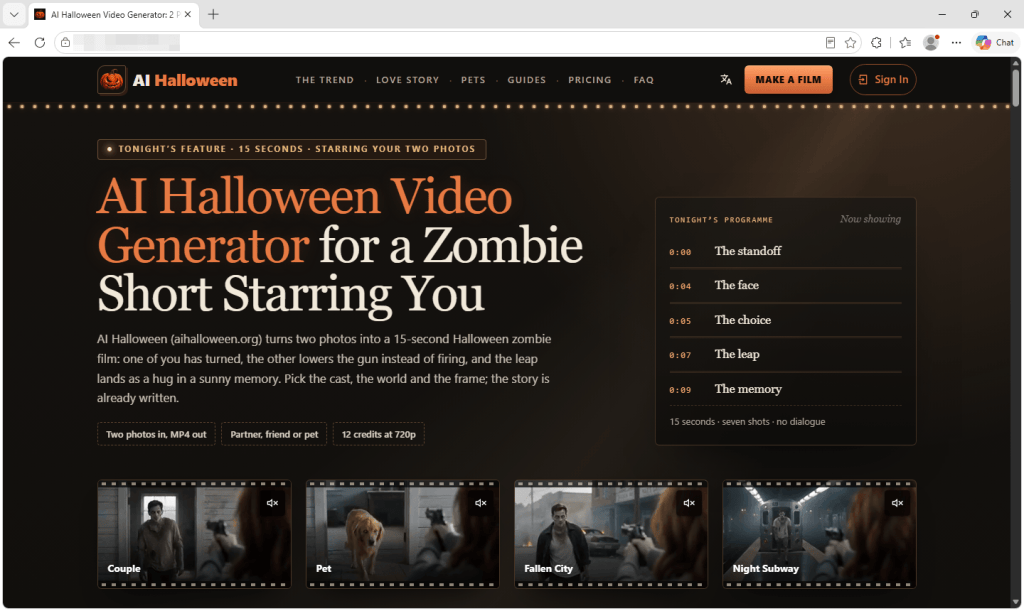
These sites look professional and sound reassuring. They promise privacy, have FAQs and refund policies, and some even add consent checkboxes for photos of children. One calls itself “an independent tool with no ties to TikTok or any film studio.”
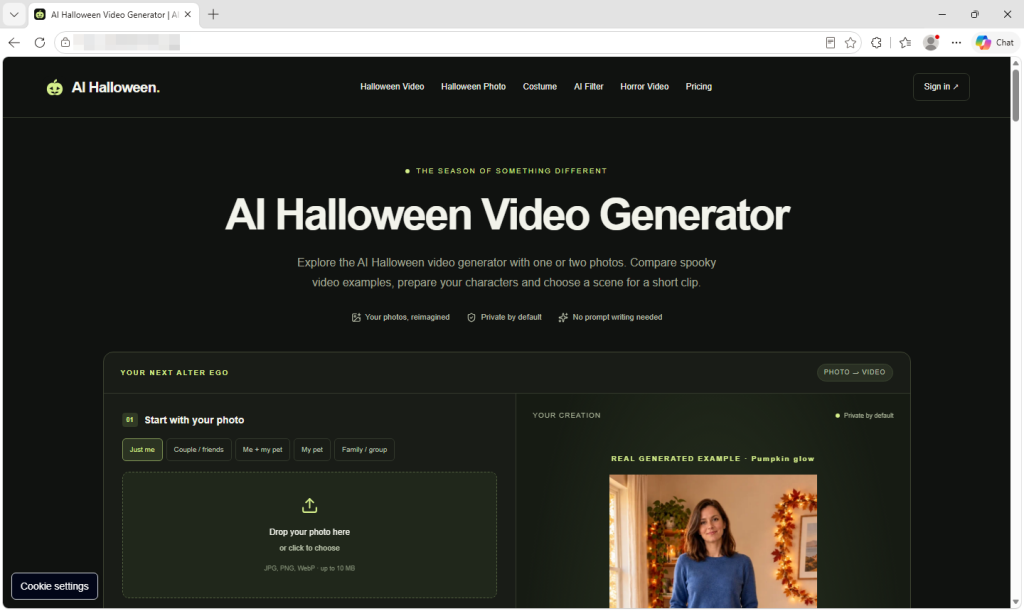
What they don’t tell you is who is behind them. On the sites we checked, we found no company name, address, or named operator, only a support email on the site’s own domain.
Where do your photos go?
These sites ask for clear, well-lit photos of you, your partner, your friends, your pets, and, with a parent’s permission, your children.
The sites we looked at say they rely on outside AI providers to generate the videos. That means you’re trusting both the website collecting your photos and the providers processing them.
Wherever you upload photos, check who can access them and how they can be used. Scammers can use someone’s likeness to create fake intimate images and demand money to keep them private. In our Face Value report, 10% of respondents said someone had threatened to release AI-generated explicit content of them. We found no evidence of that happening through these Halloween sites, but it’s a reason to be careful where you share your photos.
The sites promise to delete uploads within days, and we have no evidence that they fail to do so. But we couldn’t independently verify those promises. Without an identifiable operator, it’s harder to establish who is accountable for handling your photos and responding to deletion requests.
Google sign-in doesn’t identify everyone handling your photos
These sites use the real Google sign-in window, so you type your password into Google, not the video site. But using Google to sign in doesn’t mean Google endorses the service or guarantees its privacy promises.
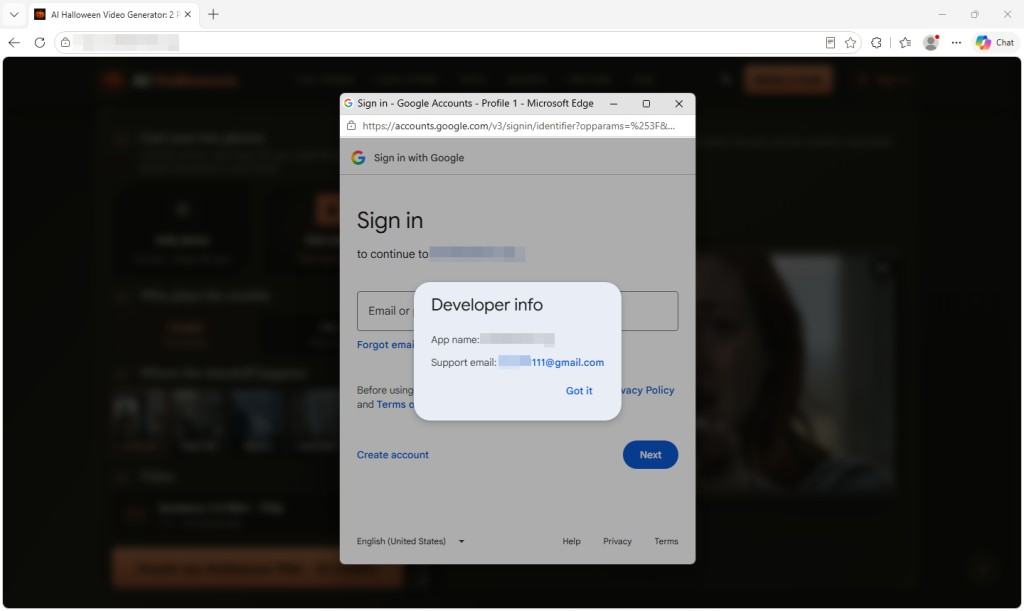
Click the app name in Google’s sign-in window and you’ll see Developer info. On one site we checked, the only contact listed was a Gmail address. We saw the same with the September sites. A Gmail address alone doesn’t establish wrongdoing, but it does little to identify the operator.
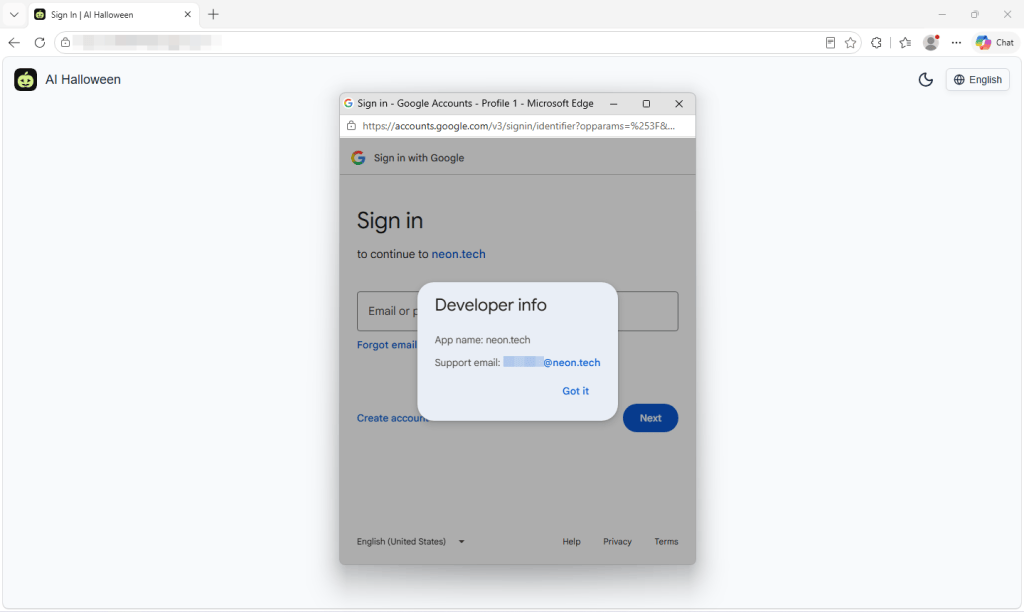
On another, Google said you were signing in “to continue to neon.tech.” Neon is a legitimate database company and authentication service provider. Its name appearing here doesn’t mean it operates or endorses the Halloween video site.
Login providers can handle Google sign-in on a site’s behalf. Depending on the setup, Google may display the provider’s domain instead of the video site’s name. Here, the sign-in screen gave visitors no clear indication of who operated the Halloween service.
Built from a kit, recycled for the next trend
Sites like these don’t necessarily take a team or months of work. Some use the same $249 website kit we wrote about in September, which promises you can “launch your AI product in one hour.” On one Halloween site, the builders hadn’t even cleared out the kit’s sample content. Hidden in the page was a note saying it was “a demo site” for the template, along with placeholder links like “your-app-name.”
Another site’s code contained remnants of an AI rap and dance video maker, including a “hotel lobby” stage, a recording studio, and AI-written raps. Those remnants suggest the site uses code also intended for other AI video services.
Using a website kit isn’t itself suspicious. But a polished page can be quick to assemble, so its appearance tells you little about the business handling your photos.
Take your time before paying, too
On one site, a single 15-second zombie clip cost $9.99. The pricing page nudged visitors toward bigger packs, bringing the advertised price per video down to $2.99. But that lowest price meant spending $199 on enough credits for roughly 66 zombie films. There were monthly and yearly plans too, costing up to $600 a year.
One site also used countdown offers, reminders in the browser tab, and claims about how many people had made films that day to encourage visitors to buy.
There’s no need to rush. Check the payment terms as carefully as the privacy policy. The sites themselves warn that AI can change faces, so your video may not look much like you. Under the policies we reviewed, credits are returned if a video fails to generate. But if you simply don’t like the result, trying again costs more credits.
Subscriptions renew until you cancel, yearly plans are charged in one go, and some credits expire before you use them.
What to check before uploading your photos
Whichever tool or platform you choose, make sure you’re comfortable with how it will handle your data, your photos, and your payment info.
- Find out who runs the service. Look for a named operator and clear contact details. If you can’t establish who would be responsible for your photos, consider another service.
- Check where your photos go. Read the privacy policy for information about outside AI providers, retention periods, and whether uploads can be used for AI training.
- Look for a deletion process. Check how to request deletion and whether the policy explains what happens to copies held by outside providers.
- Be especially careful with children’s photos. A parental consent checkbox doesn’t explain how a service will protect them. Only upload other people’s photos with their permission.
- Read Google’s sign-in window. Check the developer details and any permissions requested. Google sign-in doesn’t replace checking the service itself.
- Ignore countdowns and check payment terms. Take time to understand the full cost, credit expiry, and whether your purchase starts a subscription.
- Review your Google connections afterward. Remove services you no longer use from your Google account’s third-party connections. This doesn’t cancel subscriptions or delete photos or other data already held by the service.
How Malwarebytes can help
If you have concerns about a website, Malwarebytes Scam Guard can help you assess it. Malwarebytes Browser Guard helps block known scam and malicious sites.
But these tools can’t verify a service’s photo deletion promises. You should still check who operates it and what its privacy terms say before uploading.
Something feel off? Check it before you click.
Malwarebytes Scam Guard helps you analyze suspicious links, texts, and screenshots instantly.
Available with Malwarebytes Premium Security for all your devices, and in the Malwarebytes app for iOS and Android.