Over the last few days, Google issued several different Chrome updates.
On September 22, Google released a Stable Channel Update for Desktop. This is the most important one for desktop users. It brings Chrome to version 154.0.8037.57 for Linux and versions 154.0.8037.57/.58 for Windows and Mac. The update includes 108 security fixes including 11 rated Critical.
It will roll out over the coming days and weeks.
One day later, Google released Chrome 155 for Android, version 155.0.8059.16, to a small percentage of users. It may not be available on Google Play for everyone yet, but keep an eye out for it. Google says it includes stability and performance improvements.
On top of these, Chrome 155 is also available in the Beta channel. The Android release is an Early Stable rollout, meaning Google sends it to a small share of users first, to spot unexpected compatibility or reliability issues before expanding it to everyone. Beta is a separate prerelease version for people who want to try upcoming features roughly four to six weeks before Stable. It is relatively polished but can still contain bugs, so it is best suited to testing rather than everyday use.
How to update Chrome
The easiest option is to allow Chrome to update automatically. But you can end up lagging behind on updates if you never close your browser or if something goes wrong, such as an extension preventing the update.
If you don’t want to wait for the rollout to reach you, manually updating is easy. open About Google Chrome from Chrome’s settings or Help menu. Chrome will check for updates. If one is available, click Relaunch to apply it.
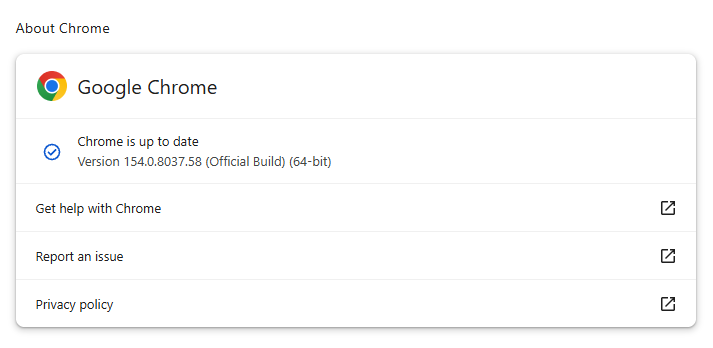
You can find an explanation of the version numbering system and step-by-step instructions in our guide: How to update Chrome on every operating system.
Technical details
Some of the desktop security fixes deserve a closer look.
Let’s start with CVE-2026-95350, a buffer overflow flaw in ANGLE, Chrome’s graphics-translation layer.
A buffer overflow is a bug in code that allows an attack to happen when a program puts more data into an area of memory than it can hold. Essentially, the attacker writes garbage data that fills up the memory, then writes code that overwrites existing code in adjoining memory, which later gets executed by the vulnerable process.
A crafted webpage could potentially trigger the flaw, which could lead to memory safety bugs, including browser crashes or possible code execution.
Another Critical buffer overflow bug in ANGLE is tracked as CVE-2026-95281. A malicious webpage could potentially reach vulnerable graphics-processing code, so the bug may enable serious impacts such as browser compromise, but Google has not provided exploitation details.
And then there is CVE-2026-95357, an out-of-bounds write in Chrome’s GPU component. This means a program could write data outside its intended area of memory.
The GPU component is the part of Chrome that handles how graphics work with your computer’s graphics processor.
Stop threats before they can do any harm.
Malwarebytes Browser Guard blocks phishing pages and malicious sites automatically. Free, one click to install. Add it to your browser →