Google has released updates for the Chrome browser and the ChromeOS operating system.
On October 6, Google released a Stable Channel Update for Desktop. This is the most important one for desktop users. It brings Chrome to version 155.0.8059.39 for Linux and versions 154.0.8037.39/.40 for Windows and Mac. The update includes 247 security fixes including four rated Critical.
On the same day, Google released version 155.0.8059.39 for Android, to a small percentage of users. It may not be available on Google Play for everyone yet but keep an eye out for it. Google says it includes stability and performance improvements.
How to update Chrome
The easiest option is to allow Chrome to update automatically. But you can end up lagging behind on updates if you never close your browser or if something goes wrong, such as an extension preventing the update.
If you don’t want to wait for the rollout to reach you, manually updating is easy. Open About Google Chrome from Chrome’s settings or Help menu. Chrome will check for updates. If one is available, click Relaunch to apply it.
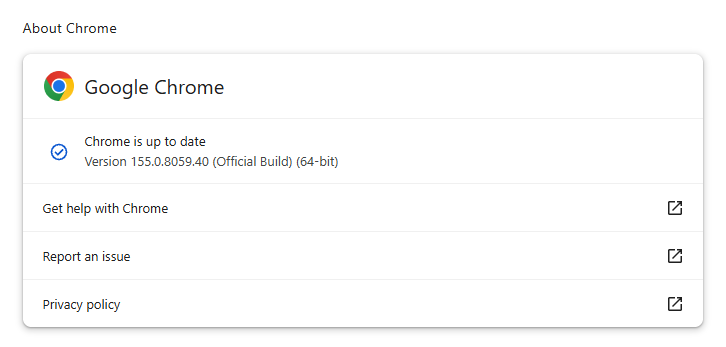
You can find an explanation of the version numbering system and step-by-step instructions in our guide: How to update Chrome on every operating system.
How to update ChromeOS
You can update your Chromebook’s operating system by following these steps:
- Connect to the internet. Your Chromebook automatically checks for updates and downloads when it connects.
- At the bottom right, next to the date, find the “Update device” notification.
- To complete the update, restart your Chromebook.
Technical details
In the fixed vulnerabilities, we found three that are likely high-impact flaws.
CVE-2026-106197: This is a use-after-free vulnerability in the Browser module, rated critical. This is a strong priority candidate because of its location in browser functionality rather than a specialist feature. Exploitation would allow a remote attacker to execute arbitrary code outside the sandbox via a crafted HTML page.
A use-after-free vulnerability occurs when a program attempts to access a memory location after it has been freed. That can cause crashes or, in some cases, allow an attacker to run their own code.
Chrome vulnerabilities that enable remote code execution outside the browser sandbox are particularly valuable to attackers because they can turn a visit to a malicious or compromised website into direct code running on the underlying operating system, often without requiring additional exploitation steps.
CVE-2026-106358: Another use-after-free vulnerability, this time in Navigation, also rated critical. Navigation is central to ordinary browsing, making this a potentially broadly exposed flaw if attacker-controlled pages or redirects can reach the vulnerable path. It also provides a remote attacker with the option to execute arbitrary code outside the sandbox via a crafted HTML page.
CVE-2026-106240: A type confusion vulnerability in V8, Chrome’s JavaScript engine. This one is rated High but does offer a remote attacker after successful exploitation to execute arbitrary code inside the sandbox via a crafted HTML page. And a flaw in the JavaScript engine is always a plausible candidate for attacks delivered through malicious web content.
Stop threats before they can do any harm.
Malwarebytes Browser Guard blocks phishing pages and malicious sites automatically. Free, one click to install. Add it to your browser →