After the viral AI assistant Clawdbot was forced to rename to Moltbot due to a trademark dispute, opportunists moved quickly. Within days, typosquat domains and a cloned GitHub repository appeared—impersonating the project’s creator and positioning infrastructure for a potential supply-chain attack.
The code is clean. The infrastructure is not. With the GitHub downloads and star rating rapidly rising, we took a deep dive into how fake domains target viral open source projects.
The background: Why was Clawdbot renamed?
In early 2026, Peter Steinberger’s Clawdbot became one of the fastest-growing open source projects on GitHub. The self-hosted assistant—described as “Claude with hands”—allowed users to control their computer through WhatsApp, Telegram, Discord, and similar platforms.
Anthropic later objected to the name. Steinberger complied and rebranded the project to Moltbot (“molt” being what lobsters do when they shed their shell).
During the rename, both the GitHub organization and X (formerly Twitter) handle were briefly released before being reclaimed. Attackers monitoring the transition grabbed them within seconds.
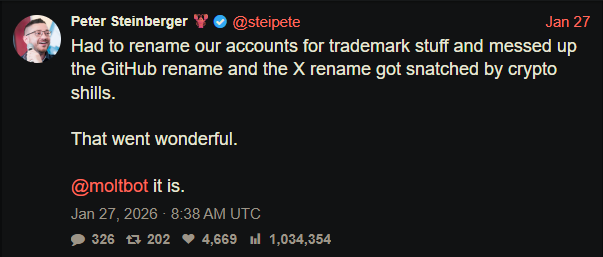
“Had to rename our accounts for trademark stuff and messed up the GitHub rename and the X rename got snatched by crypto shills.” — Peter Steinberger
That brief gap was enough.
Impersonation infrastructure emerged
While investigating a suspicious repository, I uncovered a coordinated set of assets designed to impersonate Moltbot.
Domains
- moltbot[.]you
- clawbot[.]ai
- clawdbot[.]you
Repository
- github[.]com/gstarwd/clawbot — a cloned repository using a typosquatted variant of the former Clawdbot project name
Website
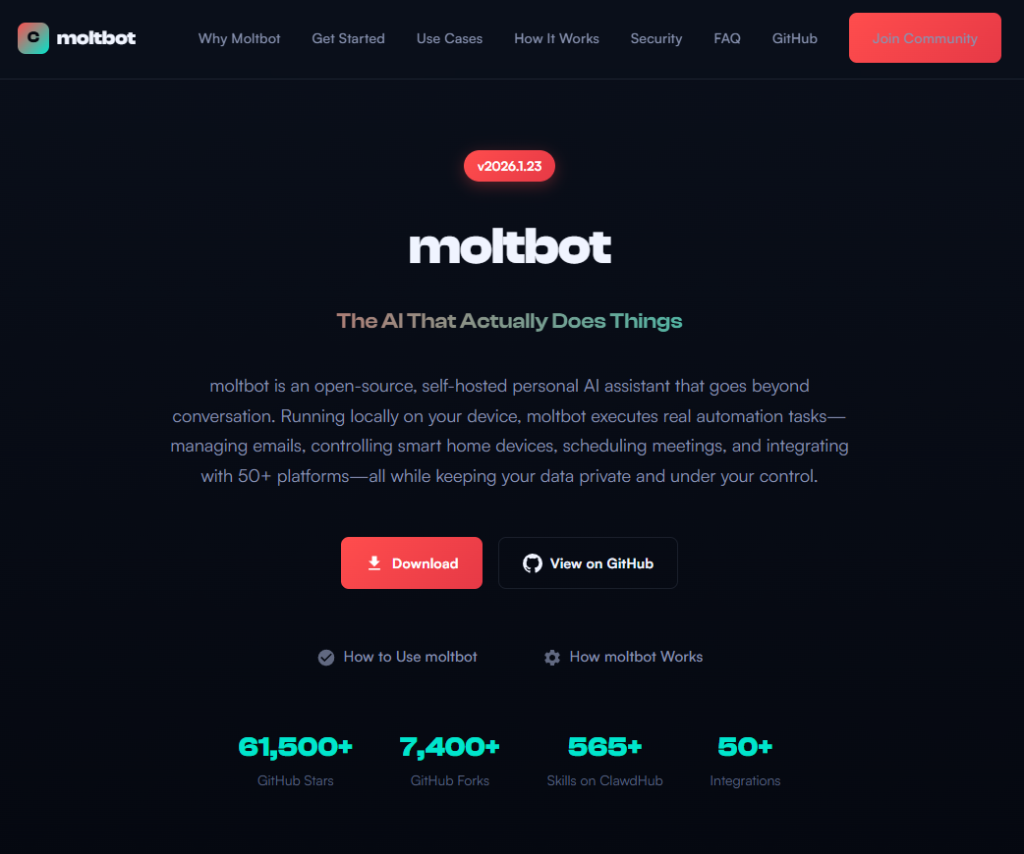
A polished marketing site featuring:
- professional design closely matching the real project
- SEO optimization and structured metadata
- download buttons, tutorials, and FAQs
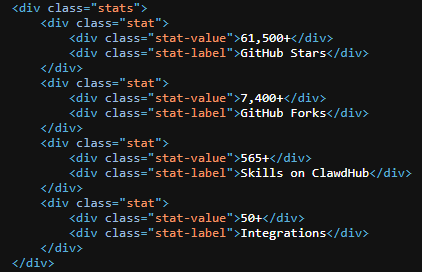
- claims of 61,500+ GitHub stars lifted from the real repository
Evidence of impersonation
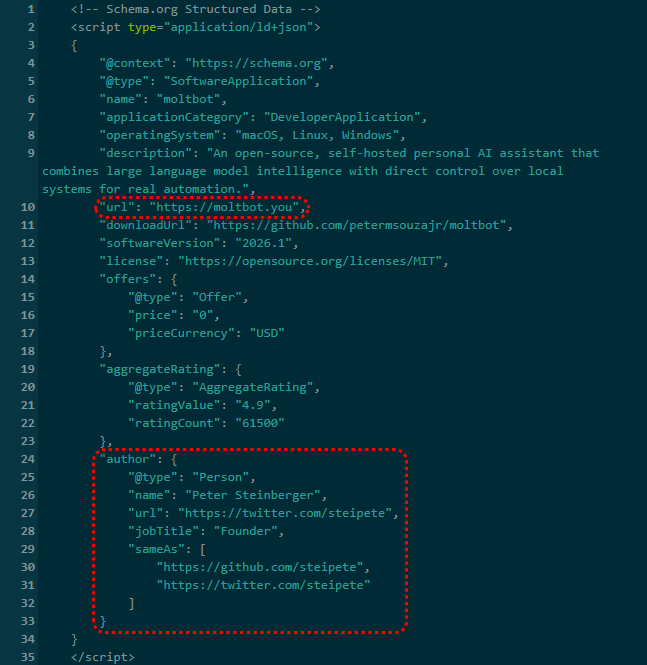
False attribution: The site’s schema.org metadata falsely claims authorship by Peter Steinberger, linking directly to his real GitHub and X profiles. This is explicit identity misrepresentation.
Misdirection to an unauthorized repository: “View on GitHub” links send users to gstarwd/clawbot, not the official moltbot/moltbot repository.
Stolen credibility:The site prominently advertises tens of thousands of stars that belong to the real project. The clone has virtually none (although at the time of writing, that number is steadily rising).
Mixing legitimate and fraudulent links: Some links point to real assets, such as official documentation or legitimate binaries. Others redirect to impersonation infrastructure. This selective legitimacy defeats casual verification and appears deliberate.
Full SEO optimization: Canonical tags, Open Graph metadata, Twitter cards, and analytics are all present—clearly intended to rank the impersonation site ahead of legitimate project resources.
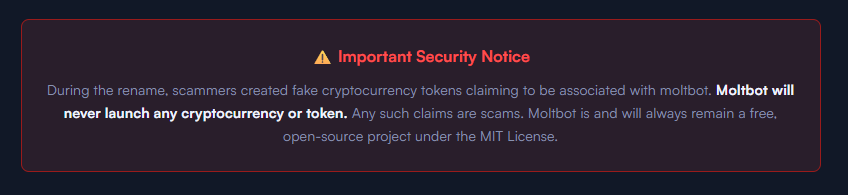
The ironic security warning: The impersonation site even warns users about scams involving fake cryptocurrency tokens—while itself impersonating the project.
Code analysis: Clean by design
I performed a static audit of the gstarwd/clawbot repository:
- no malicious npm scripts
- no credential exfiltration
- no obfuscation or payload staging
- no cryptomining
- no suspicious network activity
The code is functionally identical to the legitimate project, which is not reassuring.
The threat model
The absence of malware is the strategy. Nothing here suggests an opportunistic malware campaign. Instead, the setup points to early preparation for a supply-chain attack.
The likely chain of events:
A user searches for “clawbot GitHub” or “moltbot download” and finds moltbot[.]you or gstarwd/clawbot.
The code looks legitimate and passes a security audit.
The user installs the project and configures it, adding API keys and messaging tokens. Trust is established.
At a later point, a routine update is pulled through npm update or git pull. A malicious payload is delivered into an installation the user already trusts.
An attacker can then harvest:
- Anthropic API keys
- OpenAI API keys
- WhatsApp session credentials
- Telegram bot tokens
- Discord OAuth tokens
- Slack credentials
- Signal identity keys
- full conversation histories
- command execution access on the compromised machine
What’s malicious, and what isn’t
Clearly malicious
- false attribution to a real individual
- misrepresentation of popularity metrics
- deliberate redirection to an unauthorized repository
Deceptive but not yet malware
- typosquat domains
- SEO manipulation
- cloned repositories with clean code
Not present (yet)
- active malware
- data exfiltration
- cryptomining
Clean code today lowers suspicion tomorrow.
A familiar pattern
This follows a well-known pattern in open source supply-chain attacks.
A user searches for a popular project and lands on a convincing-looking site or cloned repository. The code appears legitimate and passes a security audit.
They install the project and configure it, adding API keys or messaging tokens so it can work as intended. Trust is established.
Later, a routine update arrives through a standard npm update or git pull. That update introduces a malicious payload into an installation the user already trusts.
From there, an attacker can harvest credentials, conversation data, and potentially execute commands on the compromised system.
No exploit is required. The entire chain relies on trust rather than technical vulnerabilities.
How to stay safe
Impersonation infrastructure like this is designed to look legitimate long before anything malicious appears. By the time a harmful update arrives—if it arrives at all—the software may already be widely installed and trusted.
That’s why basic source verification still matters, especially when popular projects rename or move quickly.
Advice for users
- Verify GitHub organization ownership
- Bookmark official repositories directly
- Treat renamed projects as higher risk during transitions
Advice for maintainers
- Pre-register likely typosquat domains before public renames
- Coordinate renames and handle changes carefully
- Monitor for cloned repositories and impersonation sites
Pro tip: Malwarebytes customers are protected. Malwarebytes is actively blocking all known indicators of compromise (IOCs) associated with this impersonation infrastructure, preventing users from accessing the fraudulent domains and related assets identified in this investigation.
From reporting threats to removing them.
Cybersecurity risks should never spread beyond a headline. Keep threats off your devices by downloading Malwarebytes today.