Every day, millions of people receive emails, text messages, and social media notifications containing links that demand their attention. Some are perfectly legitimate. Others are carefully crafted traps designed to steal personal information, install malware, or compromise financial accounts. Knowing how to distinguish between the two is an essential skill for anyone who uses the internet.
Key takeaways:
- To check whether a link is safe, look closely at the domain for misspellings, verify the true destination of shortened links, and be wary of urgency-driven messages before clicking.
- Warning signs to notice before clicking:
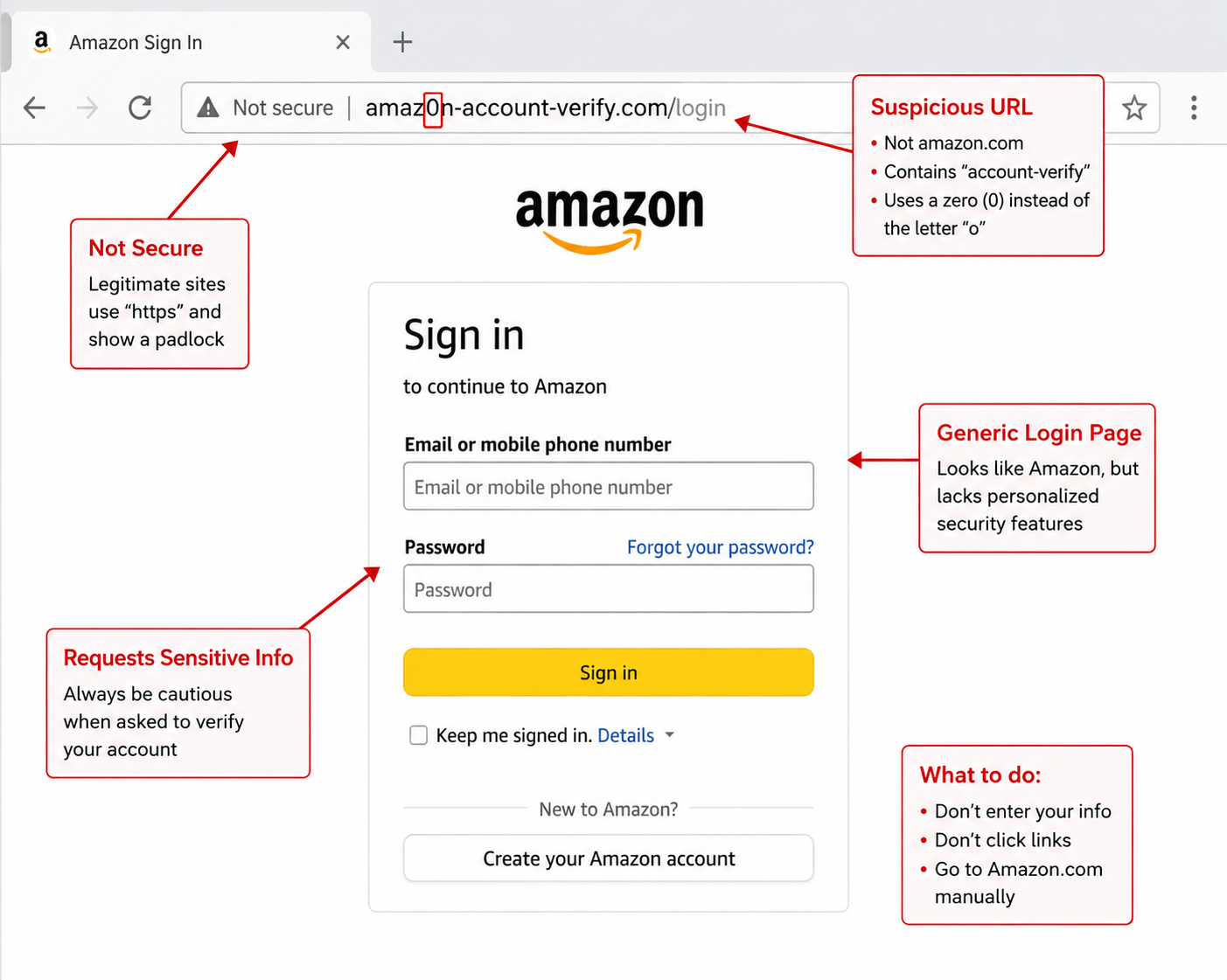
- Misspelled or altered domains. Scammers use lookalikes like amzon.com instead of amazon.com, or add extra words/characters to a real brand name.
- Shortened URLs. Services like bit.ly hide the real destination, so expand them with a linkchecker before clicking.
- Suspicious sender or unexpected message. Unsolicited links, even from known contacts, deserve extra scrutiny.
- Urgency or fear tactics. Messages pressuring immediate action are a common phishing tactic.
- Unusual URL structure. Extra subdomains, odd characters, or mismatched top-level domains are red flags to watch for.
- Best practice before clicking: Hover over links to preview the actual destination. If you’re still unsure, copy and paste the link into Malwarebytes Scam Link checker rather than clicking directly.
Unsure where a link goes? We’ll check it.
What makes a link dangerous?
A link becomes dangerous when it directs you to a destination designed to harm you—whether through stealing your credentials, downloading malware to your device, or tricking you into revealing sensitive information. Understanding how phishing works helps explain why these deceptive links are so dangerous.
Cybercriminals create malicious links for several purposes. Some lead to fake login pages that capture your username and password when you attempt to sign in. Others may trigger malicious downloads, exploit vulnerabilities in your browser or device, or try to persuade you to install malware, ransomware, or spyware.
The danger isn’t always obvious. A link might appear to lead to your bank’s website but actually points you to a convincing replica hosted on a completely different server. The email might look like it came from a colleague, but the link embedded in their “shared document” notification leads somewhere else entirely.
What makes modern phishing links particularly effective is their sophistication. Attackers study legitimate communications from the brands they impersonate, replicating logos, formatting, and language patterns with remarkable accuracy. The link itself often represents the only detectable flaw in an otherwise convincing message.
How to check if a link is safe before clicking
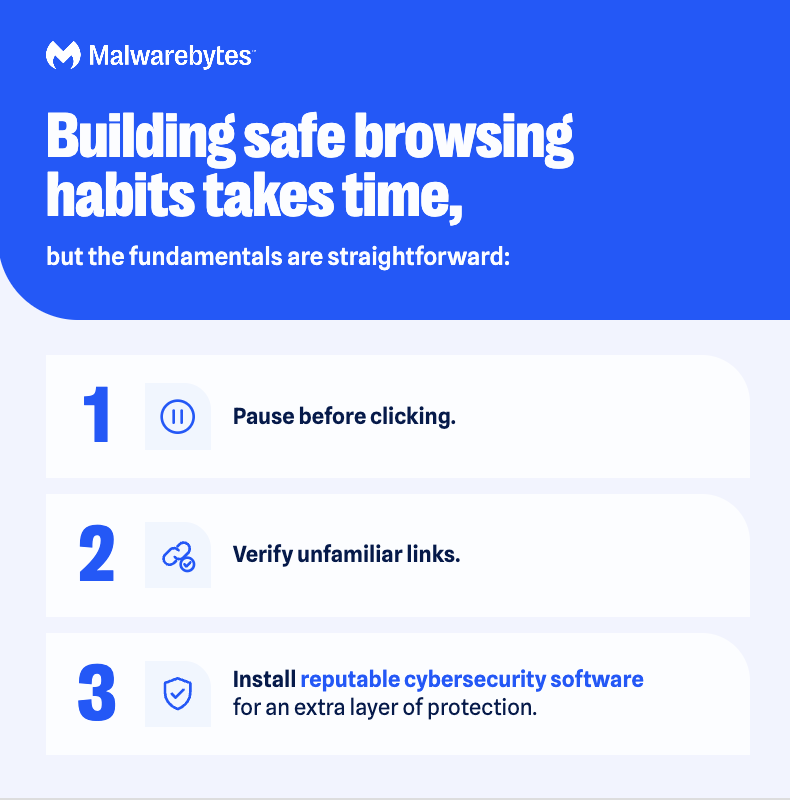
The most reliable way to check if a link is safe is to inspect the actual URL destination before clicking, then verify it using a reputable link checker tool. This two-step process takes only seconds but can prevent serious security incidents.
Start by hovering your cursor over the link without clicking. On desktop computers, this displays the true destination URL in the bottom corner of your browser window or as a tooltip near the link. On mobile devices, press and hold the link to reveal a preview of where it leads. This simple action often exposes phishing attempts immediately. You might discover that a link labeled “Your Bank Account” is trying to take you to a very different website.
When examining the revealed URL, focus on the domain name. In https://www.example.com/login, the domain is example.com. Be especially careful with long addresses: In yourbank.com.malicious-site.com, the site you’re actually visiting belongs to malicious-site.com. Attackers frequently create domains that look like legitimate ones, such as examp1e.com (with a numeral one instead of the letter L) or example-secure.com (adding extra words to a familiar name).
For links you’re still uncertain about, use a dedicated link checker tool to scan the URL before visiting. These services analyze the destination for known malware, scams, phishing indicators, and suspicious behavior without requiring you to visit the page yourself.
Malwarebytes Scam Guard lets you safely analyze suspicious links without visiting them.
The consequences of clicking without checking the link can be serious. A recent example involved a fake Google Meet update that gave attackers complete control of victims’ computers, all from a single click on a convincing but malicious link.
For real-time verification, Malwarebytes Scam Guard is now integrated with Claude and ChatGPT, providing AI-powered scam detection and link checking that can help you evaluate suspicious URLs before you interact with them.
Common phishing scam URL warning signs
Phishing URLs (or scam links) can contain warning signs that distinguish them from legitimate links. Learn to recognize these common patterns:
- Misspelled or altered domain names represent one of the most common tactics. Attackers register domains that closely resemble trusted brands, substituting similar-looking characters or adding extra words. Watch for substitutions like “rn” for “m” (which looks nearly identical in many fonts), zeroes for the letter O, or lowercase L for the numeral one. A domain like arnazon.com or paypa1.com might fool a quick glance but reveals itself under closer inspection.
- An unexpected top-level domain can be a warning sign. While legitimate businesses typically use familiar extensions like .com, .org, or country-specific domains, phishing sites often rely on unusual TLDs such as .xyz, .top, .click, or .info. A message claiming to be from your bank that links to an unfamiliar domain deserves extra scrutiny.
- URL shorteners hiding the destination create uncertainty by design. Services like bit.ly, tinyurl.com, and similar platforms compress long URLs into brief codes that reveal nothing about where they lead. While these services have legitimate uses, they’re also frequently exploited to disguise malicious destinations. Many link checker tools can expand shortened URLs to reveal their true endpoints.
- Mismatched anchor text (hyperlink) occurs when the visible text of a link doesn’t match its actual destination. An email might display “Click here to access your account at www.yourbank[.]com” while the underlying link points somewhere completely different. Always verify by hovering over the link rather than trusting the displayed text.
- Excessive subdomains or path complexity can indicate an attempt to bury the real domain within a confusing URL structure. A link like secure.login.yourbank.com.malicious-site.com/verify might look legitimate at first glance, but the actual domain is malicious-site.com. Everything before it is just a subdomain designed to deceive.
- Random strings of characters in the URL path often signal automatically generated phishing pages. Legitimate websites typically use readable, descriptive URLs, while phishing sites frequently contain long strings of random letters and numbers.
In addition to these signs, you should always think twice before clicking on a link that came from an unknown sender and prompts you to click with urgency.
Why HTTPS doesn’t always mean a link is safe to click
When you see a full web address, there’s always HTTP or HTTPS in front of the www:

HTTPS (Hypertext Transfer Protocol Secure) ensures that data transmitted between your browser and the website is encrypted, preventing third parties from intercepting information like passwords or credit card numbers during transit. The padlock icon in your browser address bar confirms that this encryption is active.
However, it is important to know that HTTPS doesn’t mean that the URL is safe. If a website only uses HTTP instead of HTTPS, that’s a red flag. Legitimate businesses and websites should always use encryption. But the presence of HTTPS alone should never be interpreted as proof of legitimacy.
Obtaining an HTTPS certificate has become very easy. Attackers can secure certificates for their phishing sites just as easily as legitimate website operators can. A phishing page designed to steal your banking credentials can display the same padlock icon as your actual bank’s website.
Think of HTTPS like an envelope seal on a letter. The seal helps protect the letter from being read or tampered with during delivery, but it says nothing about whether the sender is trustworthy or whether the contents are honest. A scammer can seal an envelope just as effectively as anyone else.
When evaluating whether a link is safe, HTTPS should be considered a baseline expectation rather than a security guarantee. Focus your attention on the domain name itself, the overall context of how you received the link, and whether the request being made seems reasonable.
A phishing link with HTTPS is still a scam link.
Unsure where a link goes? We’ll check it.
What to do if you already clicked a suspicious link
What if you already clicked a malicious link? Keep calm and act quickly:
- Close the suspicious page and don’t enter any personal information. If something downloaded or ran, or your device starts behaving strangely, disconnect it from the internet while you investigate.
- Don’t enter any personal information if a page prompted you to, and stop any automatic downloads that may have started.
- Close the browser and check whether any files were downloaded to your device. Delete them without opening if they did.
- Change your passwords for any account where you entered it on the suspicious page. If you use that same password for any other accounts, change those too.
- Scan for malware using Malwarebytes Free Malware and Virus Scan, then back up any important files.
- Report the message. Use your email/message “Report phishing/spam” option.
- Monitor your accounts and device for unusual activity in the days after.
Consider signing up for a reputable identity theft monitoring and protection service, especially if you entered personal or financial information.
Protect yourself with Malwarebytes
Comprehensive protection against malicious links requires both knowledge and the right security tools to work together. While learning to recognize phishing and scam link signs is essential, automated protection adds a critical safety net for the threats you might miss.
Malwarebytes Premium Security provides multiple layers of defense against emerging online threats, including scam links. Real-time web protection blocks known malicious URLs before they can load in your browser, stopping phishing attempts and malware downloads at the source. This protection works silently in the background, intervening only when you encounter a genuine threat.